9
Connecting the Monitor
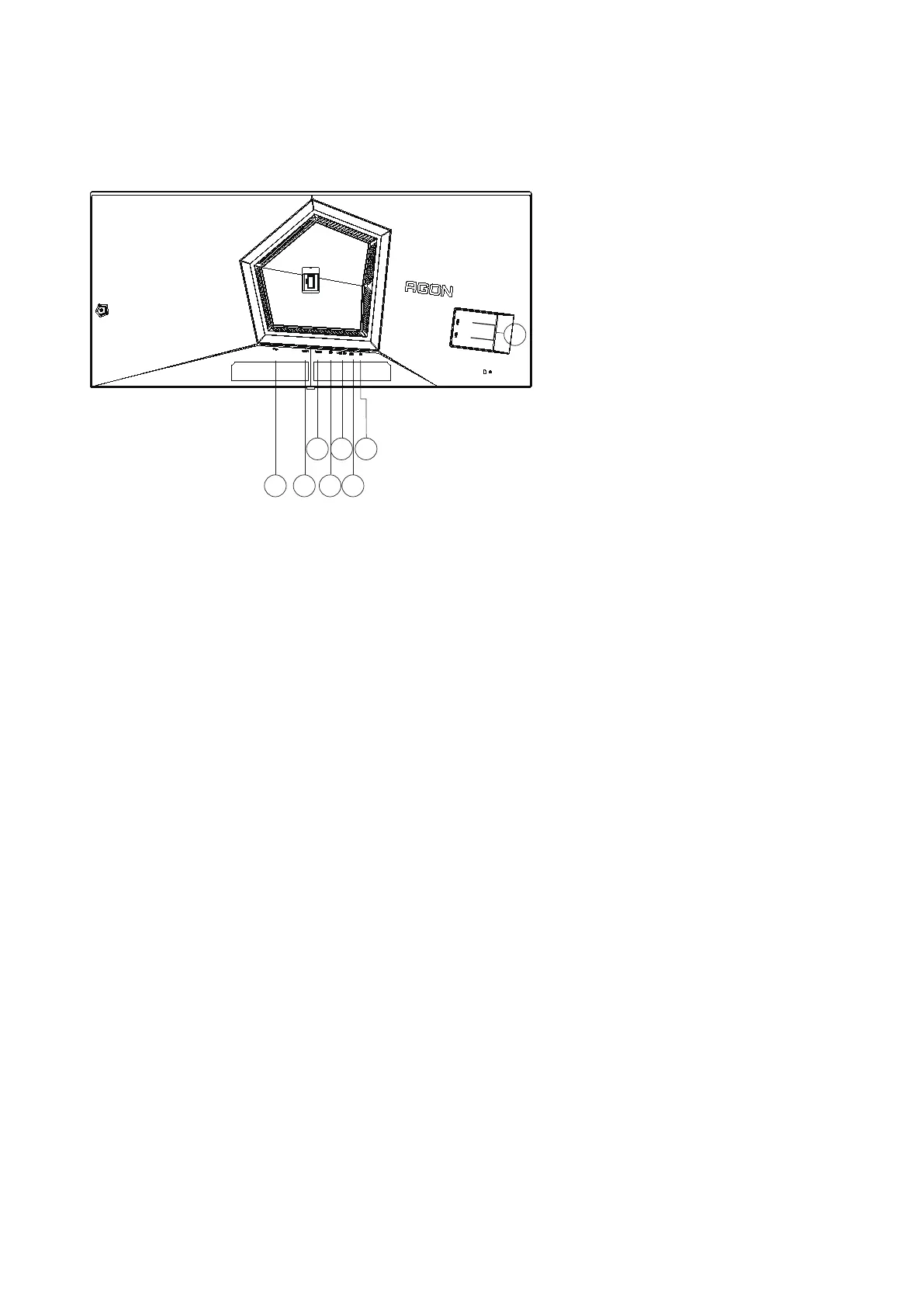
Cable Connections In Back of Monitor:
1 4
3
2
5
6
7
8
1. Power
2. HDMI1
3. HDMI2
4. DisplayPort
5. USB3.2 Gen1 upstream
6. USB3.2 Gen1 downstream + fast chargingx1
7. Earphone
8. USB3.2 Gen1 downstream x2
Connect to PC
1. Connect the power cord to the back of the display rmly.
2. Turn off your computer and unplug its power cable.
3. Connect the display signal cable to the video connector on your computer.
4. Plug the power cord of your computer and your display into a nearby outlet.
5. Turn on your computer and display.
If your monitor displays an image, installation was successful and is complete. If your monitor does not
display an image, please refer to the “Troubleshooting” section.
To protect equipment, always turn off the PC and OLED monitor before connecting.


 To Next Page