EasyManua.ls Logo

AOC AG346UCD - Light FX

AOC AG346UCD
36 pages
Print Icon
To Next Page IconTo Next Page
To Previous Page IconTo Previous Page
Loading...
24
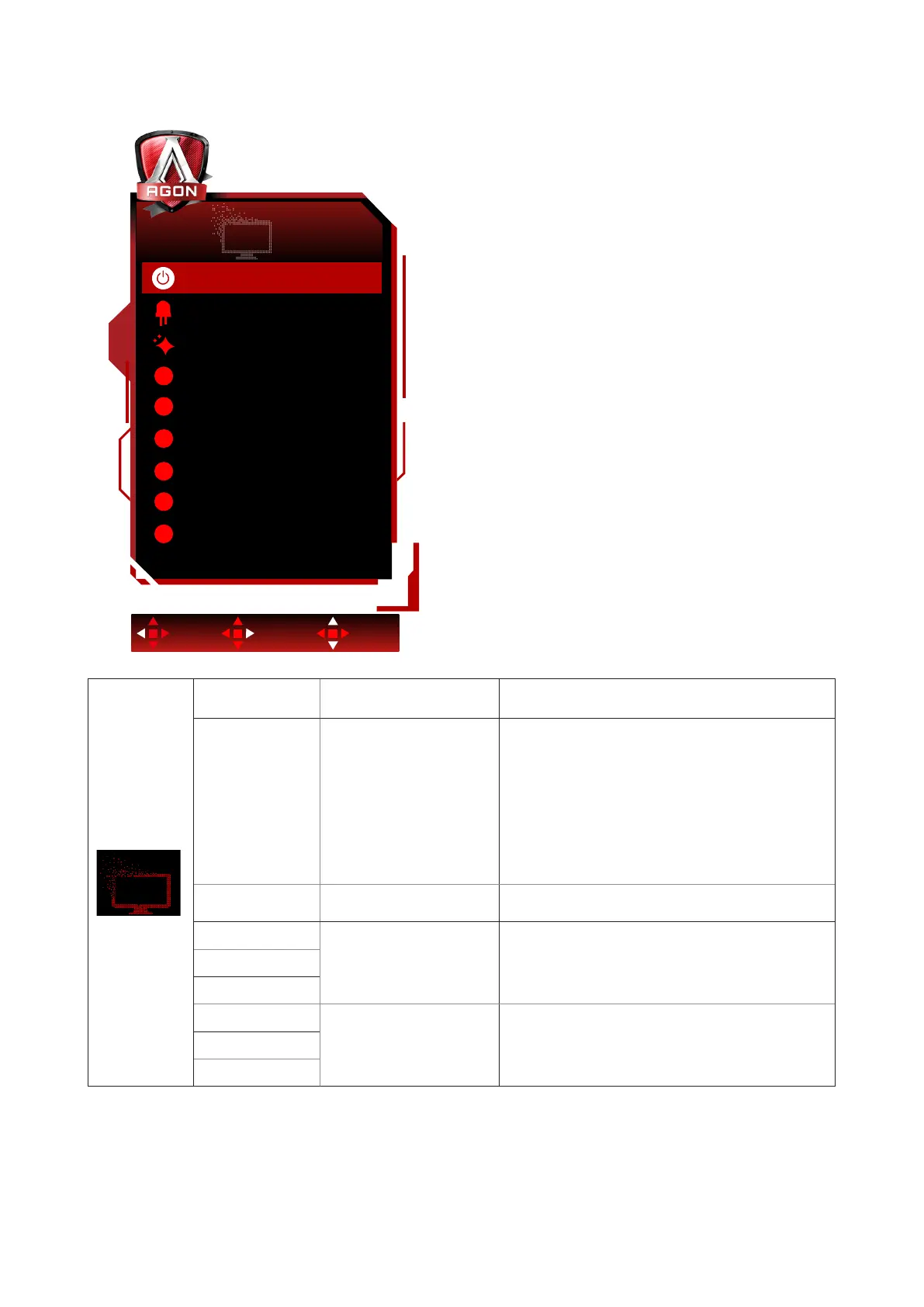
Light FX
Exit Enter Select
Light FX
Light FX Mode
Pattern
Foreground R 50
50
50
50
50
50
Foreground G
Foreground B
Background R
Background G
Background B
Static
Rainbow
MediumLight FX
R
G
B
R
G
B
Light FX
Off / Low / Medium /
Strong
Select the intensity of Light FX.
Light FX Mode
Audio1 / Audio2 / Static
/
Dark Point Sweep /
Gradient Shift /
Spread Fill / Drip Fill
/ Spreading Drip Fill
/ Breathing / Light
Point Sweep / Zoom
/ Rainbow / Wave /
Flashing / Demo
Select Light FX Mode
Pattern
Red / Green / Blue /
Rainbow / User Dene
Select Light FX Pattern
Foreground R
0-100
User can adjust Light FX foreground color,
when Pattern setting to user dene
Foreground G
Foreground B
Background R
0-100
User can adjust Light FX background color,
when Pattern setting to user dene
Background G
Background B

Related product manuals