3
Installation
Do not place the monitor on an unstable cart, stand, tripod, bracket, or table. If the monitor falls, it can
injure a person and cause serious damage to this product. Use only a cart, stand, tripod, bracket, or table
recommended by the manufacturer or sold with this product. Follow the manufacturer’s instructions when
installing the product and use mounting accessories recommended by the manufacturer. A product and
cart combination should be moved with care.
Never push any object into the slot on the monitor cabinet. It could damage circuit parts causing a re
or electric shock. Never spill liquids on the monitor.
Do not place the front of the product on the oor.
If you mount the monitor on a wall or shelf, use a mounting kit approved by the manufacturer and
follow the kit instructions.
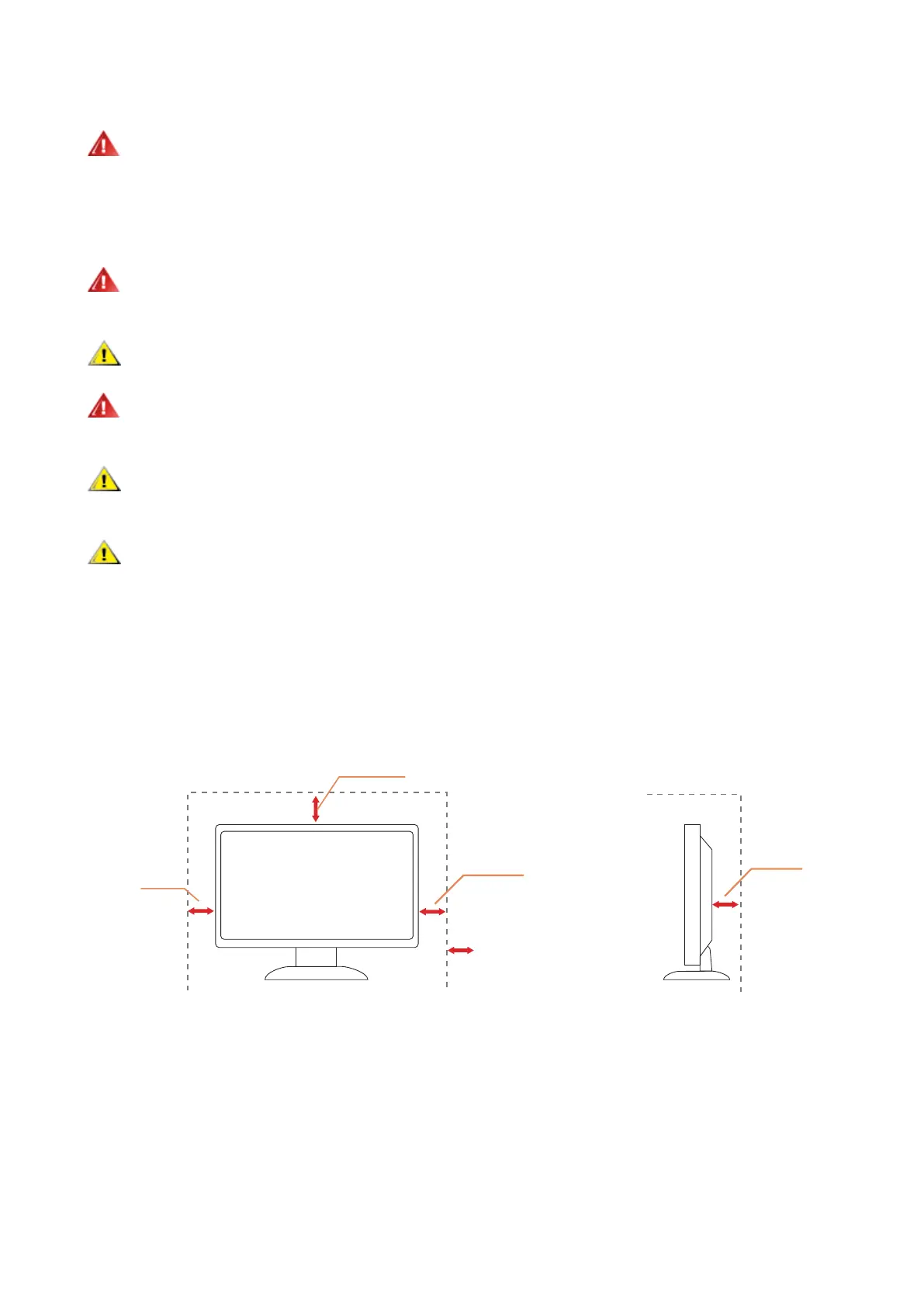
Leave some space around the monitor as shown below. Otherwise, air-circulation may be inadequate
hence overheating may cause a re or damage to the monitor.
To avoid potential damage, for example the panel peeling from the bezel, ensure that the monitor does
not tilt downward by more than -5 degrees. If the -5 degree downward tilt angle maximum is exceeded, the
monitor damage will not be covered under warranty.
See below the recommended ventilation areas around the monitor when the monitor is installed -on the
stand:
Installed with stand
12 inches
30cm
4 inches
10cm
4 inches
10cm
4 inches
10cm
Leave at least this much
space around the set


 To Next Page