25
OLED Care/Extra
Exit Enter Select
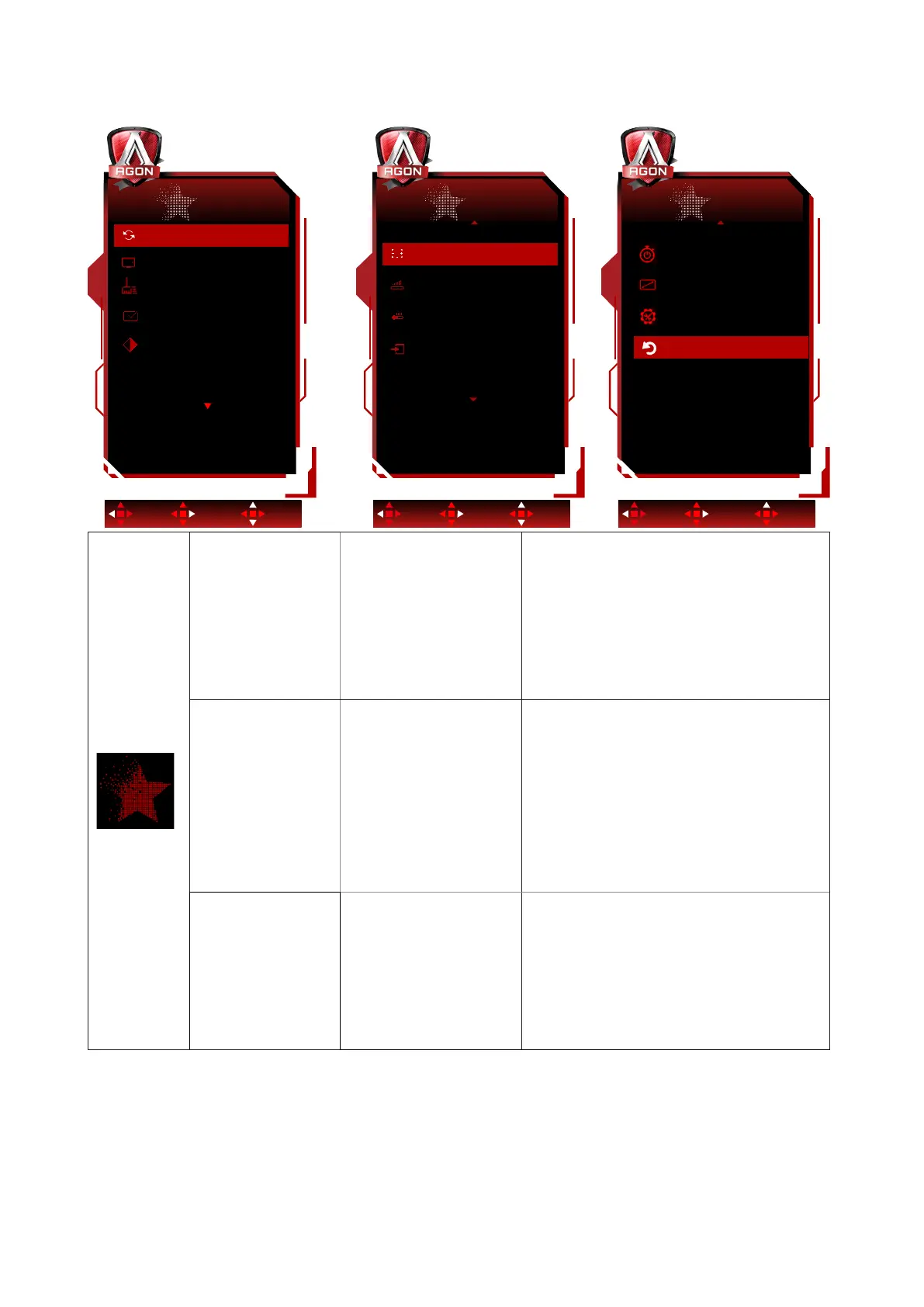
OLED Care/Extra
Resolution: 3440(H)x1440(V) SDR
H.Frequency: 97 KHz
V.Frequency: 60 Hz
Logos Protection
Off
Screen Saver Off
Pixel Orbiting
Weak
Pixel Refresh
Off
Auto Warning
On
Exit Enter Select
OLED Care/Extra
Input Select Off
Boundary Dimmer
Off
ThermalProtection
Off
Taskbar Dimmer
Off
Exit Enter Select
OLED Care/Extra
NoReset
Yes
DDC/CI
Time after Pixel Refresh
Pixel Refresh Counts
4
0.7
Time after Pixel Refresh
Pixel Refresh Counts
4
0.7
Off Timer
0
Image Ratio
Wide
Pixel Orbiting
(Image shift)
Off / Weak / Medium /
Strong
Orbit will slightly shift the displayed image
at the pixel level, once a second to prevent
image retention.
This function is “On (Weak)” by default,
“Weak” moves the least, “Strong” moves
the most, “Off” disables the movement
and increases the chance of image
retention. This can me set in the OSD
menu.
Auto Warning
On/ Off
Enable/Disable the "Pixel Refresh" Auto
Warning feature.
The monitor will automatically display
an “Auto Warning” every 4 hours of
cumulative usage to remind the user to
run the "Pixel Refresh" process.
Select "Off" to stop the Auto Warning
for "Pixel Refresh." However, if the
recommended time for running the " Pixel
Refresh " is not followed, it may increase
the risk of image retention on the screen.
Please proceed with caution.
Pixel Refresh
(Elimination of
image retention)
On/ Off
This function will help eliminate image
retention.
After startup, select “Yes” from the menu
prompt. The display will shutdown the
screen and run the maintenance cycle.
The power indicator will ash white (1
second on/1 second off) while the cycle
runs, about 10 minutes. At the end of the
cycle the power indicator will turn off and
the display will be in standby state.


 To Next Page