AOC LM927U
7
3.3 ADJUSTING THE PICTURE
Adjustment steps:
1. Press the MENU-button to activate the OSD window.
2. Press < or > to select the desired function.
3. Press the MENU-button to select the function that you want to adjust.
4. Press < or > to change the settings of the current function.
5. To exit and save, select the exit function, or leave the monitor alone for 10 seconds. If you want to adjust any
other function, repeat steps 2-4.
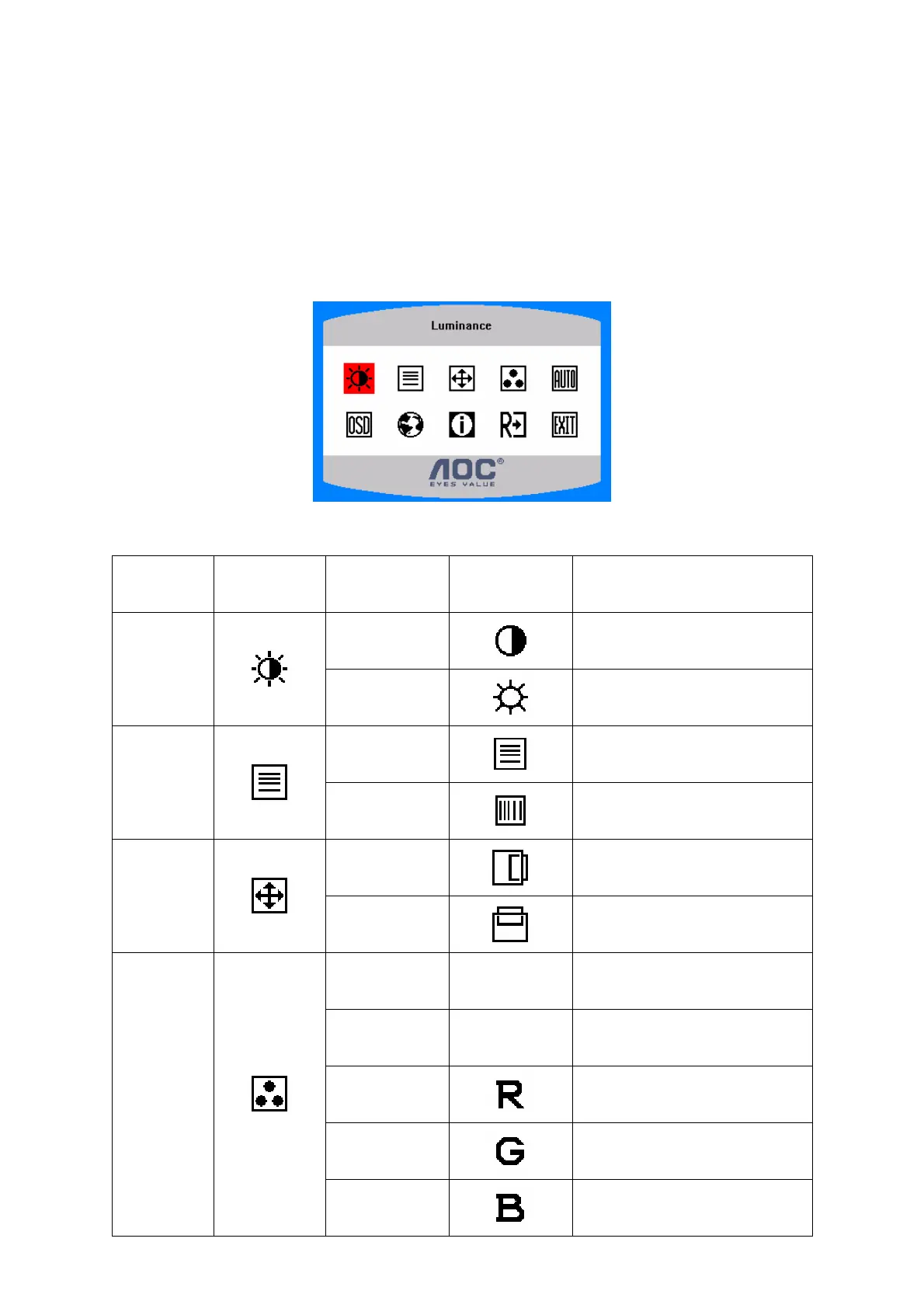
OSD TABLE:
Main Menu
Item
Main Menu
Icon
Sub Menu Item Sub Menu Icon Description
Contrast
Contrast from Digital-register.
Luminance
Brightness
Backlight Adjustment
Focus
djust Picture Phase to reduce
Horizontal-Line noise
Image Setup
Clock
djust picture Clock to reduce
Vertical-Line noise.
H. Position
djust the horizontal position of
the picture.
Image
Position
V. Position
Adjust the vertical position of the
picture.
Warm N/A
Recall Warm Color Temperature
from EEPROM.
Cool N/A
Recall Cool Color Temperature
from EEPROM.
User / Red
Red Gain from Digital-register.
User / Green
Green Gain Digital-register.
Color Temp.
User / Blue
Blue Gain from Digital-register.
http://www.wjel.net



 To Next Page