12
English
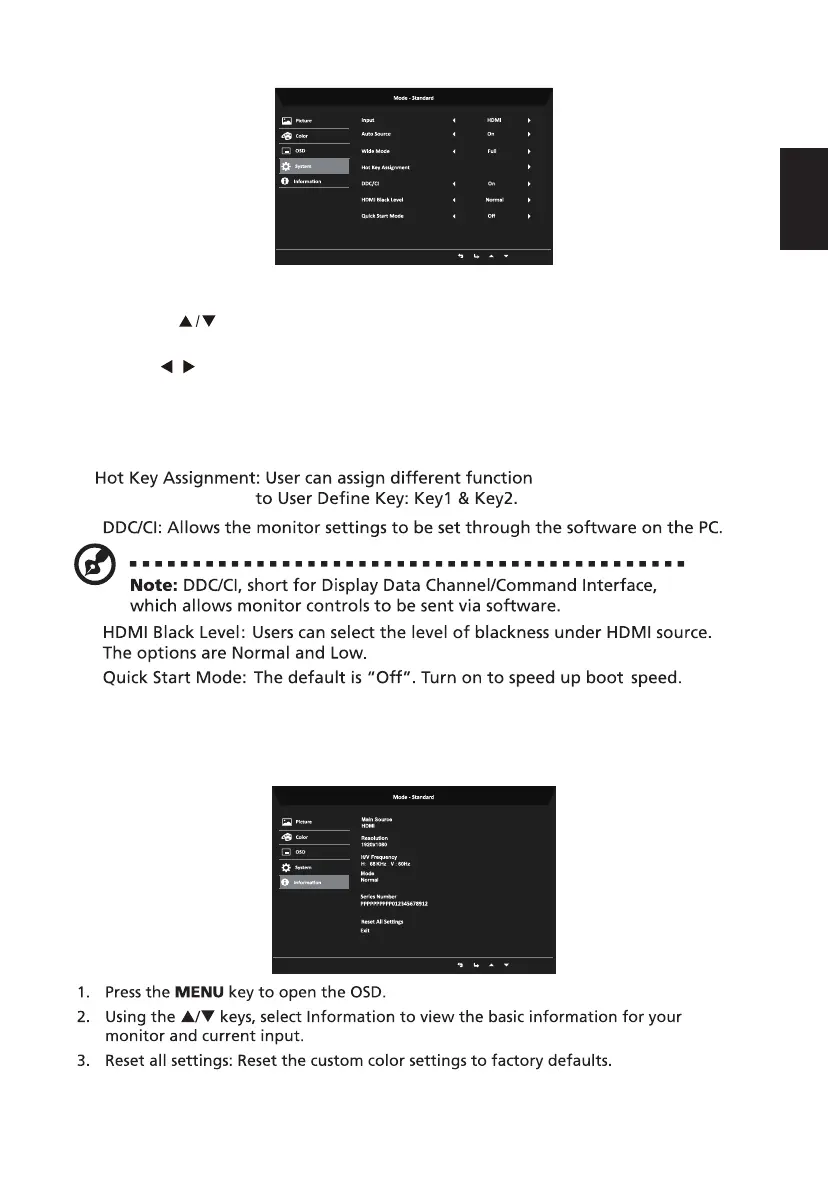
System
Information
1. Press the MENU key to open the OSD.
2. Using the keys, select Setting from the OSD. Then navigate to the system
element you wish to adjust.
7.
8.
3. Use the keys to select the setting.
4. Input: Select the source from VGA or HDMI.
5. Auto Source: Automatically searches for available input sources.
6. Wide Mode: You can select which screen as pect you are using. The options are Aspect
and Full.
( Brightness/Input/Gamma/
contrast/Bluelight )
/
9.
10.
4. Exit: Exit OSD menu.



 To Next Page