EasyManua.ls Logo

AP systems ECU-R - 4.2 Add UID; 4.3 Homepage

Default Icon
20 pages
Print Icon
To Next Page IconTo Next Page
To Previous Page IconTo Previous Page
Loading...
ECU-R Installation/User Manual
11
4. ECU-R User Interface
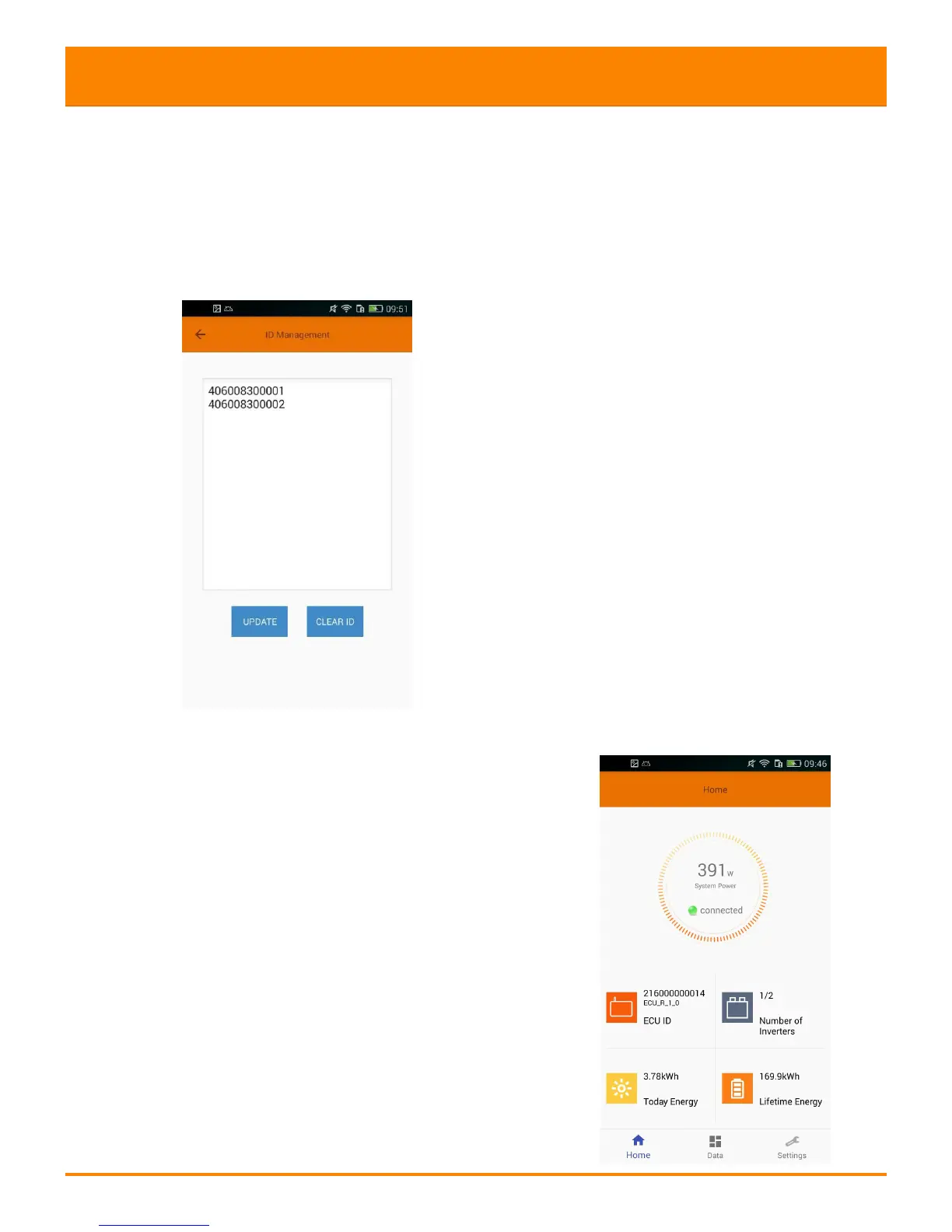
4.2 Add UID
Click "Settings", select "ID Management", then input the UID, click "OK" to
complete setting. If you need to clear all the IDs, please click the "Clear ID"
button.
4.3 Homepage
Click "Home" at the bottom of the page.
The information about systems info of ECU-R,
ECU-R ID, version NO., total number of
inverters, the number of connected
inverters, intraday power output, historical
Power output and current system power shall
Be displayed.