ECU-R Installation/User Manual
Green light indicates the mobile phone is connected to the ECU-R.
Grey light indicates the mobile phone fails to connect to the ECU-R.
4.4 Data
4.4.1 Real Time Data
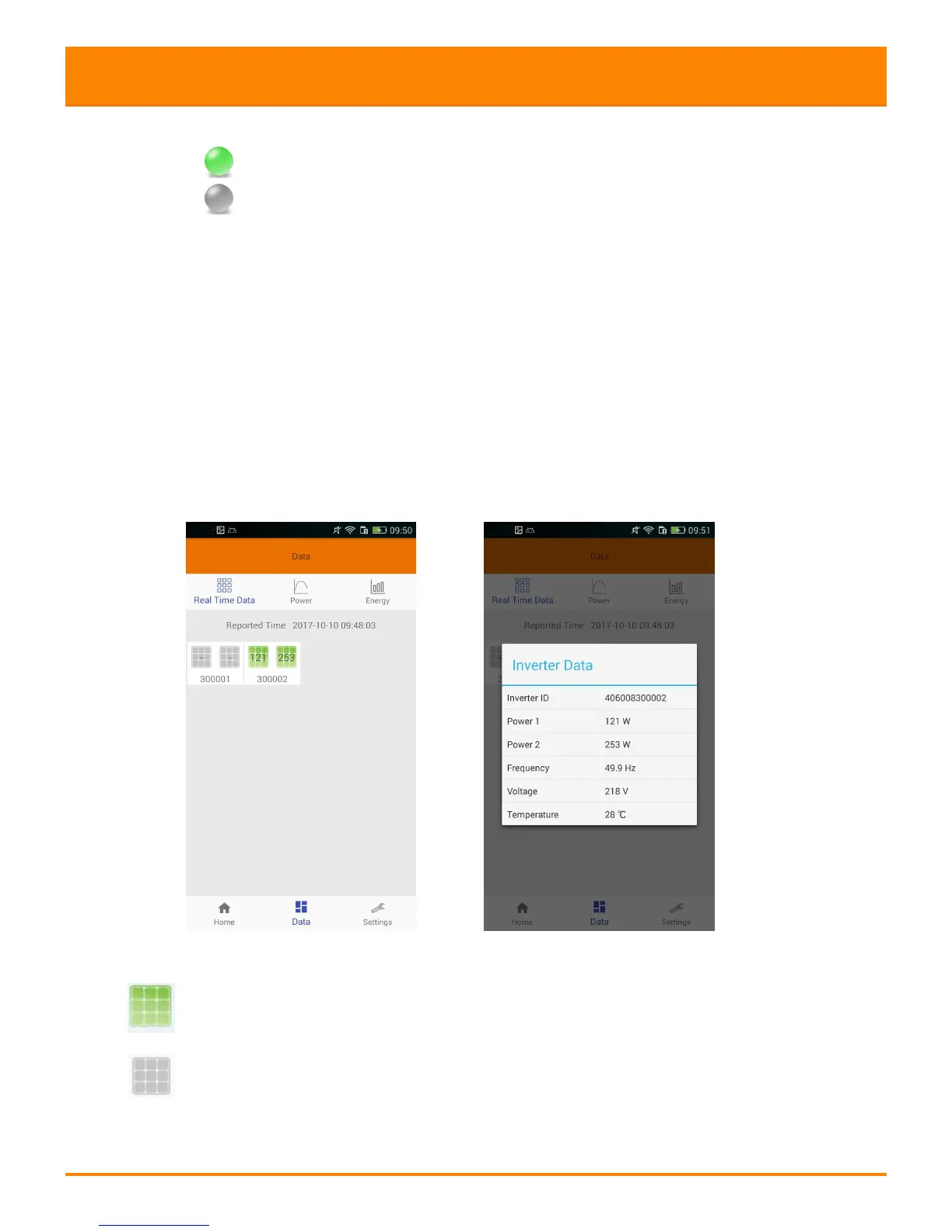
This page shall display the added inverter. According to different models of
inverter, each inverter would have the corresponding modules displaying the real
time power.
Click "Module", the detailed information of the inverter shall be displayed,
including inverter ID, PV module power, network voltage, frequency and
temperature.
Green panel indicates the inverter is successfully connected.
Grey panel indicates the inverter is disconnected.



 To Next Page