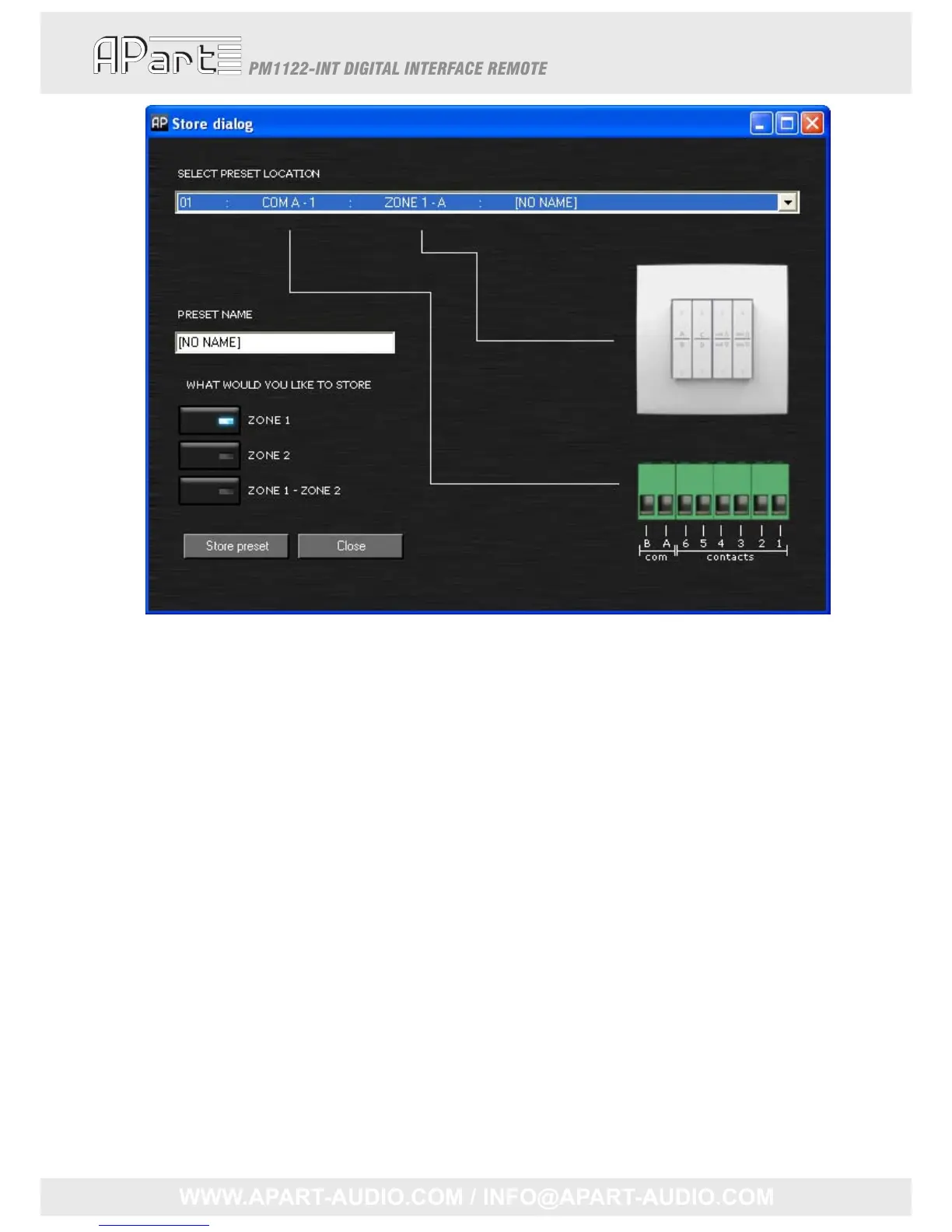
Thedropdownlistindicateshoweachpossiblepresetcanberecalledbyusingthecontactsorthe
RFremote.Ifyouhavechosenalocation,anam ecanbegiven.Pleasenotethesenamesareonly
intendedforyourconvenience;theyarestoredinthecontrolpanelsoftwarebutarenotwrittento
thePM1122‐INT.
Next,youhavetodecidewhichsettingshavetobestored.Underthelabel“Whatwouldyouliketo
save”,3optionsareavailable:onlyzone1,onlyzone2orbothzone1andzone2.Finallypress“Save
preset”.ThesettingsyoumadewillbestoredinthePM1122‐INTinternalmemory.
TheconfigurationoftheRFremotescanbechangedinthe“Edit”menu.Byclicking“Wireless
controllers”,apopupwindowwillopen.Pleaserefertochapter“
Easywave”atpage9tolearn
aboutthemeaningofthesettings.
18



 To Next Page