Easywave
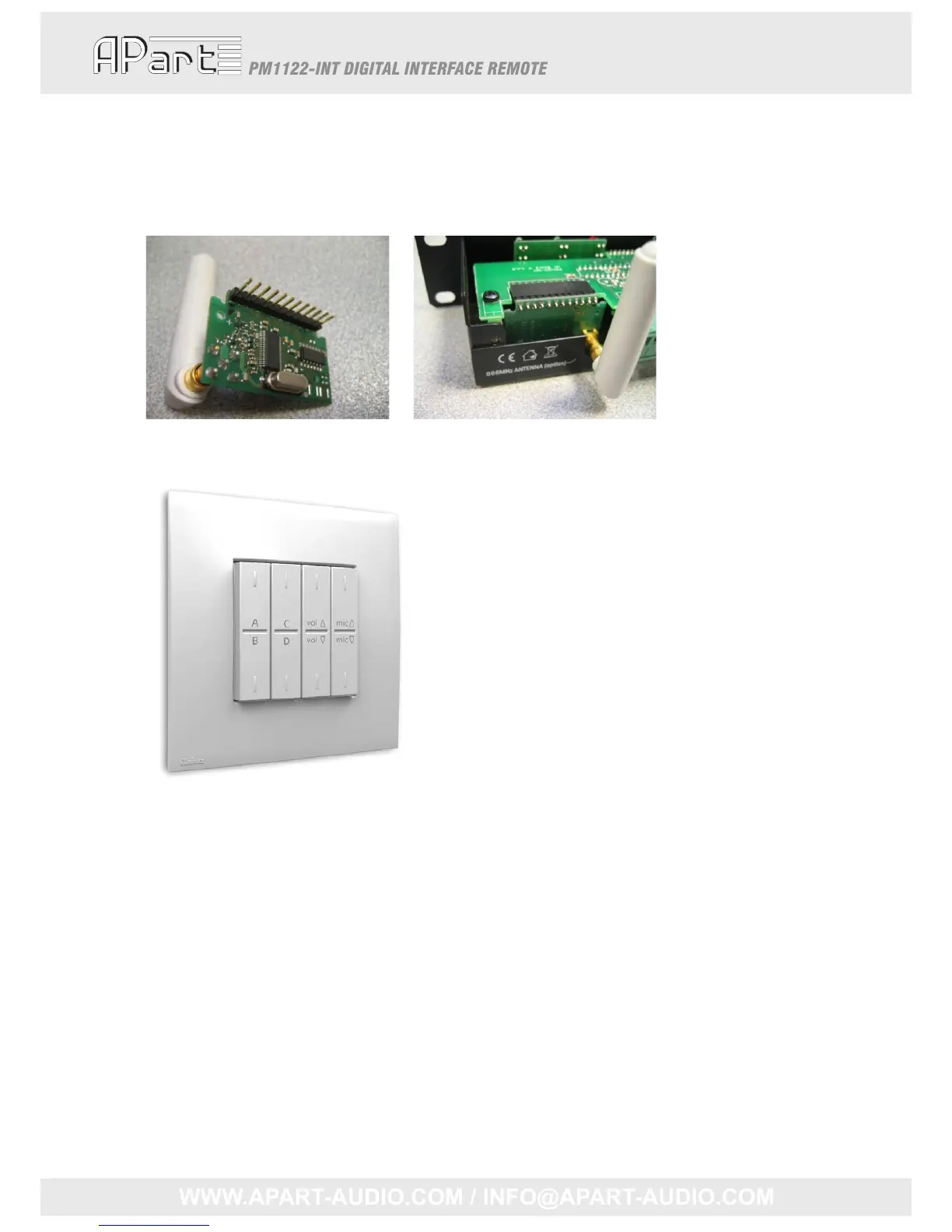
AnoptionalEasywavereceivermodulecanbemountedinsidethePM1122‐INT.Toinstall
thisreceiver,pleasecarefullyremovethetopcoverandslidethemoduleinplacelikeshown
onthepicturebelow.
Oncethismoduleisinstall ed,aneightbuttonRFswitchcanbeassigned toazoneofthePM1122.
4buttonsnamedAtoDareusedforselectingthesourceortorecallapreset.Bydefault,these
buttonsareconfiguredtoselectsourceAtoD.Nexttothatareanupanddownbuttoncontrolling
themusiclevelandfinallythesame2b uttonscontrollingthemicrophonelevel.
AssigninganRFswitchisassimpleaspushingthe“Learn”buttonfromthecorr espondingzone(x)
andthenpushanybuttonsoftheRFswitchwithin5seconds.IncasethePM1122‐INTisinaless
accessibleplace,thiscanalsobedone byanRS232instruction.“LRNRFKEYZONEx<CR>”hasthe
sameeffectaspushingthe“Learn”buttonfromzonex.Clearingofthememoryorun‐assigningthe
RFswitchesalsocanbedonein2ways:pushingthe“Clear”buttononthePM1122‐INTforatleast2
secondsorbytheinstruction“CLRRFKEYALL<CR>”.
TwoextrafeaturescanbeconfiguredbyRS‐232:
• “Mute”‐buttons:themusiclevelormicmixlevelwillbeputatminimumiftheleveldown
buttonisdoubleclicked.Toenablethisfeature,thefollowingRS‐232commandshouldbe
executed:“SETDBLCLICKON<CR>”.Corresponding,thefeaturecanbedisabledbythe
9



 To Next Page