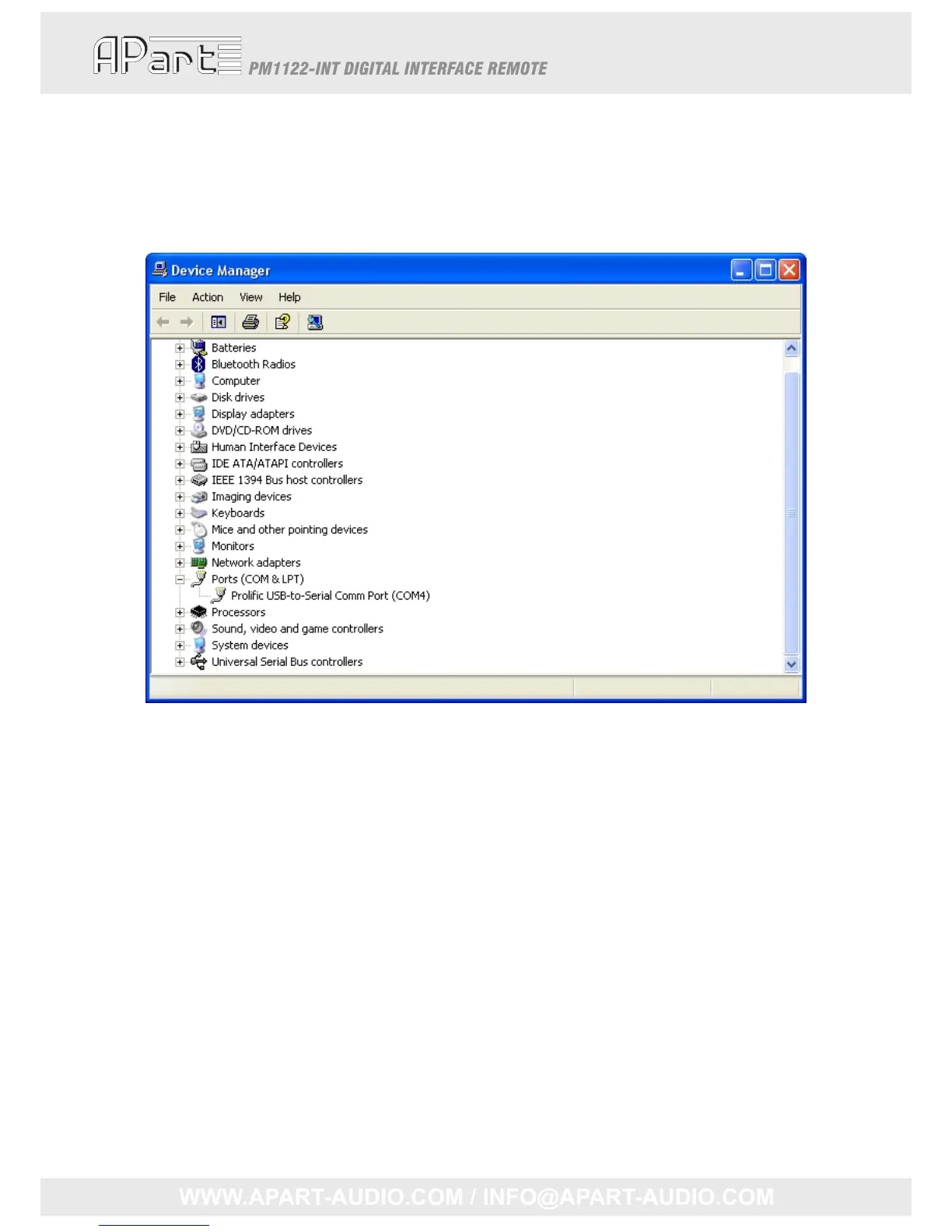
Help,whereismyCOMport?
TochecktheCOMportname,lookinControlPanel‐>System‐>Hardware‐>DeviceManager.You
mightneedAdministratorrightstoaccessthesepages.Askyoursystemadministratorforassistance
ifnecessary.ClickPorts(COM&LPT)toviewallavailableCOMports.
Herewefindit’sCOM4
Howtode a lwithbidirectionalcommunication
KeepingyoursysteminsyncwiththePM1122mightlookdifficultbutactuallyitisn’tifyoufollow
therightstrategy.IfyouarewritingaVBprojectorconfiguringasystemlikeCrestron,youmight
experiencethesamedifficulty.What’sitallabout?
Whenapresetisrecalledorwhena“GETINFO”commandisexecuted,abignumberofcharacters
aretransmittedbythePM1122‐INT.Possiblereceivingonlyapartofthisstring,willcallyourroutine
whichhandlesthereceiveddata.Althoughthisstringisnotcomplete,itmightalreadycontainmore
thanonevalue.Forexample,a“GETINFO”commandmightcallyourreceivehandler3times.Inthe
nextexample,forclarity,a<CR>isrepresentedby“\r”and<LF>by“\n”.
Thefirsttimethereceivedstringmightbe:”
MSCLVLZONE119\r\nMICLVLZONE10\r\nSELECT
ZONE1A\r\nRSRFFUZONE10\r\nMAXMSCZONE199\r\nMAXMICZONE160\r\nMINMSC ZO”.The
secondtimeitis:“NE110\r\nMINMICZONE10\r\nMSCLVLZONE20\r\nMICLVLZONE20\r\nSELECT
ZONE2C\r\nRSRFFUZONE20\r\nMAXMSCZONE280\r”andfinallythelasttimeit’s:“\nMAXMIC
ZONE2100\r\nMINMSCZONE20\r\nMINMIC ZONE20\r\nREMOTEZONE11\r\nREMOTEZONE2
1\r\n”
24



 To Next Page