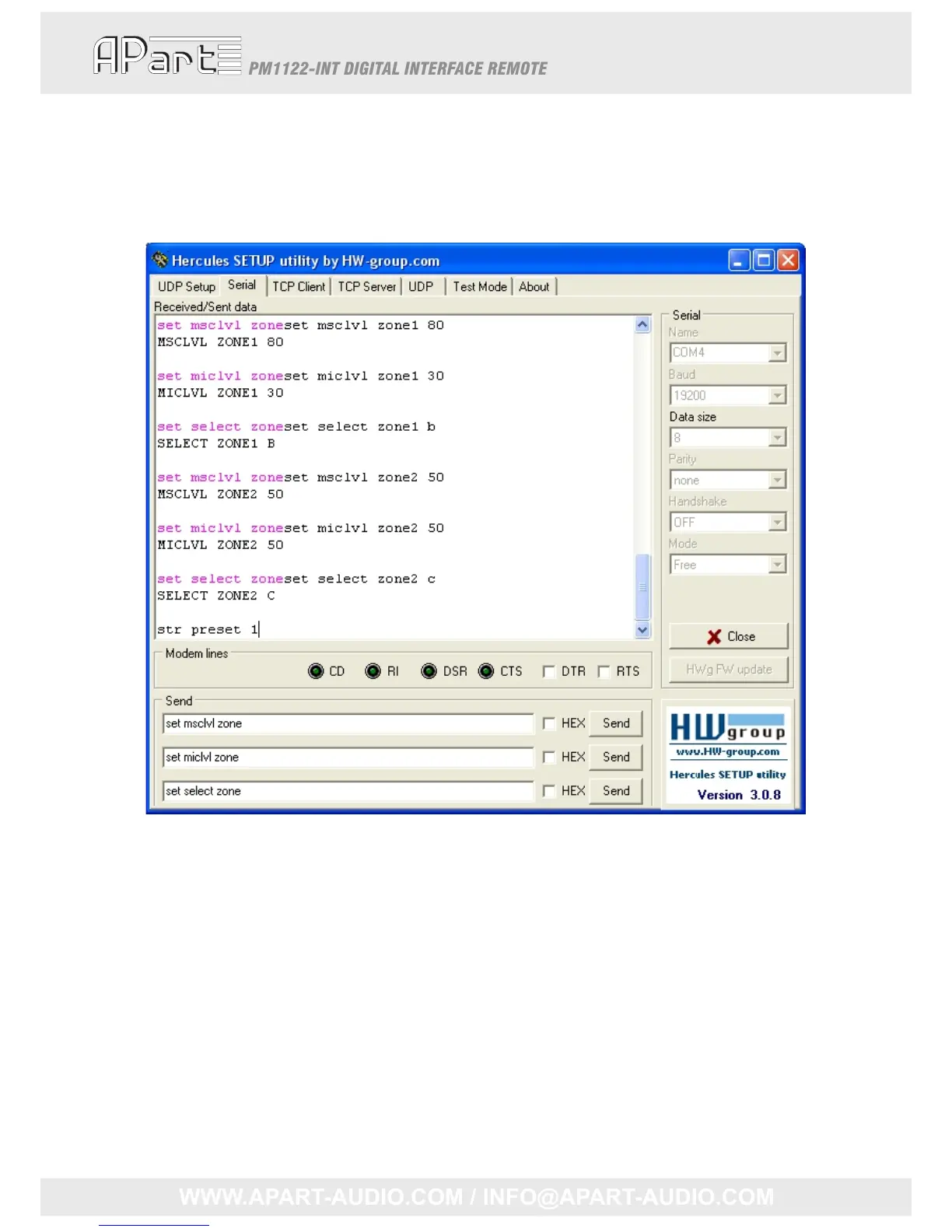
Thisway,wecouldmakeitourselveseasytocreateandstorepresets.Inthefirsttextboxwe
type:”setmsclvlzone”.Inthesecondone:”setmiclvlzone”andfinallyinthethird:“setselectzone”.
Now,ifwewanttochangethemusiclevelofazone,weonlyneedtopushtheupper“Send”button
andtypingthezonenumber,aspaceandthedesiredvalue.Thesamewayforthemicmixleveland
thesourceselect.Afterallcontrolsettingssettingsareatthedesiredlevel,justtype“strpreset”
followedbyazoneifneededandthepresetnumber.
23



 To Next Page