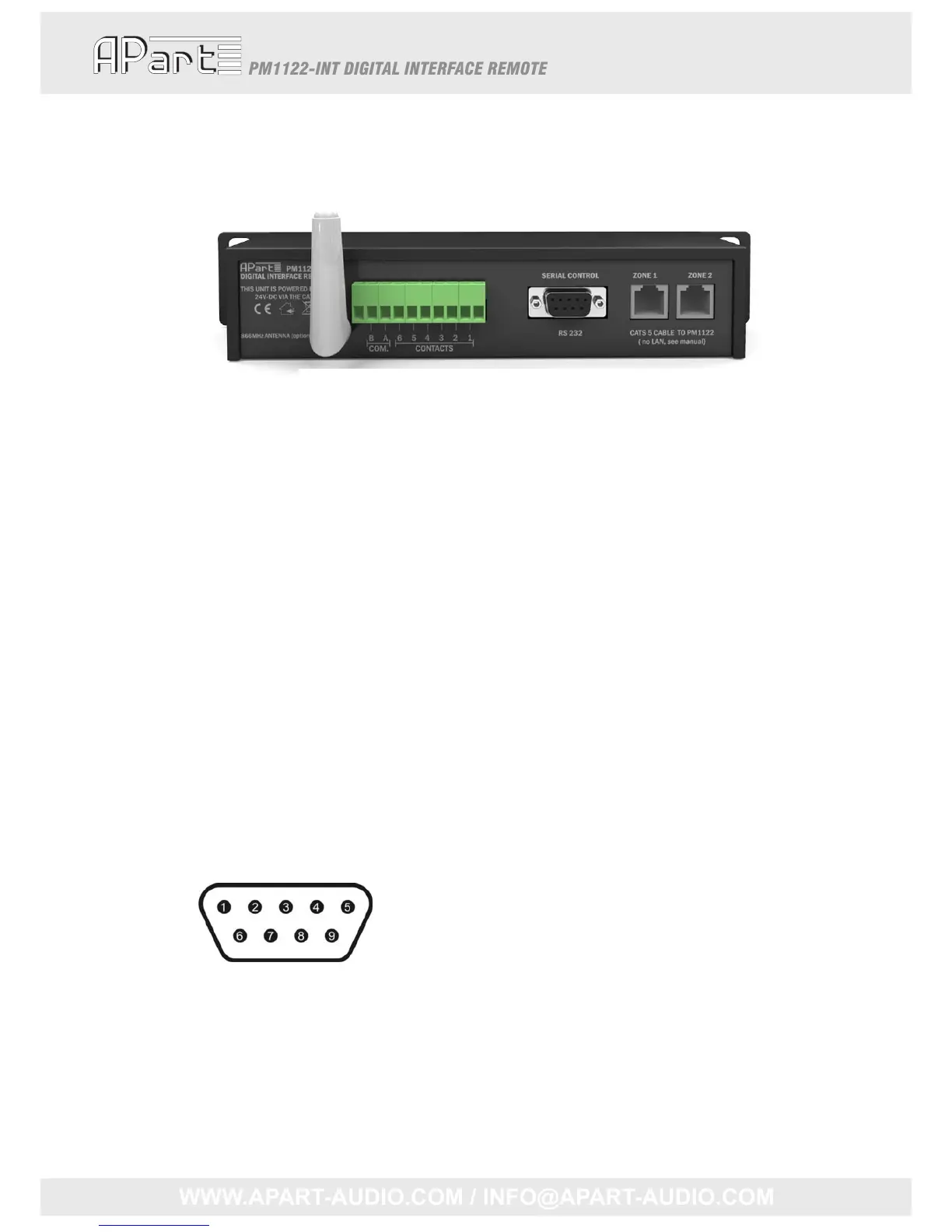
PM1122INTbackpaneldescription
12345
1. RFantenna(optional)
2. EuroblockConnectorforPresetrecallbycontact
3. DB‐9RS‐232connector
4. RJ45Zone1CAT5cableconnector
5. RJ45Zone2CAT5cableconnector
Note:TheRJ45connectorsarenotLANconnectors,sopleaseneverattempttoconnectittoa
computerornetworkoranythingotherthanaPM1122‐INT!
ThePM1122‐INTwillonlyoperateifatleastonezoneisconnectedtoaPM1122pre‐amplifier
usingastandardCAT5cable.NotethattheselectorbuttononthePM1122mustbesetat
“REMOTE”.Powersupplyfortheinterfaceisprovidedbythepre‐amplifier.Donotattemptto
connectthePM1122‐INTCAT5connectorstoanythingotherthanthePM1122.
RS232CableSpecifications
RS232connectiononthePM1122interface:
AstraightthroughPCSerialCableisusedtocommunicatefromtheRS232porttoathird‐party
controllersuchasaPC.IfyourPCdoesn’thaveaserialport,aUSBtoRS‐232adaptorhastobeused.
Suchcablesand/oradapto rscanbesourcedlocally.Everycomputershopshouldbeabletosupplyit.
Pin2:TXdata:datatransmissionoutput
Pin3:RXdata:datareceptioninput
Pin5:GND:ground
Otherpinsarenotused.
4



 To Next Page