14
5.0 Operation
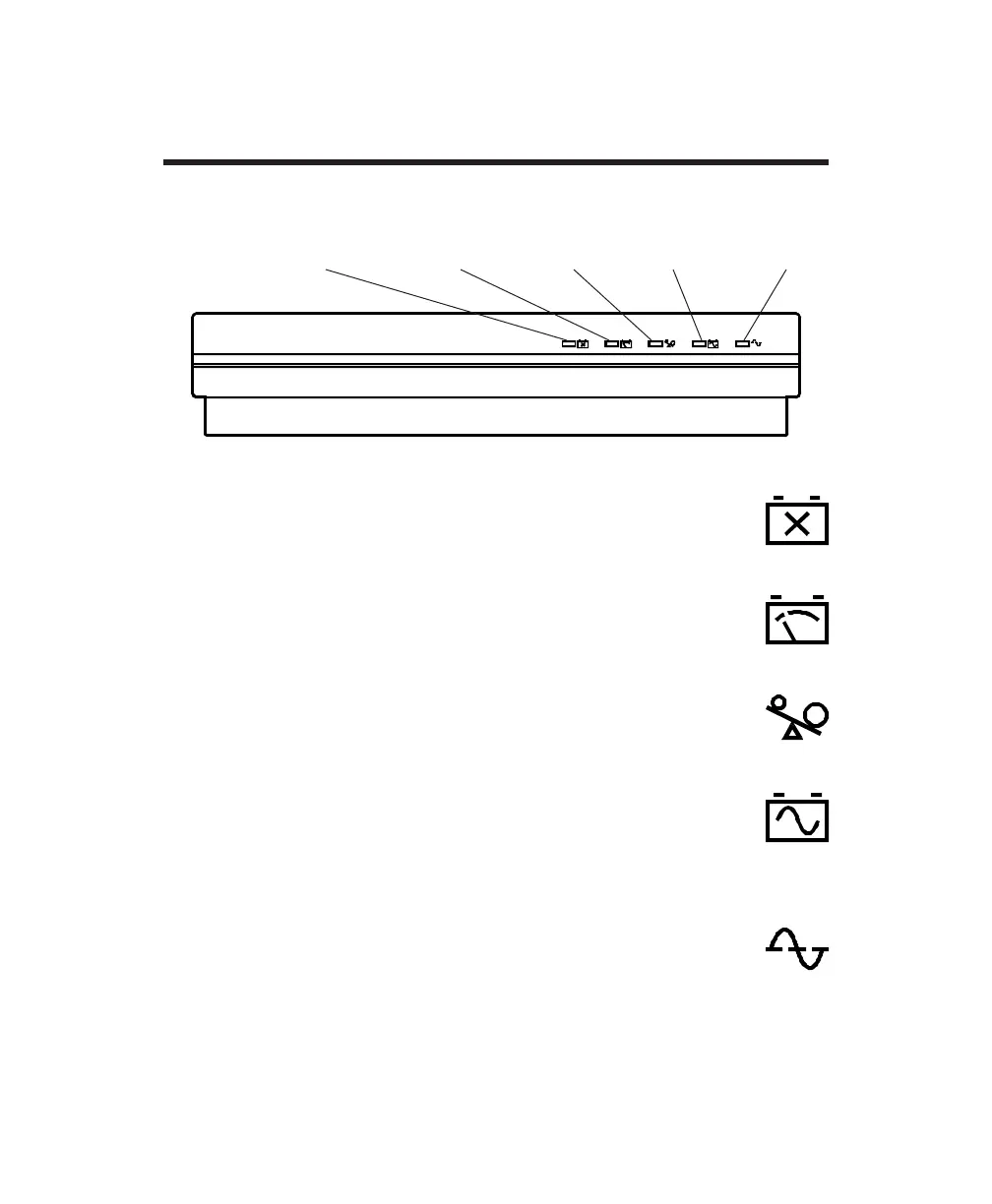
5.1 Front-panel indicators
5.1.1 Replace Battery indicator
The Replace Battery indicator lights when the UPS’s battery fails
the self-test. The indicator turns off after a successful self-test.
5.1.2 Low Battery indicator
The Low Battery indicator lights when less than 2 minutes of
backup power are available from the battery.
5.1.3 Overload indicator
The Overload indicator lights when the load exceeds the UPS’s
rating of 250 VA (175 W).
5.1.4 On Battery indicator
The On Battery indicator lights when the load has been transferred
to UPS battery power, and the utility voltage is not within speci-
fied limits.
5.1.5 On Line indicator
The On Line indicator lights when the load is being supplied
conditioned power from the utility service. This indicator blinks
during self-test.
On Line
indicator
see Sec. 5.1.5
On Battery
indicator
see Sec. 5.1.4
Overload
indicator
see Sec. 5.1.3
Low Battery
indicator
see Sec. 5.1.2
Replace Battery
indicator
see Sec. 5.1.1



 To Next Page