Home
Ape Labs
Lighting Equipment
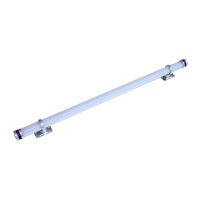
ApeStick4
Page 26 (DMX Modes and Sheets)
Ape Labs ApeStick4 - DMX Modes and Sheets; 3 Channel DMX Mode
30 pages
Manual
Save Page as PDF
To Next Page
To Next Page
To Previous Page
To Previous Page
Loading...
DMX Sheet
s
DMX Modes/DMX Sheets
3 Channel Mode: Dim
mer, Pr
og
r
a
m, Speed
This mode can be used wi
th many Ape Labs pr
oduc
ts, i.e.
Ligh
tCan, Mob
iLigh
t4, ApeStick4, ApeLi
g
h
t
,ApeLigh
t Mini a
nd
ApeLigh
t Maxi.
Ch
DMX
Fu
n
ct
i
o
n
1
0 .. 255
Dimm
er
0 .. 100%
2
0 .. 5
Pr
og 1
Whit
e wi
th f
ade
s
tep
s of 6*
Pr
og 2 .. 19
... wi
th f
ade
114 .. 127
Pr
og 20
Ra
inbow wi
th f
ade
128 .. 133
Pr
og 1
Whit
e wi
thout f
a
de
s
tep
s of 6*
Pr
og 2 .. 19
... wi
thout f
ade
25
25
27
Table of Contents
Main Page
Safety Instructions
4
Warning
5
General
5
Mounting
7
Operation
8
Turn On and Off
8
Using the Remote Control
9
List of Programs
12
Battery State/Charging
14
W-Ape Transceiver
15
Group
16
Control Mode
16
More Functions and Updates
18
Disabling of the Battery Status Indicator
18
Pairing
18
Intructions on How to Pair an ApeRemote with a Fixture:
18
NOTE: In case you lose paired remote, any remote can be used to unpair fixtures.Reset or Update of Firmware
19
Reset or Update of Firmware
19
Troubleshooting
21
Disposal
25
DMX Modes/DMX Sheets
26
3 Channel Mode: Dimmer, Program, Speed
26
4 Channel Mode: Red, Green, Blue, White / 8Bit (Default Mode)
28
8 Channel Mode: Red, Green, Blue, White / 16Bit
29


 To Next Page