EasyManua.ls Logo

Apera Instruments PH60Z-WW - User Manual

Apera Instruments PH60Z-WW
20 pages
Print Icon
To Next Page IconTo Next Page
Loading...



ISO
9001
:
2015

aperainst.com
V2.1



|


Temperature
Question and Answer IconNeed help?

Do you have a question about the Apera Instruments PH60Z-WW and is the answer not in the manual?

Summary

Whats in the Kit

Whats Included

Lists the components included in the pH meter kit, such as the meter body, electrode, and solutions.

Keypad Functions

Short Press - 1 second

Describes the functions triggered by a short press of the meter's keypad buttons.

Long Press - 3 seconds

Explains the functions activated by long-pressing the meter's keypad buttons.

Preparation Before Use

3.1 LabSen 335 Electrode Structure

Details the physical structure and components of the LabSen 335 pH electrode.

Battery Insulation Paper Removal

Instructs to remove the battery insulation paper before initial use.

Electrode Removal from Storage Vial

Guides on how to detach the electrode from its storage vial.

Storage Vial Handling

Advises on placing the storage vial securely within the solution organizer.

Electrode Rinsing and Drying

Provides instructions for rinsing and drying the pH electrode before use.

Initial Calibration Recommendation

Recommends performing a 2-point calibration before the first use.

pH Calibration

4.1 How to Calibrate

Step-by-step guide on how to perform the pH calibration process on the meter.

4.2 Notes about Calibration

Important considerations and tips for successful pH calibration.

Buffer Solution Reusability

Information on the reusability and lifespan of calibration buffer solutions.

Isothermal Measurement Principle

Explains the principle of automatic temperature compensation in pH measurements.

Calibration Standards and Usage

Details the types of calibration standards and their recommended usage.

How Often to Calibrate the Electrode?

pH Measurement

5.1 How to Take pH Measurement

Step-by-step instructions for taking pH measurements with the meter.

Electrode Cleaning

Electrode Storage

Parameter Settings

8.1 Settings Menu

Overview of the available parameters and their default settings in the meter's menu.

8.2 Parameter Settings Navigation

Detailed navigation and operation of the parameter settings menu.

8.3 Parameter Setting Examples

Practical examples and explanations for configuring specific meter parameters.

Instrument Technical Specifications

Electrode Technical Specifications

Electrode Replacement

11.2 Disconnect the old electrode

Step-by-step guide on how to safely remove the existing pH electrode.

11.3 Install the new electrode

Step-by-step guide on how to properly attach a new pH electrode.

11.4 Recalibration After Replacement

Recommends recalibration after installing a new pH electrode.

11.5 Compatible Electrodes

Lists other pH electrodes that are compatible with the PH60Z meter.

Battery Replacement

Self-Diagnosis Function

Troubleshooting Guide

Calibration Error Troubleshooting

Lists common calibration errors and their solutions.

Slow or Unstable Reading Fixes

Addresses issues with slow or unstable readings and provides fixes.

Resolving Jumping Readings

Explains how to resolve issues with erratic or jumping measurement readings.

Inaccurate Measurement Solutions

Provides solutions for inaccurate measurements even after successful calibration.

Appendix

Meter vs. Mobile App Function Comparison

Compares the functions of the PH60Z meter with its mobile application.

Limited Warranty

Overview

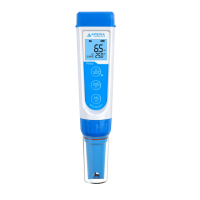
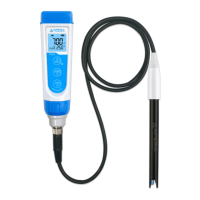
The PH60Z-WW Smart pH Meter is designed for measuring pH in challenging liquids such as wastewater, suspensions, emulsions, and other dirty solutions, while also being suitable for general water solutions. It measures pH, mV, and temperature.

Function Description:

The device operates via a keypad and can also connect to the ZenTest® Mobile App for enhanced functionality. It offers 1 to 3 points of automatic pH calibration and recognizes five types of pH standard solutions (USA and NIST series). The meter features an automatic temperature compensation (ATC) system. Readings can be manually locked or automatically held when stable for a set duration (5-20 seconds). It includes a self-diagnosis function that displays error codes (Er1-Er6) for troubleshooting calibration and electrode issues. A pH calibration reminder (P07) can be set via the ZenTest App, triggering an Er6 display on the meter when calibration is due. The device also has an automatic backlight (1-8 minutes) and auto-power off (10-20 minutes) function, both configurable. Users can reset the instrument to factory default settings (P08) if calibration or measurement issues arise.

Important Technical Specifications:

  • pH Range: -2.00 to 16.00 pH
  • pH Resolution: 0.01 pH
  • pH Accuracy: ±0.01 pH ±1 digit
  • pH Calibration Points: 1 to 3 points
  • Temperature Compensation (ATC): 0 to 100°C (32 to 122°F)
  • Temperature Measuring Range: 0 to 100°C (32 to 122°F)
  • Temperature Resolution: 0.1°C (0.1°F)
  • Temperature Accuracy: ±0.5°C (1°F)
  • Screen: 3-color LCD (Blue: Measurement; Green: Calibration; Red: Alarm)
  • Reading Lock: HOLD icon displayed when active.
  • Low-Voltage Warning: Flashing icon for battery replacement.
  • Auto Power-Off: In 8 minutes without operation.
  • Waterproof Rating: IP67
  • Power: DC3V, 4x AAA alkaline batteries
  • Battery Life: Up to 2000 hours
  • Tester Dimensions/Weight: 40x40x178mm/133g
  • Electrode (LabSen 335 pH/Temp.):
    • Measurement Range: 0-14 pH
    • Temperature Range: 0 to 80°C (32 to 176°F)
    • Reference System: Long-life Reference System
    • Junction: Open
    • Reference Electrolyte: Polymer
    • Shaft Dimension: 12x120mm
    • Membrane Impedance: <250MΩ
    • Temperature Sensor: 30KΩ NTC

Usage Features:

  • Keypad Functions:
    • MEAS (Power/Backlight/Parameter Setting): Short press to turn on/off backlight in measurement mode, or return to measurement mode from calibration/parameter setting. Long press to turn on (from off) or enter parameter setting (from off). Long press to turn off (from on).
    • MODE (Bluetooth/Parameter Change): Long press to turn on/off Bluetooth® receiver. Short press to change parameter in settings.
    • CAL/ENT (Calibration/Hold/Confirm): Long press to enter calibration mode. Short press to confirm calibration. In measurement mode, short press to manually lock/unlock readings (if Auto-Hold is off) or unlock reading (if Auto-Hold is triggered).
  • Preparation: Pull out battery insulation paper, loosen storage vial locking ring, and slowly pull out the electrode. Rinse the electrode with pure water and blot dry (do not rub the glass membrane). Perform at least a 2-point calibration before first-time use, always starting with pH 7.00.
  • pH Measurement: Power on, remove storage sleeve, rinse electrode, submerge at least 1 inch into sample, stir, and hold still. Record reading when stable.
  • Electrode Replacement: Disconnect the old electrode by loosening the connector ring and pulling it off. Install the new electrode by aligning the notch, pushing it in, and tightening the connector ring. Perform a 2-point calibration after replacement.
  • ZenTest Mobile App: Connects via Bluetooth for additional features like digital display, calibration info, reading change display, trend graphs, real-time data tables, manual/auto datalogger, notes, and data sharing.

Maintenance Features:

  • Electrode Cleaning: Rinse thoroughly with distilled/deionized water before and after each measurement. Blot dry, do not rub the glass membrane. For tough contaminants, use specific cleaning agents:
    • Lipophilic substances (oil/fat): Home dish soap water (5-10 min soak).
    • Proteins: Apera Electrode Cleaning Solution (SKU: AI1166) (30-60 min soak).
    • Inorganic coatings (hydrocarbons): Commercially available glass cleaning solutions (5-10 min soak).
    • Hard, scale-type calcium deposits: Apera Electrode Cleaning Solution (SKU: AI1166) (5-10 min soak).
    • Alkaline coatings: Apera Electrode Cleaning Solution (SKU: AI1166) (5-10 min soak).
    • Acidic coatings: 0.1M NaOH solution (5-10 min soak).
    • Sulfide-containing substances: Thiourea (30-60 min soak, until junction discoloration disappears).
    • Unknown substances: Apera Electrode Cleaning Solution (SKU: AI1166) (30-60 min soak).
    • After cleaning, soak the pH electrode in 3M KCl solution for 12-24 hours for rehydration, then re-calibrate.
  • Electrode Storage: Store the electrode in 3M KCl soaking solution in the storage vial, twisted tightly. Replace soaking solution monthly. White crystals outside the vial are normal and can be rinsed off. NEVER store the electrode in pure water, as it can damage it; if this occurs, soak in 3M KCl solution overnight and re-calibrate.
  • Buffer Solution Management: pH 4.00 and pH 7.00 buffer solutions in the CalPod can be reused up to 10 times if not contaminated and capped. pH 10.01 solution can only be used up to 5 times. Replace buffers regularly to maintain accuracy.

Apera Instruments PH60Z-WW Specifications

General IconGeneral
BrandApera Instruments
ModelPH60Z-WW
CategoryMeasuring Instruments
LanguageEnglish

Related product manuals