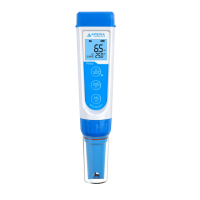
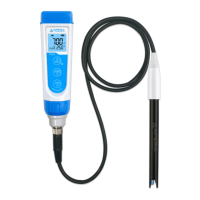
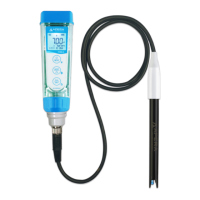
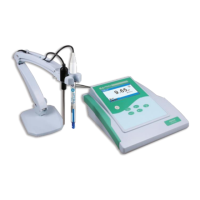
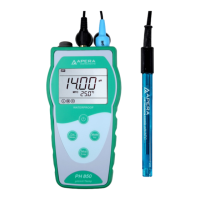
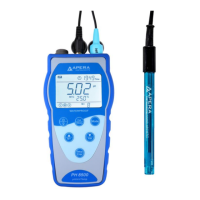
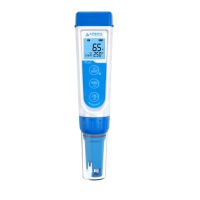
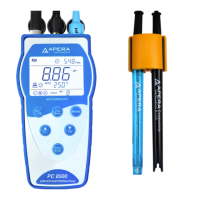
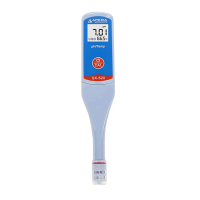
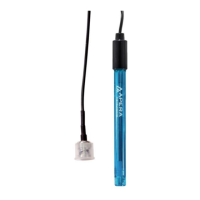
This document describes the Apera Instruments PH60-MS pH Meter, designed for small-volume pH, mV, and temperature measurements. It is particularly suited for general water solutions in volumes greater than 60 microliters or in test tubes.
Function Description
The PH60-MS pH Meter is a versatile instrument capable of measuring pH, millivolts (mV), and temperature. It utilizes a LabSen® 246-5 pH/temp. electrode, which is specifically engineered for small-volume applications. The meter features a 3-color LCD screen that indicates different modes: blue for measurement, green for calibration, and red for alarm conditions.
The device supports 1 to 3 points of automatic pH calibration and can recognize five types of pH standard solutions, including both USA and NIST series buffers. This flexibility allows users to choose the calibration standard that best suits their needs. The meter incorporates automatic temperature compensation (ATC) to ensure accurate readings across varying sample temperatures.
Keypad functions are straightforward, allowing users to power the device on and off, enter parameter settings, switch between pH and mV measurement modes, and initiate or cancel calibration. An Auto-Hold function is available, which automatically locks stable readings after 10 seconds, indicated by a "HOLD" icon on the LCD. The meter also includes an alarm function that can be configured to trigger when readings fall below a set low value or exceed a set high value, with the screen turning red to signal the alarm. A backlight feature can be activated for improved visibility in low-light conditions.
Usage Features
Before initial use, the meter requires preparation, including pulling out the battery insulation paper and performing at least a 2-point calibration. The LabSen 246-5 electrode is designed with an 8-pin connector and a vial locking ring for secure attachment and storage. The storage vial, containing soaking solution, should be placed in the CalPod solution organizer to prevent spills.
For pH measurement, the electrode should be submerged at least one inch deep into the sample solution, stirred briefly, and held still until the reading stabilizes. The Auto-Hold function can be enabled to automatically lock stable readings. For small-volume measurements, the semi-micro container included in the kit can be used, ensuring the electrode's junction is submerged in at least 60 µL of sample.
Calibration is a critical step for accurate measurements. The process always begins with pH 7.00 buffer, followed by other buffer solutions (pH 4.00 or pH 10.01) for 2- or 3-point calibration. The meter guides the user through the calibration process, with the screen turning green in calibration mode and icons (M, H, L) appearing to indicate successful calibration points. It is crucial not to turn off the meter between calibration points to avoid errors. The pH 4.00 and pH 7.00 buffer solutions in the CalPod can be reused up to 10 times if uncontaminated, while pH 10.01 can be reused up to 5 times. For optimal accuracy, calibration should be performed with buffer solutions at the same temperature as the sample solution.
The frequency of calibration depends on factors such as sample nature, electrode condition, and required accuracy. High-accuracy measurements (≤ ±0.02pH) necessitate calibration before every test, while general-accuracy measurements (≥ ±0.1 pH) may only require calibration every 1-2 weeks. Re-calibration is also necessary after prolonged disuse, after measuring strong acids or bases, fluoride-containing or strong organic solutions, or when there is a significant temperature difference between the sample and buffer.
The meter also offers parameter settings that can be adjusted, such as selecting the pH buffer standard (USA or NIST), setting low and high measurement alarm values, activating or deactivating Auto-Hold, controlling the backlight, and choosing the temperature unit (°C or °F). A factory default setting option is available to reset all calibration records and parameters, which can be useful if the meter is not performing as expected.
Maintenance Features
Maintaining the electrode's cleanliness and proper storage are essential for its longevity and accurate performance. After each measurement, the electrode should be thoroughly rinsed with distilled or deionized water. Excess water should be shaken off or blotted dry with a Kimwipe or lint-free cloth, taking care not to rub the glass membrane, as this can generate static electricity and cause measurement errors.
For stubborn contaminants, specific cleaning agents and soaking times are recommended. For lipophilic substances like oil and fat, home dish soap water is suggested for 5-10 minutes. Proteins require Apera Electrode Cleaning Solution (SKU: AI1166) for 30-60 minutes. Inorganic coatings such as hydrocarbons can be cleaned with commercially available glass cleaning solutions for 5-10 minutes. Hard, scale-type calcium deposits also benefit from Apera Electrode Cleaning Solution (SKU: AI1166) for 5-10 minutes. Alkaline coatings can be cleaned with Apera Electrode Cleaning Solution (SKU: AI1166) for 5-10 minutes, while acidic coatings require 0.1M NaOH solution for 5-10 minutes. Sulfide-containing substances should be soaked in Thiourea for 30-60 minutes until junction discoloration disappears. Unknown substances can be cleaned with Apera Electrode Cleaning Solution (SKU: AI1166) for 30-60 minutes. After any cleaning procedure, the pH electrode should be rehydrated by soaking in 3M KCl solution for 12-24 hours, followed by re-calibration.
For storage, the electrode should always be kept in its storage vial with 3M KCl soaking solution. The vial locking ring should be twisted tightly. The soaking solution should be replaced monthly or if contaminated. The appearance of white crystals outside the storage vial is normal, as it is the natural crystallization of 3M KCl solution; these can be rinsed off, and new soaking solution added. It is crucial never to store the electrode in pure water (tap, RO, distilled, or deionized water) as this can damage the pH electrode. If this occurs, the electrode should be immediately soaked in 3M KCl solution overnight and then re-calibrated.
The document also provides guidance on troubleshooting common issues, such as calibration errors, slow or unstable readings, jumping readings, and inaccurate measurements. These troubleshooting tips often refer back to proper calibration, cleaning, and storage procedures.
Electrode replacement is a routine maintenance task, as pH electrodes gradually age and eventually fail, typically within 1-2 years depending on usage and maintenance. The manual provides clear steps for disconnecting the old electrode and installing a new one, emphasizing not to twist the black rubber part to prevent damage. After installing a new electrode, a 2-point calibration is required. The meter is compatible with various LabSen pH electrodes for different applications, including wastewater, strong alkaline, strong acidic, high-temperature, viscous samples, and direct tests for food and soil.
Battery replacement instructions are also provided, highlighting the importance of correct battery orientation to prevent damage. The device uses four AAA alkaline batteries, and the process involves loosening the pocket clip, pulling off the battery cap, sliding and unlocking the battery compartment, opening it, inserting the batteries with the "+" end facing up, pressing down and sliding the compartment to lock it, and finally closing the battery cap securely to maintain the waterproof rating.


 To Next Page
 General