Information regarding Conductivity Calibration
6.2.1 Conductivity Standard Calibration Solutions
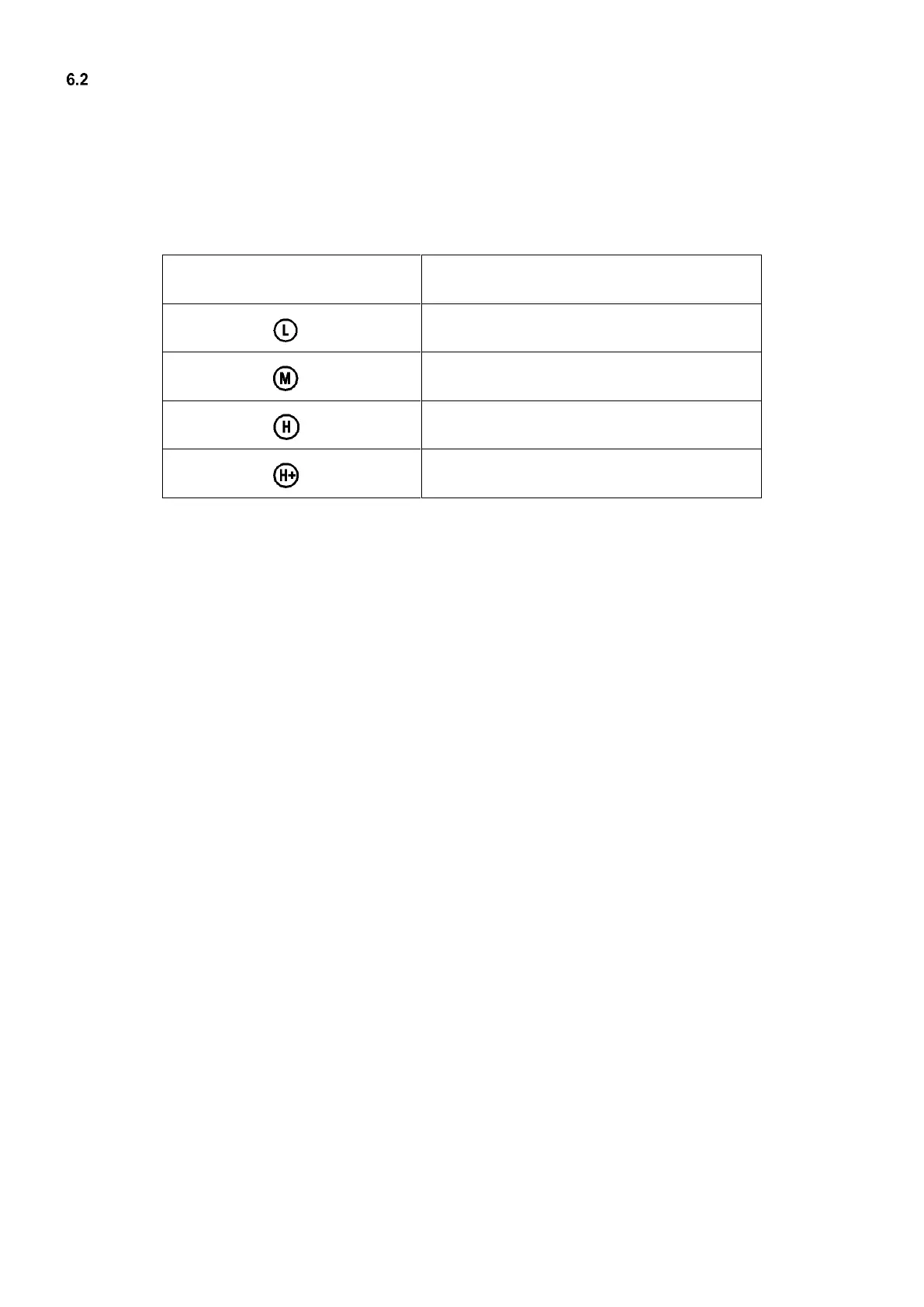
The meter uses conductivity standard solution of 84 μS/cm, 1413 μS/cm, 12.88 mS/cm and 111.8 mS/cm. The meter
can recognize the standard solution automatically, and can perform 1 to 4 points of calibration. The calibration
indication icons correspond to the four standard values as shown in Table-8.
Table-8 Conductivity Calibration Solutions
6.2.2 How often to calibrate
(a) The meter has been calibrated before leaving the factory and can generally be used right out of the box.
(b) Normally perform calibration once per month.
(c) For high accuracy measurements or large temperature deviation from the reference temperature (25°C), perform
calibration once per week.
(d) Use conductivity standard solution to check whether there is error. Perform calibration if error is large.
(e) For new electrode or the meter has been set to factory default, perform 3-point or 4-point calibration. For general
use, choose standard solutions that are closer to the sample solution to perform 1-point or 2-point calibration.
6.2.3 Single point and multi-point calibration
If 1-point calibration is conducted after 3-point or 4-point calibration being done, the previous calibration values in
the same range will be replaced. In the meanwhile, the meter will display the 1-point calibration’s icon, and the
other calibration icons will be removed, but the chip will still store the data from the last calibration. When
conducting multi-point calibration, users should follow the sequence from low conductivity to high in case the high
concentration solution contaminating the low ones.
6.2.4 Reference Temperature
The factory default setting for reference temperature is 25℃. The reference temperature can be set from 15℃ to
30℃. Users can set it up in parameter setting P2.5 (see Section 7.4 for details).
6.2.5 Temperature compensation coefficient
The temperature compensation coefficient of the meter setting is 2.0%/°C. However, the conductivity temperature
coefficient is different from solutions and concentration. Please refer to Table – 9 and the data collected during testing.
Do the setting in P2.3. (see section 7.4 for more).
Note: When the coefficient for the temperature compensation is set to 0.00 (no compensation), the
measurement value will be based on the current temperature.


 To Next Page