EasyManua.ls Logo

Aphex Studio Dominator 700 - 5 Installation; Unpacking; Input Sensitivity Set; Mounting

Aphex Studio Dominator 700
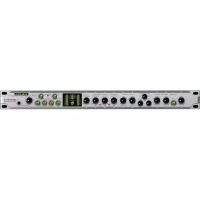
50 pages
Print Icon
To Next Page IconTo Next Page
To Previous Page IconTo Previous Page
Loading...
5.0
INSTALLATION
5.1
Unpacking
Your
Studio
Dominator
was
carefully
packed
at
the
factory,
and
the
container
was
designed
to
protect
the
unit
from
rough
handling.
Nevertheless,
we
recommend
careful
examination
of
the
shipping
carton
and
its
contents
for
any
sign
of
physical
damage
which
could
have
occured
in
transit.
If
damage
is
evident,
do
not
destroy
the
container
or
packing
material.
Immediately
notify
the
carrier
of
a
possible
claim
for
damage.
Shipping
claims
must
be
made
by
the
consignee.
5.2
Input
Sensitivity
Set
Before
installation
the
Studio
Dominator
must
be
set
for
the
correct
input
sensitivity
corresponding
to
the
desired
operating
level
(OVU).
It
may
be
set
to
either
-10
or
+4 dBm.
The
switch
for
each
channel
'
is
located
inside
the
unit
just
behind
the
input
jacks
on
the
main
PC
board.
Simply
slide
the
switch
to
the
desired
position.
Towards
the
power
supply
is
+4dBm,
away
is
-10dBm.
The
+4dBm
position
is
suitable
for
operating
levels
from
0
to
+lOdBm.
5.3
Mounting
The
Studio
Dominator
occupies
one
standard
rack
unit
of
space
(1
3/4")
19
rr
wide,
with
a
depth
of
8
1/2rr.
Allow
at
least
an
additional
3"
of
depth
for
connectors.
Be
sure
that
there
is
at
least
1/2"
of
air
space
around
the
unit
for
cooling.
Mount
with
the
cushioned
rack
screws
provided.
5.4
Connectors
The
audio
inputs
and
outputs
are
made
with
standard
XLR
type
3-pin
connectors
on
the
rear
panel.
Equal
phase
is
maintained
from
input
to
output,
so
the
user
may
elect
to
use
either
pin
2
or
pin
3
as
high
to
match
his
balanced
system.
5.5
I/O
Considerations
5.5.1
Impedances
The
input
is
of
high
(160
kOhms)
impedance
and
may
be
easily
driven
by
any
output
source.
In
the
case
of
certain
situations
that
need
to
see
a
600
Ohm
load,
a
600
ohm
resistor
may
be
tied
across
pins
2
and
3
on
the
input
16

Table of Contents

Related product manuals