Duet's top panel touch buttons may be set to engage Sum to Mono on the Speaker
outputs, the headphone outputs or both at the same time. See Device Settings Tab
Window.
9. Mute - Engage this to mute the output.
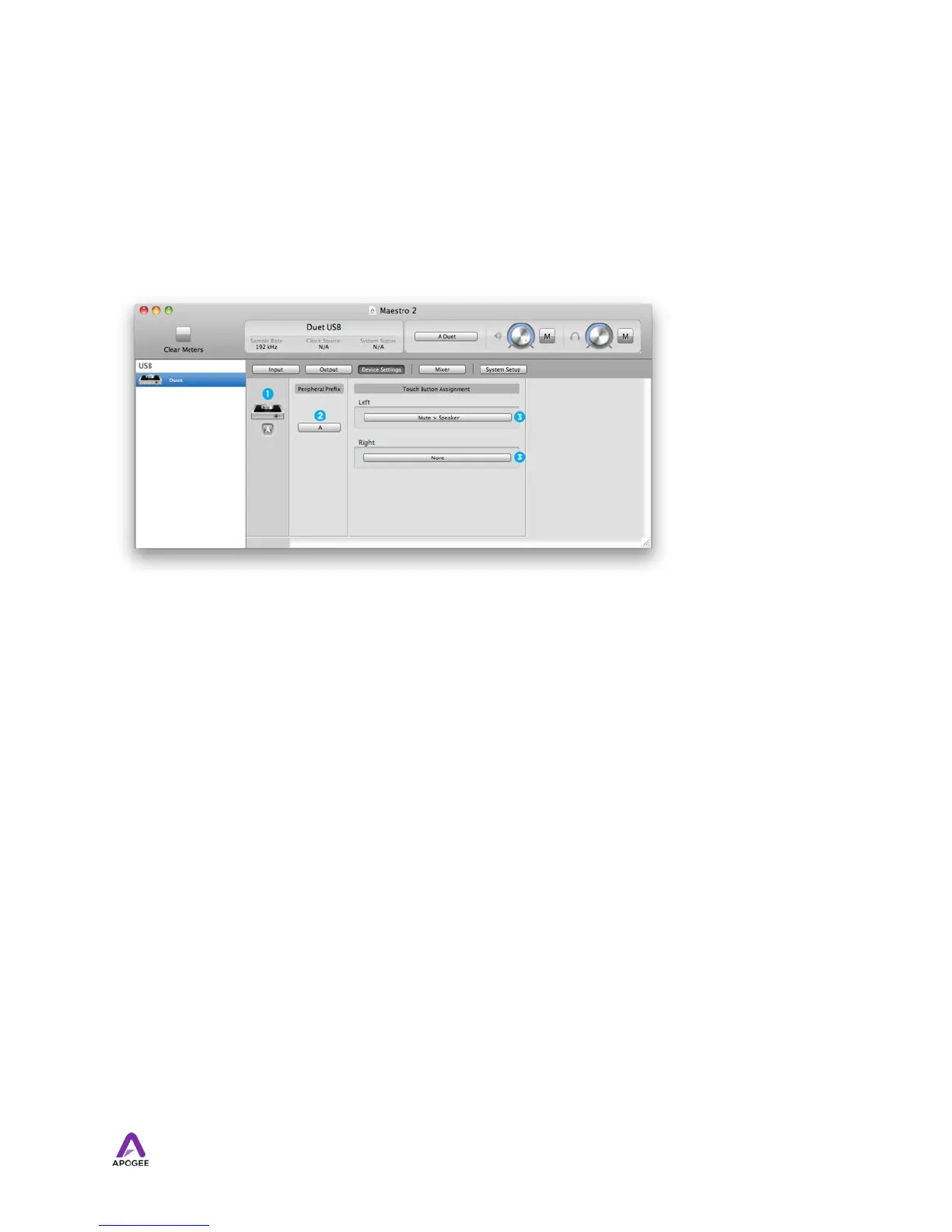
Device Settings Tab Window
1. Device Icon & ID Button - see the description above.
2. Peripheral Prefix - Use this drop down menu to assign a letter prefix (A-Z) to each
peripheral device displayed in the Devices Sidebar. The letter prefix is included in all
graphic representations of the peripheral as well as I/O labels in Maestro and Core
Audio compatible applications.
3. Touch Button Assignment - Use these menus to select the parameter controlled by
the user assignable touchpads.
28



 To Next Page