Using Duet with MOTU Digital Performer
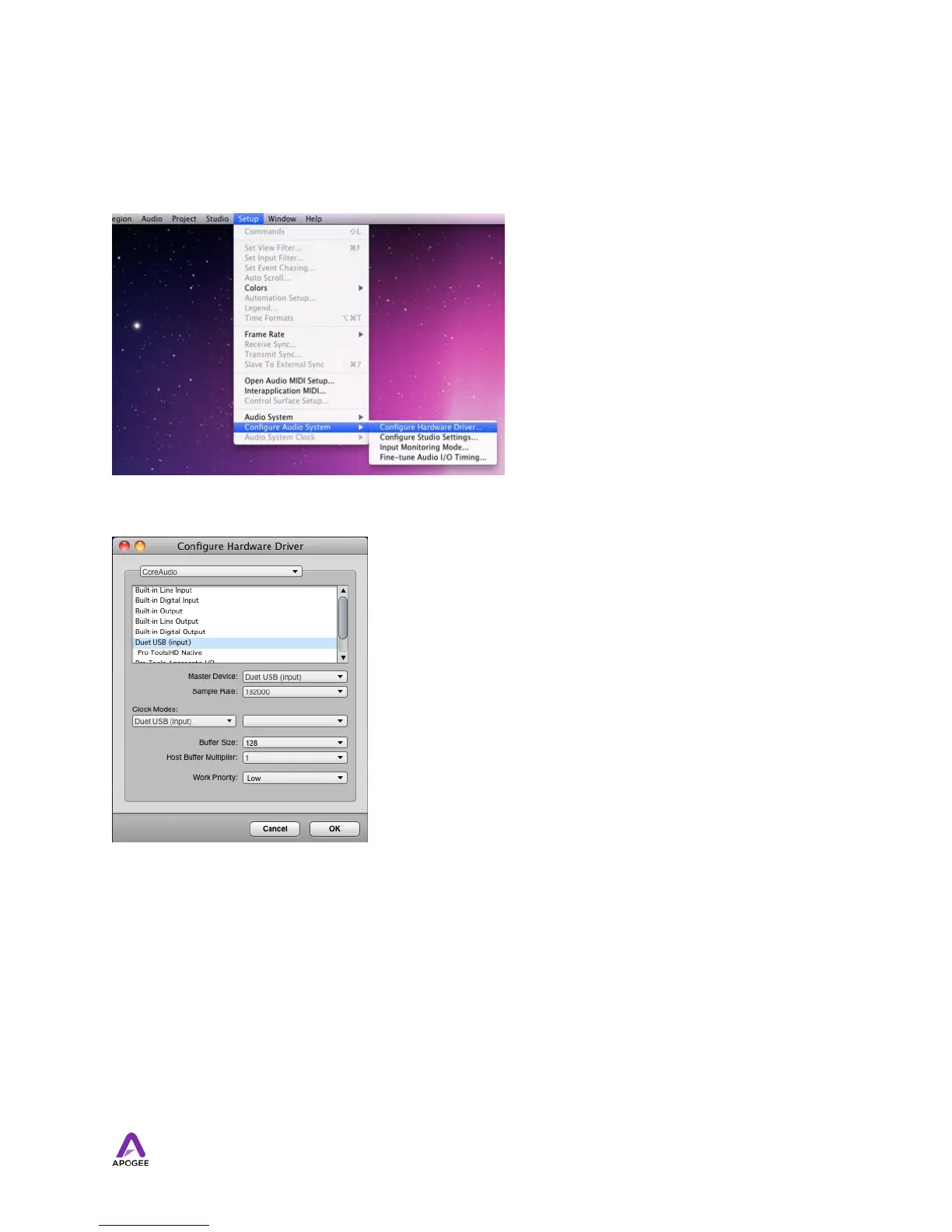
Choose Setup > Configure Audio System >Configure Hardware Driver
In the Configure Hardware Driver window, select CoreAudio in the topmost menu.
Select Duet in the device list. Set Buffer Size to 128.
Set Host Buffer Multiplier to 1. Set Work Priority to Low. Click OK.
53



 To Next Page