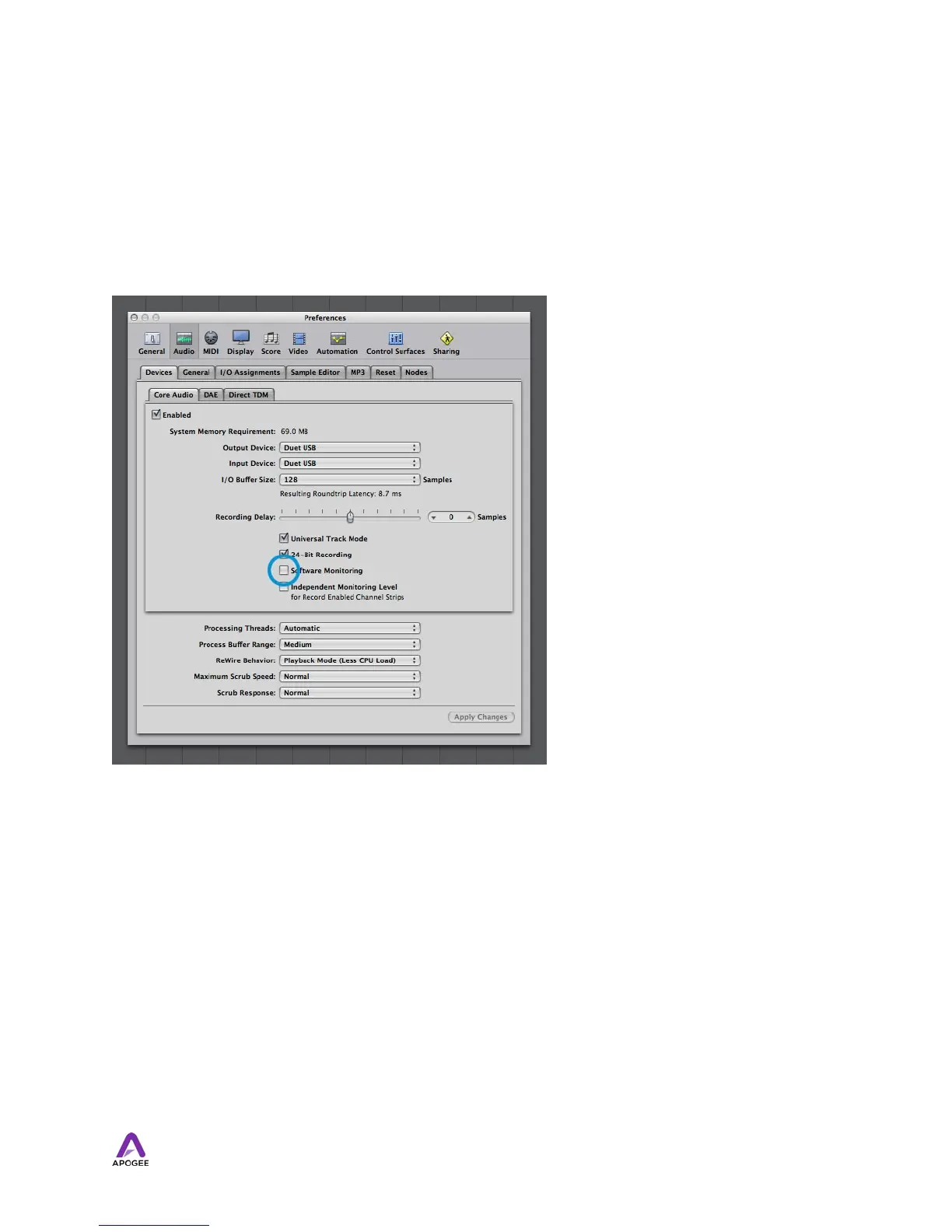
Software monitoring - Because the signal to be recorded is monitored through the
Maestro mixer, the outputs of software tracks actively recording should be muted - after
all, that’s the source of the latency. Most software applications provide an option to turn off
software monitoring of recording tracks. In Logic Pro, for example, the software monitoring
option is found in the same Audio preferences window used to select Duet as the
hardware device (Logic Pro menu > Preferences > Audio). Uncheck the Software
Monitoring box.
Playback mix - In your recording software, set up a mix of all playback tracks and route it
to Out L-R. If a master fader controls the global output of the mix, it’s suggested to set the
fader to 0 dB.
!
36



 To Next Page