Set the I/O Buffer Size to 128.
Click Apply Changes at the bottom of the Preferences window.
!
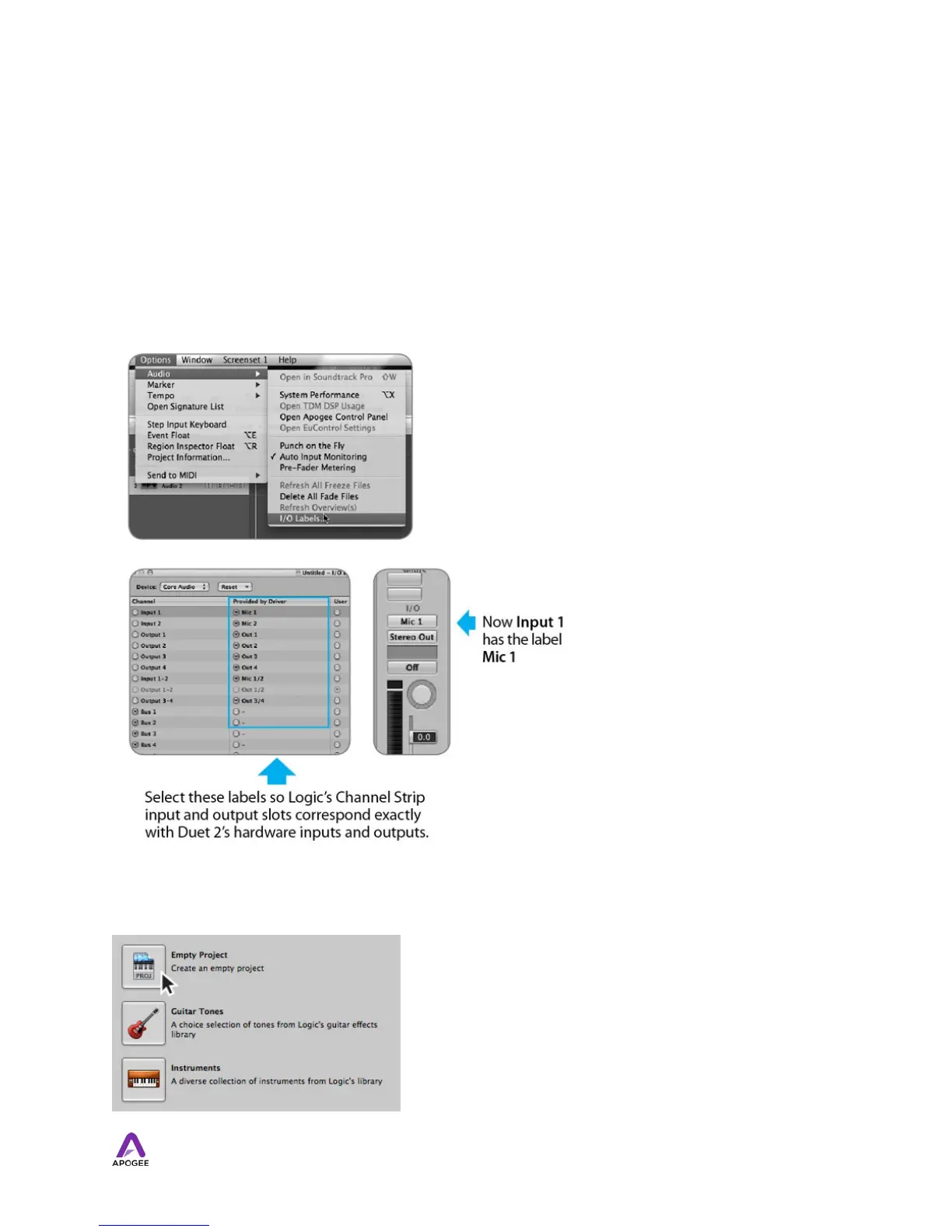
By selecting Duet 2 input and output labels in Logic, the labels you see in Logic’s Channel
Strip input and output slots correspond exactly to Duet 2’s hardware inputs and outputs,
making I/O assignment much easier.
1. In Logic, choose Options > Audio > I/O Labels.
2. Select the labels in the Provided by Driver column.
3. Close the IO Labels window.
Now close the Logic Pro Preferences window and select
New > Collection > Empty Project from the Trackmenu.
45



 To Next Page