Apogee Element Series User’s Guide
Essentials Snapshot Template
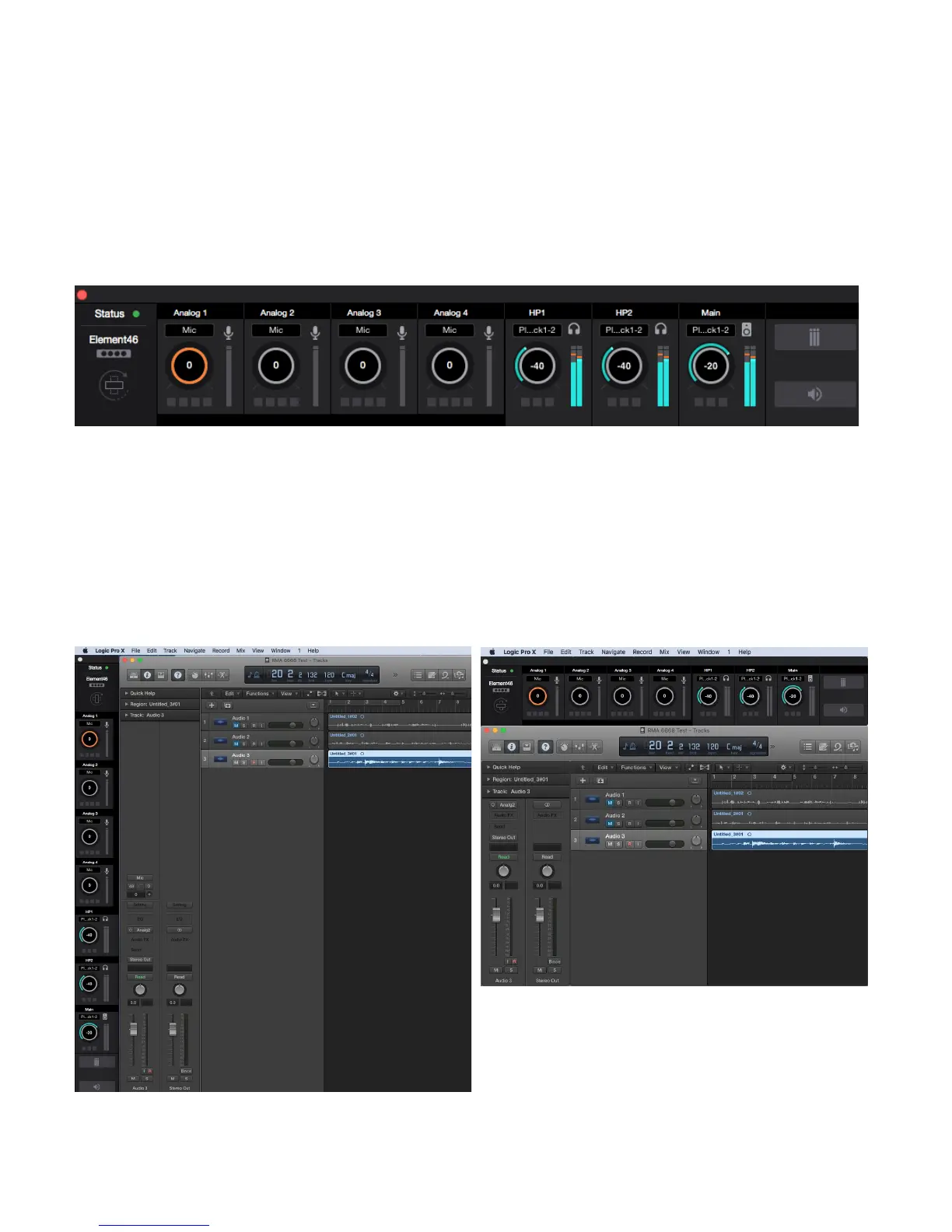
This Snapshot Template is the same as the Getting Started Snapshot Template but only the Essentials Window is displayed.
This represents the simplest layout of the Element Control software. It provides controls for only Inputs and Outputs. All other
settings are disabled or hidden:
All Analog Input Channels and Monitor output controls are represented in the Essentials bar. The small buttons below the Gain
controls correspond to the Input Settings 48V, G, SL, and ⌀. The buttons under the Output Volume controls correspond to the
output buttons M, D and Σ.
For convenience, the Essentials bar can be converted to a vertical orientation via the Orientation Button. In this way, the
Essentials bar can be placed next to your DAW software for easy access.
27



 To Next Page