APOGEE ELECTRONICS
4
Symphony PCI card – User’s Guide
PC32 Connections
It’s possible to connect Apogee AD16X, DA16X, Rosetta 800 and Rosetta 200 interfaces to Sym-
phony PCI cards in a wide array of configurations for a total of 32 channels of simultaneous input
and output per PCI card. To “map” the I/O of interfaces to the Symphony PCI card I/O in the most
efficient manner possible, please use the following guidelines to determine the order in which inter-
faces are connected:
1. Connect interfaces by pairs:
a. AD16X-DA16X (standard routing) = 16 analog in X 16 analog out;
b. Rosetta 800/200 x 2 = 16 analog/ digital in X 16 analog out (R800);
= 4 analog or digital in X 4 analgo out (R200);
c. AD16X-DA16X (advanced routing) = 16 analog in +16 digital in X 16 analog out + 16
digital out
2. Per Symphony PCI card, it’s possible to connect:
a. 2 pairs of AD-DA16Xs (standard routing) or,
b. 2 pairs of Rosetta 800s/200s or
c. 1 pair of AD-DA16Xs (advanced routing).
The chart beginning on page 8 depicts all possible combinations of Apogee interfaces per PCI card
and how connected interfaces are mapped to the PCI card I/O.
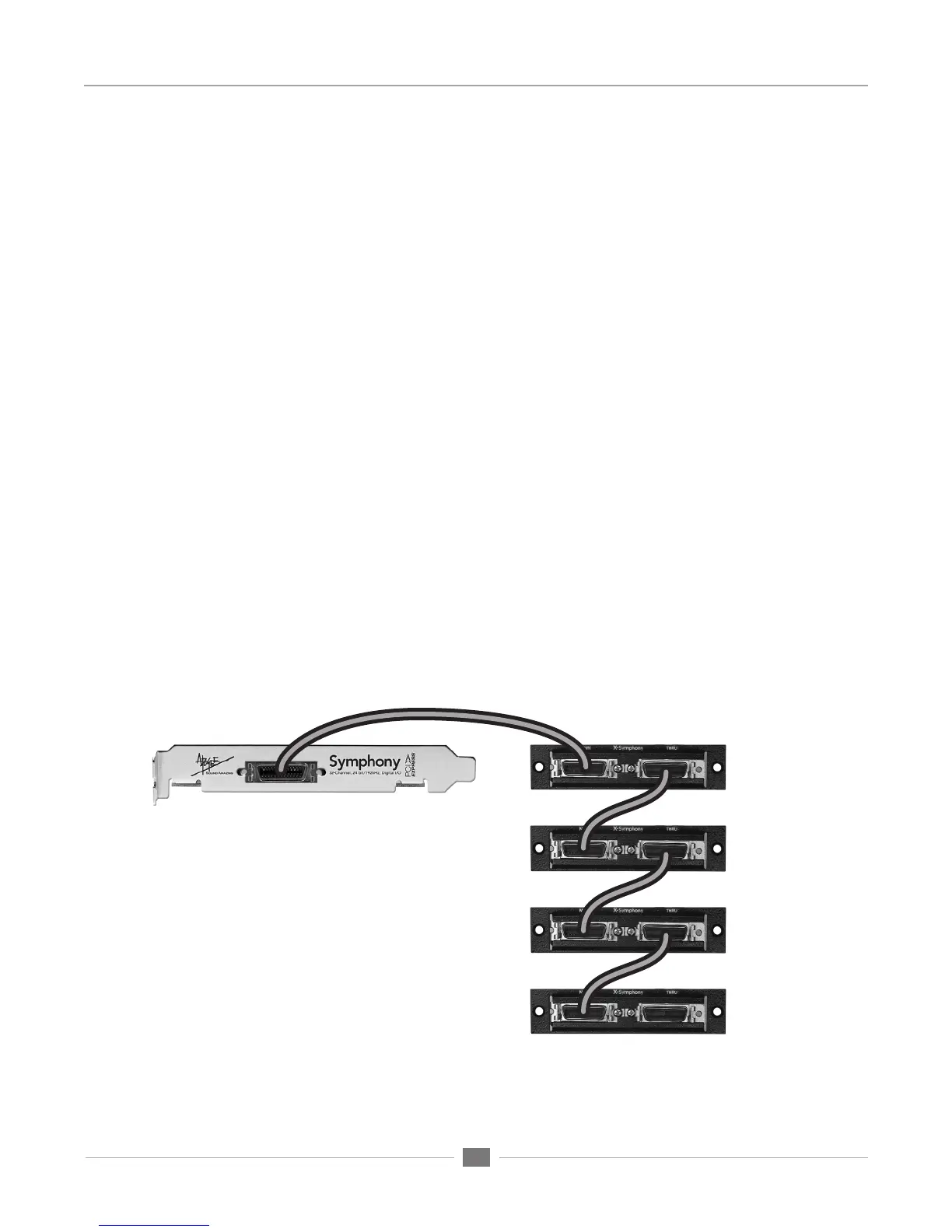
Regardless of the Apogee hardware used, PC 32 cables should be connected as shown below in
Figure 3, where the Symphony PCI card is connected to the first unit’s X-Symphony Main port, the
first unit’s Thru port is connected to the second unit’s Main port, and so on until all interfaces are
connected.
(Symphony PCI card installed in computer)
(X-Symphony Cards installed in Apogee
converters)


 To Next Page