Deactivating the CFS10 Smoke Sensor
When the sensor’s End-of-Life signal occurs, the unit must be deactivated and
disposed of properly. Be sure and have a replacement smoke sensor available.
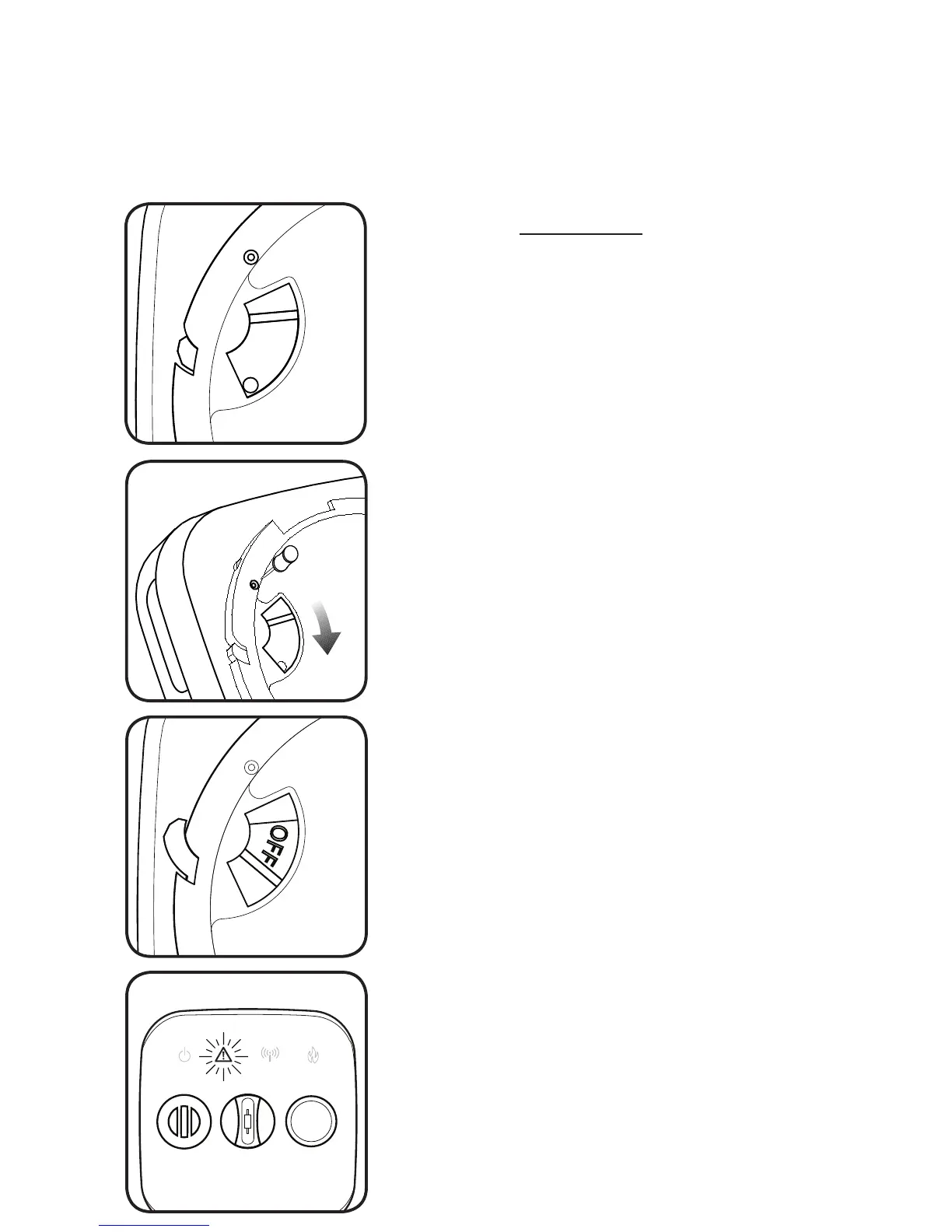
To deactivate the sensor, insert a pin or bent
paperclip into the deactivation lock-out hole.
Hold the pin down firmly.
When the switch is fully positioned the word
“OFF” will be exposed.
The switch will lock permanently into place.
The smoke sensor cannot be reactivated!
DO NOT MOVE THE SWITCH TO THE
DEACTIVATE POSITION UNLESS YOUR
INTENT IS TO DISPOSE OF THE UNIT!
After the light has gone out, responsibly dispose
of the unit and replace with a new smoke
sensor!
With the pin still pressed firmly in place, slide the
switch in the direction indicated by the arrow in
the drawing.
WARNING will double flash red every 30
seconds accompanied by the horn chirp, to
indicate that the smoke sensor has reached its
End-of-Life.
If the smoke sensor’s End-of-Life signal has
begun, remove the unit from its bracket.
Locate the slide switch and the deactivation lock-
out hole on the back side of the smoke sensor.
slide
switch
lock-out hole
After the deactivation switch has been thrown,
the WARNING icon will light up. This will deplete
any remaining battery power over a period of
several hours.
ONCE DEACTIVATED, THE SMOKE SENSOR CANNOT BE REACTIVATED!
If yellow light is flashing (see cleaning instructions on page 18).


 To Next Page