14
Removing a Sensor from a Wireless Network
In the event that a sensor must be removed from your network, the unit’s
network data must be erased from its memory.
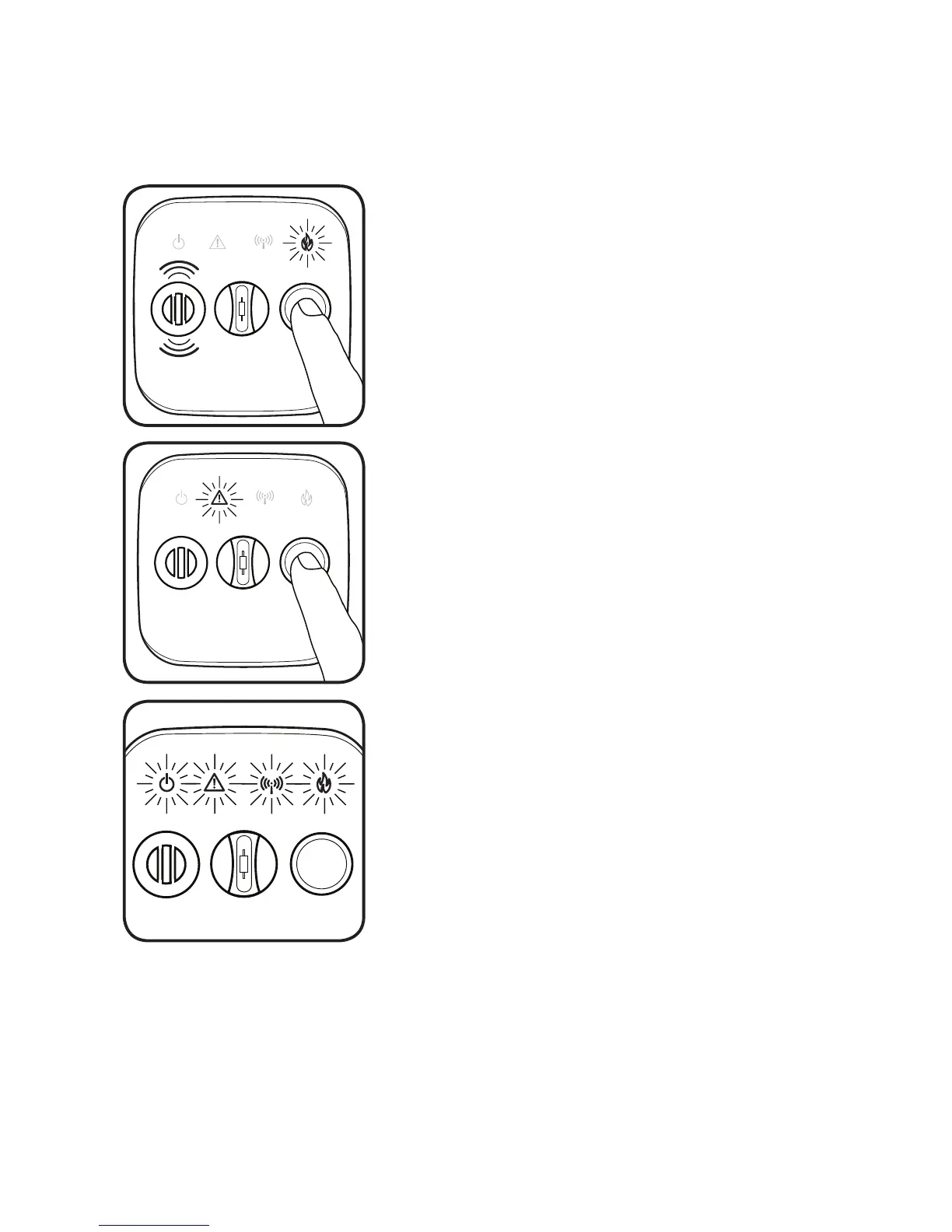
Press and hold the button on the front cover of
the sensor. The red FIRE light will flash rapidly
and the unit will sound three tones.
Do not release the button.
Next, the WARNING light will begin to flash
yellow. Count 10 flashes of the yellow
WARNING light and release the button.
The sensor will chirp twice and all four of the
lighted icons will strobe on.
All network data has been erased from
the sensor. It will now perform as a single
station alarm or it can be joined to a new
network.


 To Next Page