11
STAC6 Hardware manual
920-0029 Rev. B
11/19/2010
Getting Started
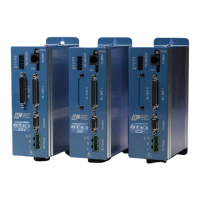
This manual describes the use of STAC6 series of step motor drives. What you need to know and what you
must have depends on the drive model. For all models, you’ll need the following:
• 120VAC or 220VAC single phase power.
• A compatible step motor (see recommended motors section)
• A small at blade screwdriver for tightening the connectors (included).
• A personal computer running Microsoft Windows 98, 2000, NT, Me, XP or Vista or 7.
• The Applied Motion CD (included)
If you’ve never used a STAC6 drive before you’ll need to get familiar with the drive and the set up software
before you try to deploy the system in your application. We strongly recommend the following:
1. For -S drives, install the STAC Configurator™ software application from the CD.
For -Q and QE drives, install the STAC Configurator™ and Q Programmer™ software applications from
the CD.
For -Si drives, install and use the Si Programmer™ software for configuration and programming.
For -C drives, install the STAC Configurator™ and the CANopen Example Program software
applications from the CD. Q Programmer™ software may also be installed, if needed.
2. Launch the software by clicking Start...Programs...Applied Motion...
3. Connect the drive to your PC with the programming cable.
4. Connect the drive to the motor.
5. Connect the drive to the AC power.
6. Apply power to the drive.


 To Next Page
 Loading...