2
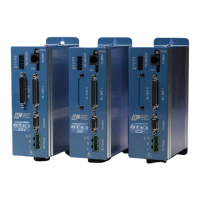
STAC6 Hardware manual
920-0029 Rev. B
11/19/2010
Contents
Safety Instructions............................................................................................................................4
Over-Current Protection ...................................................................................................................5
Block Diagrams ...............................................................................................................................6
Motion Control Options ...................................................................................................................9
Getting Started ...............................................................................................................................11
Connecting to the PC using RS-232 ..............................................................................................12
Connecting to the PC using RS-485 ..............................................................................................13
Connecting to the CANopen Network .............................................................................................16
Connecting AC Power ....................................................................................................................18
Connecting the Motor ....................................................................................................................19
Connecting Other Motors ...............................................................................................................20
Connecting an Encoder .................................................................................................................22
Wiring Inputs and Outputs .............................................................................................................24
Connecting Digital Inputs on the IN/OUT1 connector ....................................................................25
Connecting Digital Outputs on the IN/OUT1 connector ..................................................................33
Connecting Analog Inputs on the IN/OUT1 connector ....................................................................35
Connecting Inputs and Outputs to IN/OUT2 ...................................................................................37
Connecting Digital Inputs on the IN/OUT2 connector ....................................................................37
Connecting Digital Outputs on the IN/OUT2 connector ..................................................................40
Connecting Analog Inputs on the IN/OUT2 connector ....................................................................42
Recommended Motors ...................................................................................................................43
Motor Dimensions .........................................................................................................................44
Torque-Speed Curves.....................................................................................................................46
Mounting the Drive ........................................................................................................................48
Mechanical Outline ........................................................................................................................49
Technical Specifications .................................................................................................................50
Mating Connectors and Accessories ..............................................................................................52
Alarm Codes ..................................................................................................................................53


 To Next Page
 Loading...