19
4. Network Configuration
4.1 Cable Connections
Please follow the instructions below to connect your IP camera to a computer or a network and to
choose a proper RJ-45 cable configuration for connections.
Physical specifications of the RJ-45 cable for Ethernet
Wire Type Cat. 5
Connector Type RJ-45
Max. Cable Length 100 m
Hub Wiring Configuration Straight Through
PC Wiring Configuration Straight Through
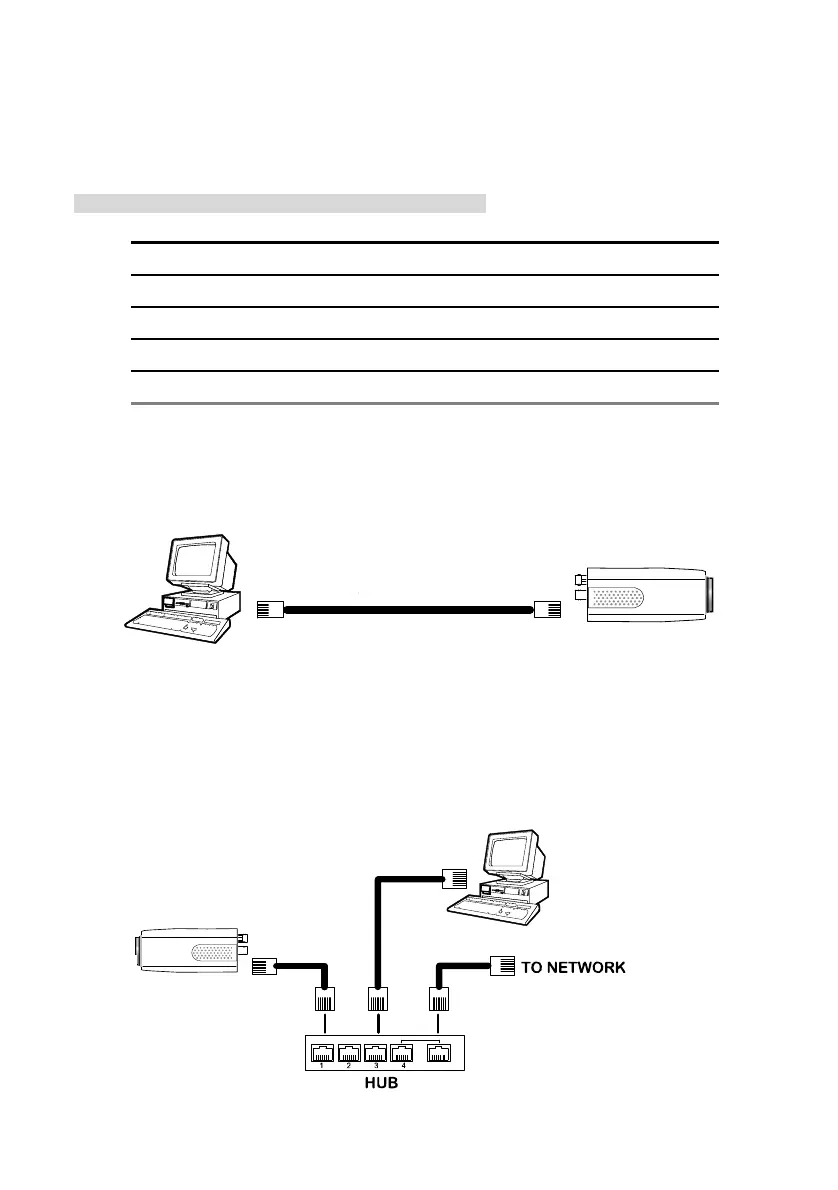
4.1.1 Connect to a computer
Use a straight LAN cable to connect directly to a computer.
RJ-45
CROSSOVER CABLE
CROSSOVER CABLE PIN CONFIGURATION
LAN CAMERA
TO PC LAN CARD
4.1.2 Connect to a LAN Hub (INTRANET)
The RJ-45 PIN configuration for connecting with a LAN Hub is shown below.
RJ-45
LAN CAMERA
TO PC NETWORK CARD
uplink



 To Next Page