92
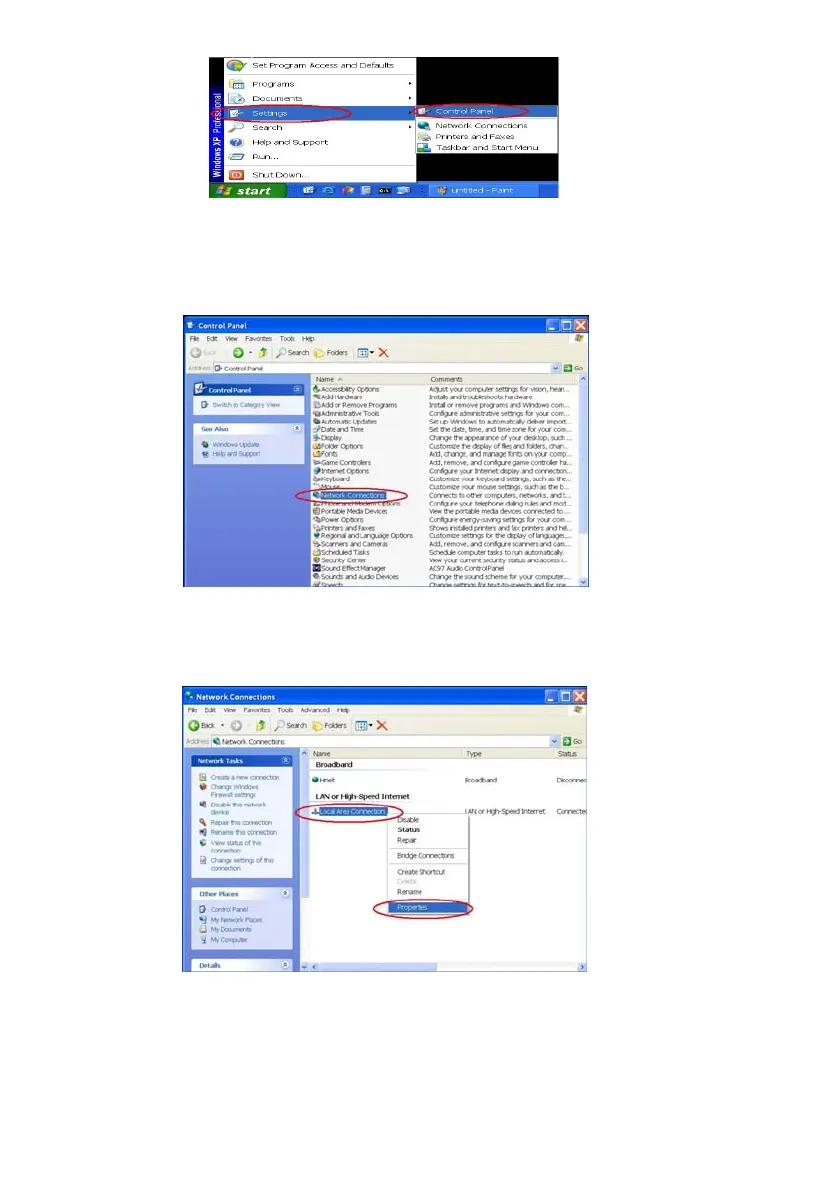
Figure 2
Step 2: When Control Panel appears, double-click the Network Connections icon. The
Network Connections dialog box appears. See Figure 3.
Figure 3
Step 3: Click the Protocols tab in the Network Connections dialog box. See Figure 4.
Figure 4
Step 4: When the Local Area Connection Properties dialog box shows up, choose Internet
Protocol (TCP/IP) and click Properties. See Figure 5.



 To Next Page