94
2. Install UPnP Packets
As described before, Microsoft Windows XP
®
doesn’t start the UPnP service by default; however,
we have to install some packets before we initialize it. The following steps will help you to install
them.
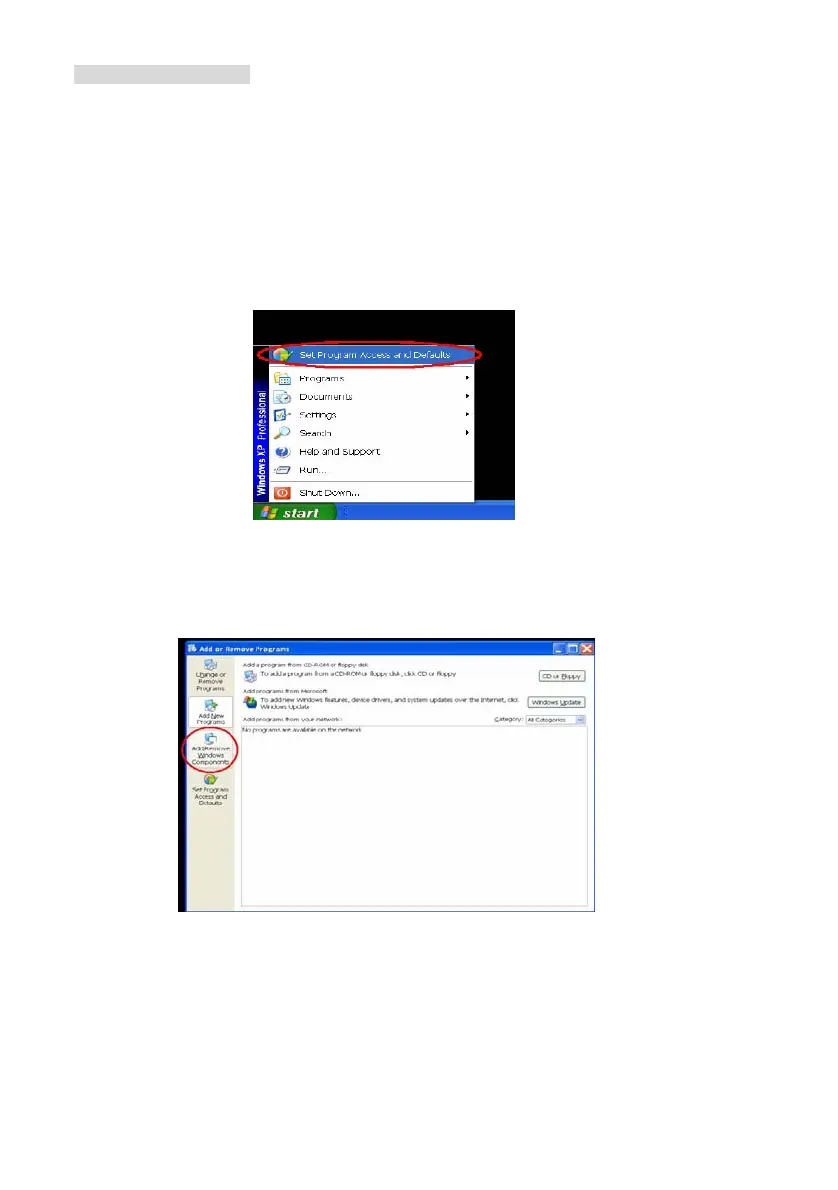
Step1: In the Start menu, point to Set Program Access and Default, and then click it. See
Figure 8
Figure 8
Step 2: When the Add or Remove Programs dialog box appears, click the Add/Remove
Windows Components button. See Figure 9.
Figure 9
Step 3: Check the Network Services in the Windows Component Wizard dialog box, and
then click Details…. See Figure10.



 To Next Page