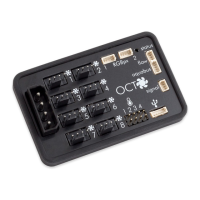
OCTO
10.2. Fan mode temperature set point.................................................15
10.3. Fan mode curve controller.........................................................16
10.4. General fan settings..................................................................16
10.5. Fan behavior with aquabus connection to an aquaero..................17
11. RGBpx configuration.................................................................17
11.1. Create and configure additional LED controllers...........................17
11.2. Modify existing LED controllers...................................................17
11.3. Modify LED assignments............................................................17
11.4. Duplicate LED controllers...........................................................18
11.5. Delete LED controllers...............................................................18
11.6. Sound controlled effects.............................................................18
11.7. AMBIENTpx effect.....................................................................18
12. Alarm configuration..................................................................19
12.1. Signal output configuration........................................................19
12.2. Alarm reporting and alarm limits................................................19
13. Profiles.....................................................................................19
13.1. Manual profile selection............................................................20
13.2. Automatic profile selection.........................................................20
13.3. Profile configuration..................................................................20
14. System settings OCTO..............................................................20
14.1. Device information....................................................................20
14.2. Factory defaults........................................................................20
14.3. Basic RGBpx settings.................................................................20
14.4. Firmware update.......................................................................20
15. Playground (aquasuite)..............................................................21
15.1. Virtual Software Sensors.............................................................21
15.2. Global profiles.........................................................................21
15.3. Hotkeys...................................................................................22
16. aquasuite web..........................................................................22
16.1. Data export..............................................................................22
16.2. Data access.............................................................................23
16.3. Data import..............................................................................23
17. Basic settings (aquasuite)...........................................................23
17.1. Language................................................................................23
17.2. Reorder menu items..................................................................23
17.3. Units.......................................................................................24
17.4. Application start-up...................................................................24
17.5. Service administration...............................................................24
17.6. Audio and video.......................................................................24
17.7. Updates and update service.......................................................24
18. Technical details and care instructions........................................25
18.1. Technical details.......................................................................25
© 2019-2020 Aqua Computer GmbH & Co. KG - 3 -
Gelliehäuser Str. 1, 37130 Gleichen


 To Next Page
 Loading...