This document is a user guide for the Aqualisa iSystem™ Smart shower controller, providing comprehensive instructions for its operation, maintenance, and troubleshooting. The iSystem™ Smart offers a modern and connected showering experience, allowing users to control various aspects of their shower through the physical controller, a dedicated mobile app, and smart speakers.
Function Description
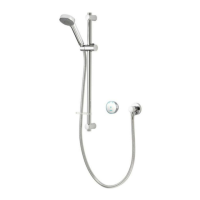
The Aqualisa iSystem™ Smart shower is designed to provide a personalized and convenient showering experience. At its core is the Aqualisa SmartValve™, which precisely controls water temperature and flow. The system can be configured as a single outlet or dual outlet (divert) controller, catering to different shower setups.
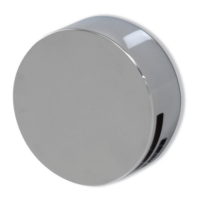
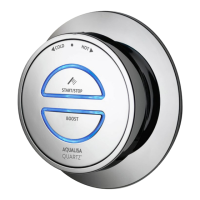
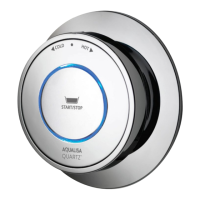
The primary function of the controller is to allow users to turn the shower on and off, adjust the water temperature, and activate a 'Boost' function to increase flow rate. The temperature is controlled by a rotary bezel, while the on/off and boost functions are managed by dedicated buttons. An LED display provides visual feedback on the selected temperature and system status.
A key feature of the iSystem™ Smart is its connectivity. Through the Aqualisa app, users can unlock enhanced functionalities, including water consumption analysis, remote control of the shower, and integration with smart speakers like Alexa or Google Home. This allows for voice-activated commands to start, stop, and adjust the shower, adding a layer of convenience and modern control. The app also enables users to create a "Home profile" and manage multiple showers within their residence.
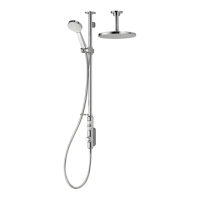
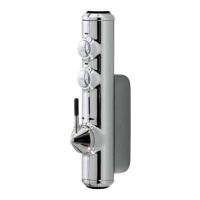
For dual outlet (divert) controllers, the system allows users to switch between two different shower outlets, such as a fixed head and an adjustable head. This is achieved by pressing and holding a button on the controller, which then diverts the water flow between the outlets.
The system incorporates safety features, such as a maximum run time of 20 minutes, which can be overridden or adjusted through the Aqualisa app. The app also provides the capability to remotely activate the water flow, with a strong recommendation from Aqualisa that baths and showers in operation are not left unattended.
Usage Features
Operating the Aqualisa iSystem™ Smart shower is straightforward. To begin, users turn the temperature dial to their desired setting. Pressing the 'Start/Stop' button on the controller initiates the shower. During the shower, the temperature can be fine-tuned by rotating the bezel. The LED display will flash until the selected temperature is reached, then remain constant, indicating the shower is ready for use.
The 'Boost' button allows for a temporary increase in water flow, which can be activated or deactivated at any time during the shower. The effectiveness of the 'Boost' function may vary based on the water system pressure and pipework configuration.
For dual outlet systems, the 'Change Outlet' button, when pressed and held for over 3 seconds, switches the water flow between the two outlets. The first outlet will automatically stop, and the second will start. Users should be aware that a slight temperature change might occur when switching outlets, depending on the system's pipe runs.
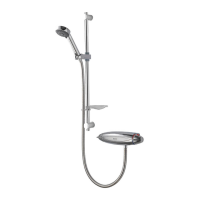
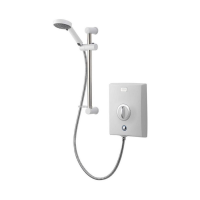
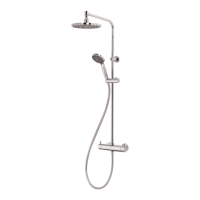
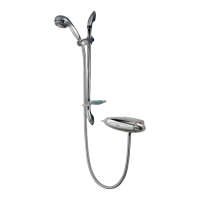
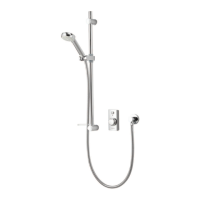
The adjustable shower head offers flexibility in height and angle. To adjust the height, side levers on the handset holder are pressed, allowing the holder to move up or down the rail. Angular adjustment is achieved by gently pulling or pushing the shower head against the ratchet in the holder. Fixed shower heads also allow for angular adjustment via a multi-directional ball joint, but users are cautioned not to force the head beyond its natural stopping point.
The bath overflow filler, if applicable, is operated by pushing the waste cover to engage or disengage the plug fitting. A safety warning advises against leaving the bath filler running unattended, as the overflow may not always be sufficient to prevent overflowing.
The Aqualisa app significantly enhances the user experience. After downloading and setting up a "Home profile," users can connect their shower to their home Wi-Fi network. This involves a process of pressing and holding the 'Start/Stop' button on the controller until the LEDs flash, then connecting to the shower's network via the mobile device's Wi-Fi settings, and finally entering the Wi-Fi credentials within the app. Once connected, the app provides remote control, water usage data, and allows for smart speaker integration. The app may request permissions like location data for successful setup and functionality.
Maintenance Features
Regular maintenance is crucial to ensure the long-term effectiveness and performance of the Aqualisa iSystem™ Smart shower. Hard water scaling can affect the shower over time, so regular cleaning is recommended.
For general cleaning, the product should be wiped with a soft cloth and washing-up liquid. For bath systems with a 'click clack' waste plug mechanism, it's important to keep it free of debris to maintain a watertight seal. The plug can be unscrewed and removed for cleaning.
The shower head incorporates a 'clear flow' system designed to reduce the need for chemical descaling. Users can break down scale build-up by gently rubbing the flexible tips of the jets during use. This procedure should be performed regularly, ideally once a week in hard water areas, as scale can negatively impact the spray pattern and overall performance, potentially affecting the warranty. If chemical descaling becomes necessary, the shower head should be removed and immersed in a mild proprietary descaler, such as vegetable-based descaler or plain white vinegar. Cleaning and user maintenance should always be supervised if performed by children.
A critical maintenance instruction is to avoid using abrasive cleaners on any part of the shower. Descaling must be carried out according to the manufacturer's instructions, ensuring that substances unsuitable for plastics and electroplated surfaces are not used. A helpful tip for effortless cleaning is to dry all shower components with a soft cloth after each use.
In cases where the water system is changed (e.g., from gravity-fed to mains pressure), the Aqualisa SmartValve™ may need to be adjusted or replaced. Users are advised to contact Aqualisa Customer Service for guidance in such situations.
The user guide also provides extensive troubleshooting information, covering common issues such as unresponsive controllers, low or no water flow, fluctuating temperatures, and problems with the 'Boost' function. It offers solutions ranging from checking power supplies and cable connections to addressing airlocks, restrictions in waterways, and incorrect SmartValve™ settings. For app-related issues, the guide provides steps to re-establish connections, check network availability, and ensure correct password entry. The Instabug reporting platform, accessible via the app, is also highlighted as a tool for reporting issues or suggesting improvements.


 To Next Page
 General