
 Need help?
Do you have a question about the Aqualisa QUARTZ BLUE and is the answer not in the manual?
Information for safe usage of the appliance by children and persons with reduced capabilities.
Manufacturer's declaration that the SmartValve and controller comply with EU directives.
Unlock enhanced user functions and water consumption analysis via the Aqualisa app.
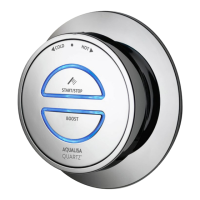
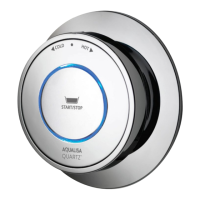
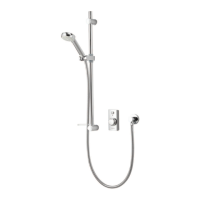
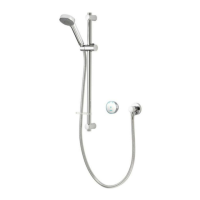
Instructions on how to turn the shower on and off using the controller button.
How to adjust water temperature during shower use by turning the controller bezel.
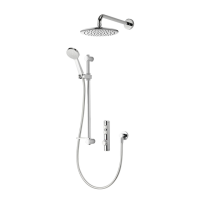
Instructions on how to turn the dual outlet shower on and off using the controller button.
How to adjust water temperature during shower use via the controller bezel.
How to switch between outlets by pressing and holding the Start/Stop button.
How to select spray patterns, including 'Eco' mode, using the spray plate lever.
How to adjust the shower head height by pressing the button on the handset holder.
How to adjust the shower head angle by pulling or pushing it against the ratchet.
Instructions on how to detach the shower head from the hose using the anti-swivel button.
How to adjust the angle of a fixed shower head using its multi-directional ball joint.
Instructions for engaging and disengaging the plug fitting on the bath overflow filler.
Caution against leaving the bath filler unattended due to potential overflow risks.
Required information (Network Name, password) for the Aqualisa app setup journey.
Guide to downloading the Aqualisa app and creating a user profile.
Steps to activate Wi-Fi setup on the controller by pressing the Start/Stop button.
Instructions to select the correct Wi-Fi network (e.g., QSVC XXXX) on your mobile device.
Indicators and messages confirming successful connection between the controller and the app.
Steps to take if the Wi-Fi connection is unsuccessful, including redoing steps or checking troubleshooting.
Information on remote product operation via the app and associated safety recommendations.
Recommendations for regular cleaning using a soft cloth and washing-up liquid.
Instructions for cleaning the shower head to maintain spray pattern and performance.
Important warning against using abrasive cleaners and necessity of following descaling instructions.
A tip to keep the shower clean by drying all components with a soft cloth after use.
Guidance on changing the Aqualisa SmartValve when switching water systems.
Understanding controller LED flashing and color changes during startup sequence.
Actions to take when the controller shows no lights or is blank.
Diagnosing pump noise and low flow issues, including air locks in gravity-fed systems.
Troubleshooting causes for low or no water flow, such as restrictions or blocked hoses.
Resolving problems with adjusting or controlling shower temperature.
Identifying causes of fluctuating water temperatures, like airlocks or incorrect settings.
Addressing issues where the water temperature is too low.
Checking data cable connections for issues between the SmartValve and diverter.
Troubleshooting when a combination boiler cannot meet shower demand.
Addressing issues where controller temperature display does not stabilize.
Troubleshooting when the shower temperature is too high.
Resolving the controller remaining illuminated after the shower is switched off.
Troubleshooting water flow from the incorrect outlet on divert models.
Diagnosing issues where water flow fails to switch between outlets.
Addressing water dripping from shower outlets after the shower has finished.
Troubleshooting the flow shutting off due to maximum run time or app timer settings.
Information on registering your product to increase the guarantee from 1 year to 5 years.
Resources for assistance, including FAQs, Customer Service, Live Chat, and email.
This document is a user guide for the Aqualisa Quartz Blue™ shower controller, detailing its functions, usage, and maintenance. The guide covers both single and dual outlet (divert) models, as well as adjustable and fixed shower heads.
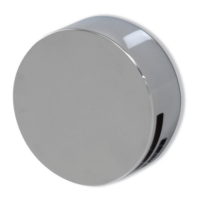
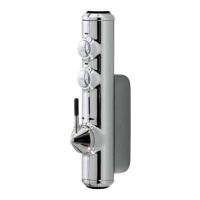
The Aqualisa Quartz Blue™ controller is a smart shower system designed to provide a personalized showering experience. It features a rotary temperature control bezel and a start/stop button. The system incorporates an Aqualisa SmartValve™ which manages water flow and temperature. The Quartz Blue™ system is also "smart connected," allowing users to unlock additional features through a free Aqualisa app, including water consumption analysis and enhanced user functions. Voice activation is also supported. The system includes a safety feature that limits the maximum run time to 20 minutes, which can be overridden or adjusted via the app. For dual outlet models, the controller allows users to divert water flow between two outlets by pressing and holding the start/stop button. The system also includes a bath overflow filler, which engages and disengages a plug fitting.
To operate the shower, users simply press the start/stop button on the controller. The temperature can be adjusted by turning the bezel during water flow. Upon activation, the shower defaults to a temperature of 39°C. A blue LED display flashes until the selected temperature is reached, then remains constant, indicating the shower is ready. To turn the shower off, the start/stop button is pressed again.
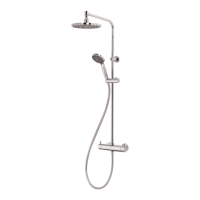
For dual outlet (divert) models, while the shower is in use, pressing and holding the start/stop button for over 3 seconds will divert the flow between the first and second outlets. The first outlet will automatically stop, and the second will start. A slight temperature change may occur when switching outlets due to system pipe runs.
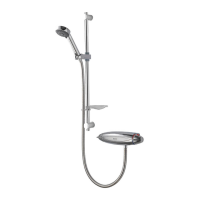
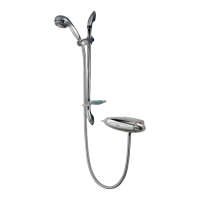
The adjustable shower head offers four spray patterns: Inner, Middle, Outer, and Eco. These patterns are selected by rotating a spray plate lever clockwise or anti-clockwise. The 'Eco' mode, position 4, provides the same spray pattern as position 3 but offers up to 25% water saving, depending on the water system. The shower head's height can be adjusted by pressing a button on the handset holder, allowing it to move up or down the rail. Angular adjustment is achieved by carefully pulling or pushing the shower head against the ratchet in the holder. To remove the shower head, users depress the anti-swivel locking button on the handset and unscrew the hose.
The fixed shower head's angle can also be adjusted. It is mounted on a multi-directional ball joint, allowing for minor angular adjustments in any direction by carefully holding and moving the head. Users are advised not to force the head beyond its natural stopping point.
The Aqualisa app enhances the user experience by allowing remote operation of the shower and providing access to various settings. The app guides users through creating a "Your Home" profile and connecting the shower to their Wi-Fi network. Wi-Fi setup is activated by pressing and holding the start/stop button on the main controller for 6-8 seconds until the LEDs flash green. The LEDs will flash rapidly while searching for a Wi-Fi network and then turn solid green upon successful connection. If the timer setting is adjusted in the app, the shower will run for the newly set duration, overriding the default maximum run time.
Regular cleaning is recommended to maintain the shower's effectiveness and prevent hard water scaling. The product should be cleaned using only a soft cloth and washing-up liquid. Abrasive cleaners should not be used. The bath system's 'click clack' waste plug mechanism should be kept clear of debris to ensure a watertight seal; the plug can be unscrewed for cleaning.
The shower head incorporates a 'clear flow' system to reduce the need for chemical descaling. Users can break down scale buildup by gently rubbing the flexible tips of the jets during use. This should be done regularly, as often as once a week in hard water areas, as scale buildup can affect the spray pattern and performance and may affect the warranty. If chemical descaling becomes necessary, the shower head should be removed and immersed in a mild proprietary descaler (e.g., vegetable-based or plain white vinegar). Cleaning and maintenance should not be undertaken by children without supervision.
To avoid water dripping from the shower head after use, it is advised to tilt the head back to allow residual water to drain out. This recommendation applies to both adjustable and fixed shower heads.
Troubleshooting information is provided for various issues, including controller unresponsiveness, pump noise, low/no flow, temperature control problems, and water system changes. For instance, if the controller LEDs are flashing and changing color during power-on, no action is required as this is part of the start-up sequence. If the controller is unresponsive, users should check the power supply and data cable connections. For low/no flow issues, especially in gravity-fed systems, an airlock might be present, which can be resolved by disconnecting the handset, setting the temperature to cold, and gradually increasing it as water flows. Restrictions in the waterway or blocked/kinked hose liners should also be checked. The guide also advises on checking inlet filters and ensuring correct SmartValve™ installation for specific water systems. For issues related to temperature, users are guided to check water supply temperatures, logic module settings, and ensure balanced water supplies.
The guide also provides information on how to register the product for an extended guarantee and offers contact details for customer service, including phone numbers, live chat, and email support.
 General
| Type | Digital Shower |
|---|---|
| Finish | Chrome |
| Power Supply | Mains |
| Temperature Control | Thermostatic |
| Control | Remote Control |
| Water System Compatibility | Combi Boiler |
| Shower Head | Adjustable |
| Installation | Exposed or Concealed |
| Outlets | Single Outlet |
| Warranty | 5 Year |


 To Next Page