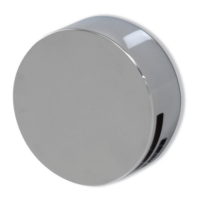
1. Push the waste cover to engage the plug fitting.
2. Push the waste cover again to disengage the plug.
Bath Overflow Filler
Do not leave the bath filler running
unattended. Although the overflow will
remove excess water once the bath is
overfilled, this may not be sucient
to prevent the bath from overflowing
(depending on system conditions).
Connecting to the App
Wi-Fi setup can only be activated
via the main controller for both
Single outlet and Dual outlet
(divert) models.
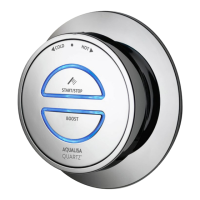
Press and hold the Start/Stop
button for 6-8 seconds or
until the LEDs on the
controller flash green.
Set up Shower - Controller
The LEDs on the controller will flash rapidly to indicate
that the Aqualisa SmartValve
TM
is searching for an
available Wi-Fi network. N.B. There is a 2-minute time
out if unable to connect.
Before starting you will need your Network Name (SSID code) and
password as they are required during the Aqualisa app setup journey.
These can normally be found on your internet router.
For Wi-Fi set up, the Aqualisa SmartValve
TM
must be powered, but the
shower must not be in use.
Download and open the Aqualisa app on your
personal smart device and follow the instructions
to create Your Home profile before continuing with
this section.
For further advice, information on compatible
devices, or if you have any trouble downloading the
app scan the QR code or go to www.aqualisa.co.uk/smartapp.
8 9

 To Next Page
 Loading...