EasyManua.ls Logo

Aquatek WP-A1908 - User Manual

Aquatek WP-A1908
24 pages
Print Icon
To Next Page IconTo Next Page
Loading...
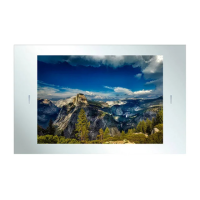
19” Advanced Bathroom TV
Product Code: WP-A1908
Instructions Manual

Other manuals for Aquatek WP-A1908

Questions and Answers

  • D
    David WiseAug 1, 2025
    How to fix no sound on Aquatek LCD TV?
    • J
      jennifer33Aug 2, 2025
      If your Aquatek LCD TV has no sound, first ensure that the MUTE function is not enabled. Check that the audio inputs are correctly connected. Increase the TV volume. If the problem persists, use the remote controller to reprogram the sound settings within the television’s Main Menu.
  • K
    Kimberly SaundersAug 8, 2025
    What to do if my Aquatek LCD TV has no power?
    • J
      Jeffrey WalkerAug 8, 2025
      If your Aquatek LCD TV has no power, check that there is a green light on the mains power cable – transformer. If the green light isn’t ON then please check the connections. Unplug the television from the mains for 5 minutes and check all connections. Plug the television in to mains and try again.
  • L
    Luis BarkerAug 13, 2025
    How to improve poor picture quality on Aquatek LCD TV?
    • R
      reesebradyAug 13, 2025
      If your Aquatek LCD TV has poor picture quality, check or adjust the following screen settings: Contrast Ratio, Colour, Tint and Brightness. You can also try returning the television settings back to factory settings or running the Auto Picture Function.
  • C
    Christian RussellAug 19, 2025
    Why is my Aquatek LCD TV not getting a signal?
    • C
      Courtney OnealAug 19, 2025
      If your Aquatek LCD TV has no television signal, check whether the aerial that’s connected to the television is getting a reception. Also, check that the Coax cable has been plugged in to the television correctly. Ensure that all other ports are working properly, including SCART, HDMI & USB.
  • K
    Kevin HuangAug 25, 2025
    What to do if Aquatek LCD TV remote is not working?
    • C
      Charles ChandlerAug 26, 2025
      If your Aquatek LCD TV remote controller is not responding, first change the batteries within the remote control. The remote controller will only work within 8 meters of the television.

Summary

Safety Guidelines

Package Contents

Television Dimensions

Ports and Connectors

Technical Specifications

Installation Guidelines

In-Wall Installation Method

Step-by-step guide for mounting the television within a wall cavity.

On-Wall Installation Method

Step-by-step guide for mounting the television on a wall surface.

Front Panel Overview

Remote Control Overview

Remote Control Key Functions

Detailed explanation of each button's function on the remote control.

OSD Menu User Guide - 1.1 Input Source Menu

OSD Menu User Guide - 1.2 Channel Menu

OSD Menu User Guide - 1.3 Picture Menu

OSD Menu User Guide - 1.4 Sound Menu

OSD Menu User Guide - 1.5 Setup Menu

OSD Menu User Guide - 1.6 Media Source Menu

Troubleshooting

Warranty Details

Aquatek WP-A1908 Specifications

General IconGeneral
BrandAquatek
ModelWP-A1908
CategoryLCD TV
LanguageEnglish