17
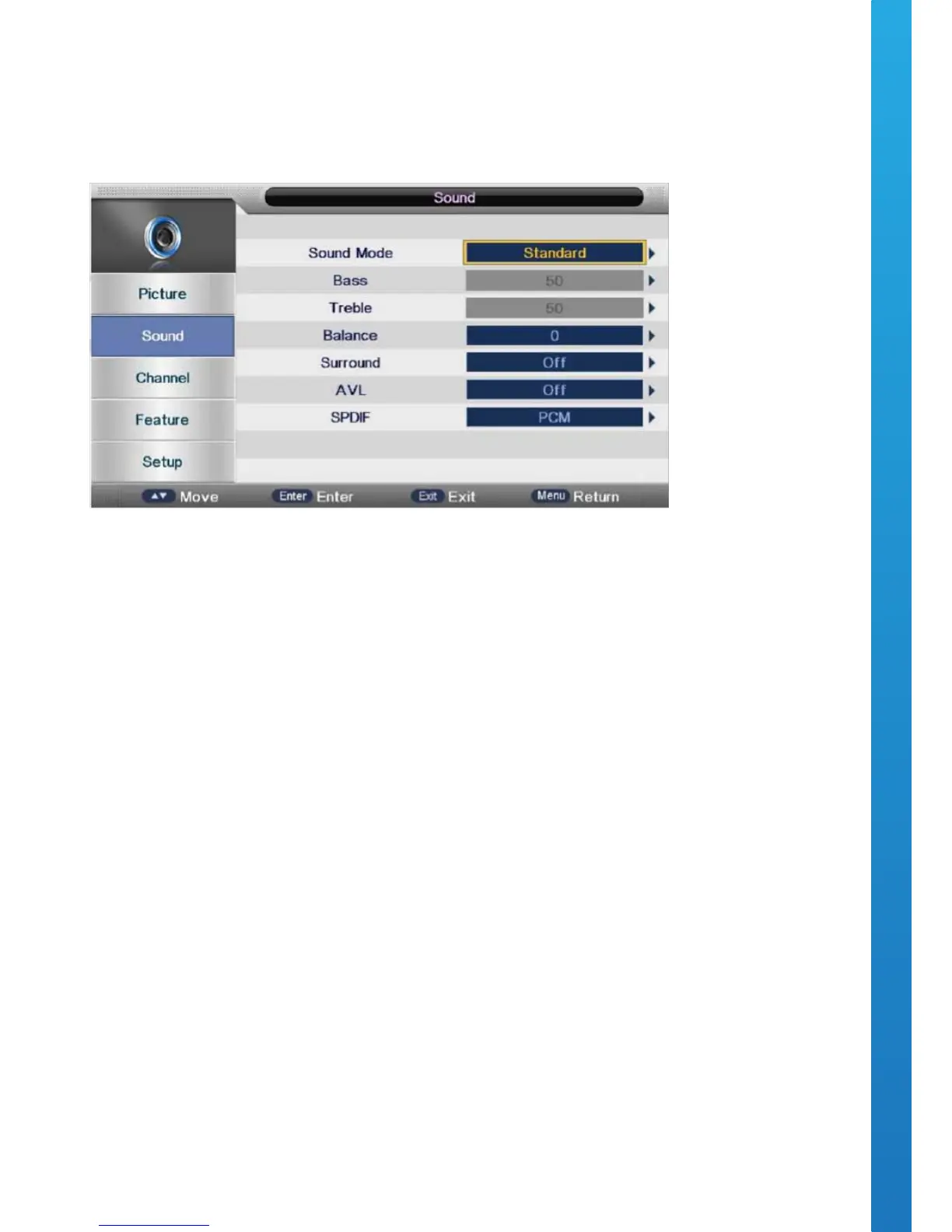
OSD Menu User Guide - 1.4 Sound Menu
Press the MENU button to display the main menu.
Press ▼ / ▲ buttons to select SOUND in the main menu.
Press ▼ / ▲ buttons to select the option that you want to adjust within the SOUND menu.
Press ◄ / ► buttons to adjust. After you’ve completed your selection, Press the MENU button to save and
return back to the previous menu.
SOUND MODE
Press ▼ / ▲ buttons to select the Sound Mode, then press the OK button to enter the sub-menu. Press ▼ / ▲
buttons to select sound mode. Optional Sound modes: Standard, Music, Movie, Sports & Personal.
You can alter the Treble and Bass output when the sound mode set to Personal mode.
You can press the SMODE button on the remote control to change the Sound Mode directly.
BASS
Press ▼ / ▲ buttons to select Bass, then press the OK button to enter the sub-menu.
Press ◄ / ► buttons to adjust.
TREBLE
Press ▼ / ▲ buttons to select Treble, then press the OK button to enter the sub-menu.
Press ◄ / ► buttons to adjust.
BALANCE
Press ▼ / ▲ buttons to select Balance, then press the OK button to enter the sub-menu.
Press ◄ / ► buttons to adjust.
AUTO VOLUME
Press ▼ / ▲ buttons to select Auto Volume, then press the OK button to select On or O.
SPDIF MODE
Press ▼/▲ buttons to select SPDIF MODE, then press the OK button to select Auto\ PCM \ O.


 To Next Page