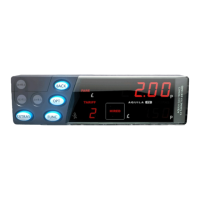
2 The Basics of the T-Tiny Taximeter
Note: The Rate, Fare and Extras displays are used for other purposes in
various menus and options.
The diagram of the next page shows how the T-Tiny’s basic operations work.
Following this there are descriptions of each of the T-Tiny’s operating modes
and the functions available in each mode.
The T-Tiny’s Buttons
Throughout this manual, the T-Tiny’s keys are referred to as shown below.
Their main functions are described.
2
Mode
Indicator
Buttons
Tariff Seal: This
sealing point secures
the Tariff
Programming
connector.
Vehicle Seal: This
sealing point secures
the screw holding the
T-TINY to its mounting
bracket.
Meter Seal: This sealing
point secures the screw
holding the T-TINY’s front
and rear case together and
prevents access to internal
parts.
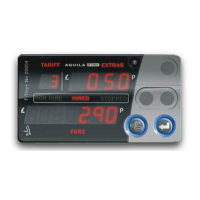
Fare
Display
Extras Display
Rate Display
navigating menus.
navigating menus.


 To Next Page
 Loading...