3.2 FOR HIRE Mode
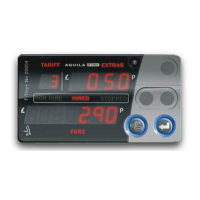
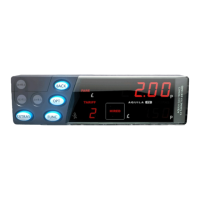
In FOR HIRE mode, the T-TINY displays the currently selected rate and
allows manual rate selections to be made if these are included in the tariff.
Optional Feature: The T-TINY may optionally display a time of day clock in
the Fare Display if allowed in the tariff.
In FOR HIRE mode, the T-TINY may illuminate the roof sign of your
vehicle. This depends, however, on the tariff program in the meter, and the
wiring in your vehicle.
5
Hold down MONEY and
press ENTER to select
the rate the T-TINY will
charge. The effect of
this button depends on
the tariff in the meter.
Press
EXTRAS to
enter the
USER MENU
Press ENTER to
go to HIRED
mode.
Hold down
MONEY for 2
seconds to
go back to
STANDBY.


 To Next Page
 Loading...