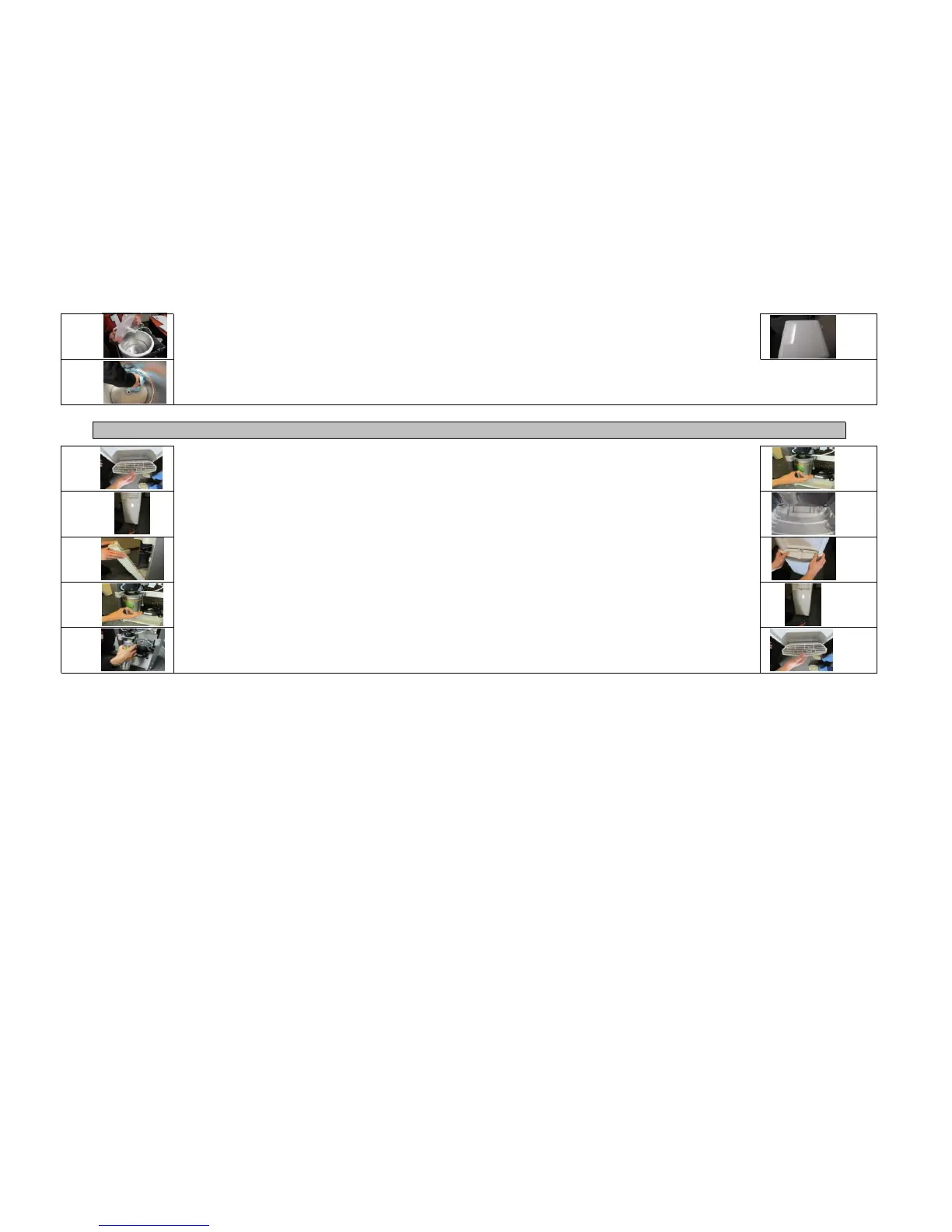
Install the to cover of cooler back in its original position
Attach the new filter to filter head by pushing in, and turning to the right until it stops
Place the bottom of the cabinet cover over the plastic L-shaped clips at the bottom of the cooler and press
down gently
Push the top of the cabinet cover into place and let slide up naturally and click into position
Insert the previously removed screw into the bottom of the cabinet cover
Re-attach the drip tray by pushing in
STEP 10
For any needed assistance please call 1-866-872-5722
Pull down gently on the filter until it is removed
Remove the baffle from the cooler and clean with a clean dish towel, and water (do not use bleach or any
cleaners, you may use a small amount of soap if desired)
Clean the cold tank with a clean dish towel, and water (do not use bleach or any cleaners, you may use a small
amount of soap if desired)
Remove the drip tray by pulling towards you
Remove the screw located at the bottom of the cabinet on the front of the cooler
Push the cabinet cover down and pull towards you
Remove the attached filter by turning to the left until it stops
Replacing Your Water Filter


 To Previous Page