EasyManua.ls Logo

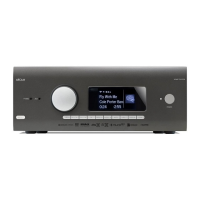
Arcam AV950 - User Manual

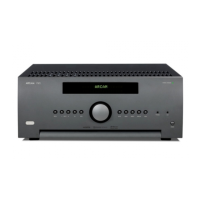
Arcam AV950
25 pages
Print Icon
To Next Page IconTo Next Page
Loading...
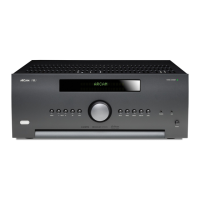
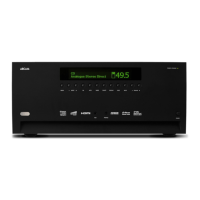
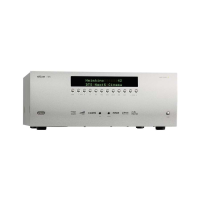
AV950/AVR750/450/380
AVR750
English
HANDBOOK AVR surround amplifiers

Questions and Answers

  • A
    Amy DominguezSep 6, 2025
    How to remove bright edges or ‘ghosts’ on the picture from my Arcam AV950 Amplifier?
    • M
      Mr. Christopher Pham DDSSep 7, 2025
      If you see bright edges or ‘ghosts’ on the picture from your Arcam Amplifier, ensure that the cables used for analogue video connections are designed to carry video (i.e., they are 75? coaxial cables). Also, make sure the ‘sharpness’ control on your display device is switched off or set near minimum. For HDMI connections, try using a shorter cable or a different brand.
  • C
    cynthiawilliamsAug 22, 2025
    Why is my Arcam Amplifier remote control not working properly?
    • C
      Cynthia GonzalezAug 22, 2025
      If your Arcam Amplifier is responding erratically or not at all to the remote control, first ensure that the remote has fresh batteries. Also, make sure that the front panel window of the unit is visible and that you are pointing the remote control directly towards it.
  • V
    villegascherylSep 3, 2025
    Why does my Arcam Amplifier select Dolby Pro Logic when playing a Dolby Digital BD?
    • J
      Jacqueline BrandtSep 3, 2025
      If your Arcam Amplifier selects Dolby Pro Logic when playing a Dolby Digital BD, ensure you have a digital connection from your BD player. Be aware that some Dolby Digital BD/DVD discs contain material at the beginning or end of the main movie that is not in full 5.1 format, but in two-channel or Pro Logic decoding.
  • D
    Darrell LewisSep 2, 2025
    What to do if I cannot connect my Arcam Amplifier to a wired network?
    • M
      Mario ShieldsSep 2, 2025
      If you cannot connect your Arcam Amplifier to a wired network, ensure the Ethernet cable is correctly connected between the AV950/AVR750/450/380 and your network hardware. Check that your network is set up for fixed IP addressing and that the AV950/AVR750/450/380 is set to use DHCP. Alternatively, if your network uses DHCP, ensure the AV950/AVR750/450/380 is configured for fixed IP addressing.
  • S
    Shawn CrosbySep 1, 2025
    How to eliminate hum on the analogue input of Arcam Amplifier?
    • I
      Isabella FoxSep 1, 2025
      To eliminate hum on the analogue input of your Arcam Amplifier, check that all cables are making a good connection. Also, inspect the connections inside the source cable connector for breaks or poor soldering. If the hum occurs only when a specific source component is connected, check that any aerial cable or dish connection to that source is ground isolated. If the problem persists, contact your installation contractor.
  • B
    brittany68Aug 30, 2025
    How to resolve poor or distorted sound on Arcam AV950 Amplifier?
    • D
      douglas99Aug 30, 2025
      To resolve poor or distorted sound on your Arcam Amplifier, check that you haven't excessively increased the input sensitivity (reduced the maximum input signal voltage) in the Input Config. menu if using an analogue input. Also, ensure that you have selected the correct size of speakers to suit your system in the setup menu.
  • T
    taylor38Aug 29, 2025
    Arcam AV950 Amplifier has no lights, how to fix?
    • B
      brandonmillerAug 29, 2025
      If there are no lights on your Arcam Amplifier, check that the power cord is properly plugged into both the AV950/AVR750/450/380 and a switched-on mains socket. Also, make sure that the power button is pressed in. If a red LED is present, the unit is in standby mode; press any button on the front panel or remote control to exit standby.
  • Y
    yaustinAug 27, 2025
    Why can't I select Dolby Digital or DTS decoding modes on my Arcam AV950 Amplifier?
    • S
      Suzanne TorresAug 28, 2025
      If you are unable to select Dolby Digital or DTS decoding modes on your Arcam Amplifier, first verify that a digital source is selected and properly connected. Next, ensure that the source is playing appropriately encoded material. Check that the BD/DVD disc is encoded in the correct format and that you've selected the right format in the disc's start menu, if applicable. Finally, confirm that the BD/DVD player is set to output ‘bitstream’ audio on its digital output.
  • J
    josephmasonAug 27, 2025
    What to do if my Arcam AV950 Amplifier isn't producing a picture?
    • K
      Kristina PooleAug 27, 2025
      If your Arcam Amplifier isn't producing a picture, first, check that your viewing device is on and set to display your AV950/AVR750/450/380. Then, ensure the correct video input is selected on the amplifier and that the 'Video Source' is correctly set in the 'Input Config.' menu. Verify the video source is on, working correctly, and in 'play' mode if needed. Also, check that the AV950/AVR750/450/380 is in a video resolution compatible with your connection and display device. You can test this by pressing and holding the OK key for more than three seconds to force 480p / 576p output resolutions.
  • A
    andrea05Aug 25, 2025
    How to troubleshoot sound coming from only some speakers on Arcam Amplifier?
    • J
      Jennifer PriceAug 25, 2025
      If sound is only coming from some of the speakers connected to your Arcam Amplifier, make sure you have selected and are playing an appropriate surround source. Check that the BD/DVD disc is encoded in the right format, and the correct format is selected in the disc start menu of the BD player, if applicable. Ensure the BD/DVD player outputs ‘bitstream’ audio on the digital output. Verify the display window indicates the disc is a multichannel recording. Check all speaker connections to the terminals are secure and that you haven't selected ‘Stereo’ as the decoding mode. Also, confirm your speaker balance is correct and that you have configured the AV950/AVR750/450/380 to include all speakers in your system.

Arcam AV950 Specifications

General IconGeneral
TypeAV Processor
Audio Channels16
HDMI Inputs8
HDMI Outputs3
4K (UHD) passthroughYes
Dolby AtmosYes
DTS:XYes
Dirac LiveYes
Frequency Response20 Hz - 20 kHz
InputsHDMI x 1, USB x 1, Ethernet x 1
OutputsHDMI x 3
Supported Audio FormatsDolby Atmos, DTS:X, Dolby TrueHD, DTS-HD Master Audio
Signal-to-Noise Ratio110dB (A-weighted)

Related product manuals