EasyManua.ls Logo

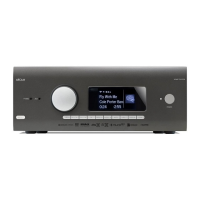
Arcam AVR11 - User Manual

Arcam AVR11
60 pages
Print Icon
To Next Page IconTo Next Page
Loading...
HANDBOOK
EN
AVR SURROUND AMPLIFIERS
AV41/AVR31/AVR21/AVR11

Questions and Answers

  • J
    jeffrey52Aug 14, 2025
    What to do if my Arcam Amplifier remote control is not working?
    • T
      Thomas BallardAug 14, 2025
      If your Arcam Amplifier's remote control is not responding, make sure there are fresh batteries in the remote. Ensure that the front panel window of the unit is visible and that you are pointing the remote control directly towards it.
  • N
    Nathan MooreAug 17, 2025
    What to do if my Arcam Amplifier produces no sound?
    • D
      David MartinezAug 17, 2025
      If your Arcam Amplifier produces no sound, ensure that the correct input is selected, the audio source is correctly set in the input configuration menu, and the source equipment is on, operating normally, and in play mode if appropriate. Also, check that the volume is at a reasonable level and the receiver is not in mute mode.
  • K
    keyjasonAug 21, 2025
    What to do if my Arcam Amplifier has no picture?
    • P
      Paul MurphyAug 21, 2025
      If your Arcam Amplifier isn't producing a picture, first ensure your viewing device is on and set to display your receiver. Then, press the button on the receiver or remote to check for the main menu screen on your display. Confirm the correct video input is selected on the receiver, and that the video source is on, working properly, and in play mode if needed.
  • A
    Ashley FischerAug 25, 2025
    Why does sound only come from some speakers on my Arcam Amplifier?
    • P
      Pamela MasonAug 25, 2025
      If sound only comes from some speakers connected to your Arcam Amplifier, verify that an appropriate surround source is selected and playing. Ensure the BD/DVD disc is encoded in the correct format, and the correct format is selected in the disc start menu of the BD player, if applicable. The BD/DVD player should be set to output ‘bitstream’ audio on the digital output. Check that the display window indicates a multichannel recording. Confirm all speakers are correctly and securely connected to the terminals. Make sure you haven't selected ‘stereo’ as the decoding mode, that your speaker balance is correct, and that you've configured the receiver to include all speakers in your system.
  • J
    Jeffrey SawyerAug 28, 2025
    Why is the sound poor or distorted on my Arcam Amplifier?
    • J
      Joseph KingAug 28, 2025
      If the sound from your Arcam Amplifier is poor or distorted, check that you haven't excessively increased the input sensitivity in the input configuration menu if using an analogue input. Also, verify that you have selected the correct speaker size in the setup menu to suit your system.
  • L
    Lance SmithAug 31, 2025
    How to fix bright edges or ‘ghosts’ on the picture of my Arcam Amplifier?
    • S
      Stacey RamirezAug 31, 2025
      If there are bright edges or ‘ghosts’ on the picture from your Arcam Amplifier, ensure the ‘sharpness’ control on your display device is switched off or set to near minimum. For HDMI connections, try using a shorter cable or a different brand.
  • D
    Donna JonesSep 3, 2025
    What to do if there are no lights on my Arcam Amplifier?
    • S
      sarabarronSep 3, 2025
      If there are no lights on your Arcam Amplifier, ensure the power cord is plugged into both the receiver and a switched-on mains socket, and that the power button is pressed in. If a red LED is present, the receiver is in standby mode; press any button on the front panel or the standby button on the remote control.
  • W
    whoffmanSep 6, 2025
    What to do if the front panel display is blank on my Arcam Amplifier?
    • R
      Rachel Martinez DDSSep 6, 2025
      If the front panel display of your Arcam Amplifier is blank, ensure that the display hasn’t been turned off. Try pressing the button on the front panel or the remote control.
  • K
    Kiara SmithSep 10, 2025
    Why is there hum on the analogue input of my Arcam Amplifier?
    • I
      icalderonSep 12, 2025
      If you're experiencing hum on the analogue input of your Arcam Amplifier, ensure all cables are making a good connection. If necessary, remove and fully re-plug the cable into the connector after turning the power off. Check that the connections inside the source cable connector are not broken or badly soldered. If the hum only occurs when a specific source component is connected, ensure that an aerial cable or dish connection to this source is ground isolated. Contact your installation contractor for further assistance.

Summary

Safety Guidelines

Important Safety Instructions

Essential guidelines for safe operation and maintenance of the apparatus.

Rear Panel Connections and Controls

Input;Output Connector Groups

Overview of Network, USB, HDMI, Digital, Analogue, Preamplifier, and Serial/IR connectors.

Speakers

Speaker Configuration and Placement

Guidance on speaker setup, placement, and surround sound effects.

Connecting Speakers

Speaker Wiring and Amplification Options

Best practices for speaker wiring, bi-amping, and external amplification.

Operation

Receiver Power, Standby, and Source Selection

Operating procedures for power, standby, and selecting audio/video inputs.

Front Panel Operation

Front Panel Controls Overview

Functions of buttons like VOLUME, INPUT, MENU, INFO, OK, MUTE, DIRECT, DISPLAY, ZONE.

Remote Control

Remote Features, Usage, and Batteries

Details on remote capabilities, usage, battery installation, and notes.

Remote Control Modes and Customization

Remote Control Setup Methods

Remote Programming Procedures

Methods for code learning, direct setup, library search, and data deletion.

Remote Control Advanced Features

Essential Setup

Auto Speaker Setup

Dirac Live Setup and Troubleshooting

Guide to Dirac Live calibration, issues, and subwoofer setup.

Setup Menus

Input Configuration

Input Settings and Speaker Configuration

Adjusting input settings like Lip Sync, Bass, Treble, and speaker configurations.

Connecting to a Network

Decoding Modes

Troubleshooting

Common Unit and Speaker Issues

Troubleshooting no power, display, sound, picture, and speaker output problems.

Interference, Network, and Radio Issues

Addressing interference, network connection, and radio station problems.

Arcam AVR11 Specifications

General IconGeneral
TypeAV Receiver
Power Output85W per channel (8 ohms, 2 channels driven)
Total Harmonic Distortion0.02%
Input Impedance47k Ohms
HDMI Inputs7
HDMI Outputs2
4K (UHD) passthroughYes
8K (UHD) passthroughNo
Dolby AtmosYes
DTS:XYes
IMAX EnhancedYes
Dirac LiveYes
Roon ReadyYes
BluetoothYes
Wi-FiYes
EthernetYes
Spotify ConnectYes
USB PortYes
Frequency Response20Hz - 20kHz
Signal-to-Noise Ratio100dB
AirPlayYes
Supported Audio FormatsFLAC, WAV, ALAC, MP3, AAC, WMA
Dimensions433 x 171 x 425 mm

Related product manuals