11
4. OPERATION
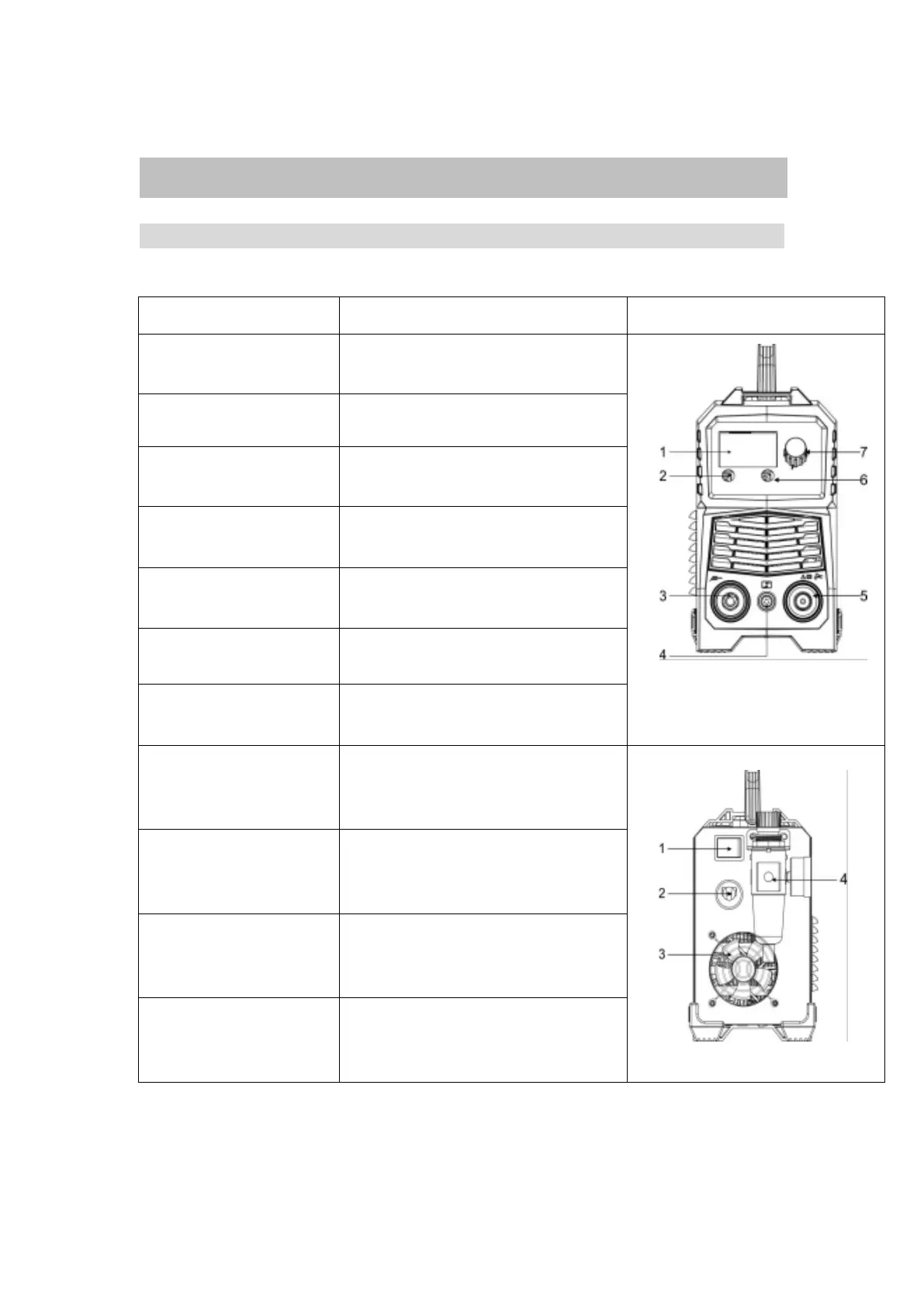
4.1 Panel Functions of CUT50
Part name Function Picture
1.Digital screen To display the cutting information
2. Operation mode button For 2T/4T cutting mode conversion
3. “+”Output terminal To connect the earth cable
4. Interface for torch
trigger
To connect the control signal of
cutting torch
5. “-”Output terminal To connect the cutting torch
6. Preferences button For Current/PostGas conversion
7.Current control knob
To adjust the output current/post gas
value
1.Power switch
To control the ON/OFF of th e input
power of the machine
2.Cable For power supply input
3.Cooling fan
For heat dissipation through forced
air cooling
4.Air reducer valve To adjust the pressure of the input air
Digital Welder Expert, Know You More
https://www.arccaptain.com



 To Next Page