8
3. FUNCTION
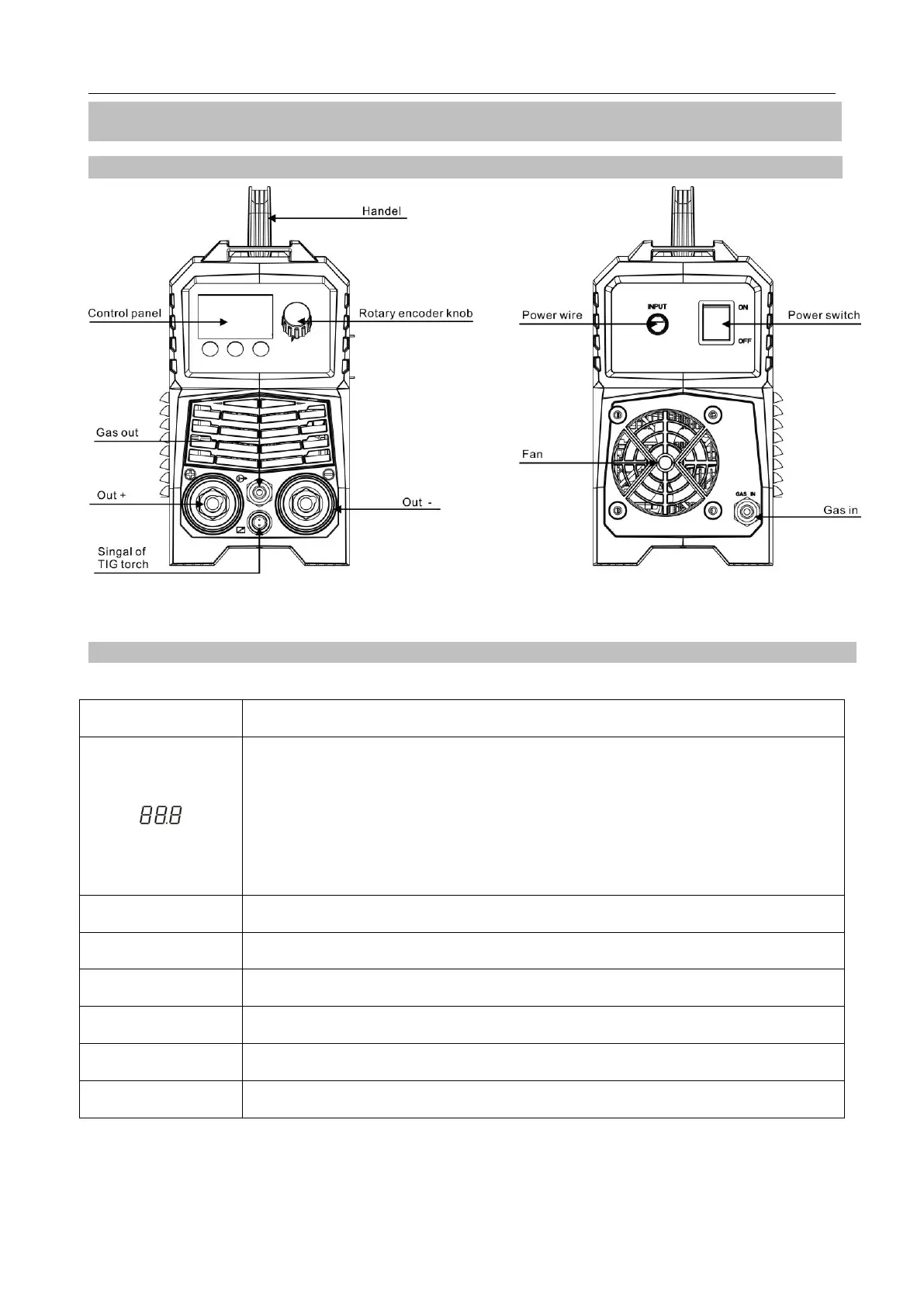
3.1 Panel of TIG200
Pic 5 Front panel of TIG200 Pic 6 Back panel of TIG200
3.2 Panel functions of TIG200
Part name Function
1.It displays parameters value which is set currently;
2.It displays setting value of Down Slope;
3.It displays setting value of Post Gas;
4.It displays “E61” code while the machine is of over-load status;
5.It displays “E10” code while the machine is over current.
~110V The input voltage is AC110V when it is blinking.
~220V The input voltage is AC110V when it is blinking.
Panel The welder can only be used by panel control when it is blinking.
Remote The welder can only be used by remote control when it is blinking.
MMA MMA Welding mode.
TIG 2T 2T Welding mode.
Digital Welder Expert, Know You More
https://www.arccaptain.com



 To Next Page