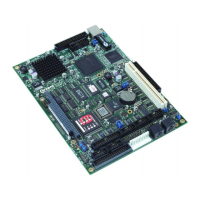
VIPER Detailed hardware description
Below is a table covering the clock signals required for passive and active type displays:
VIPER Active display signal (TFT) Passive display signal (STN)
PCLK Clock Pixel Clock
LCLK Horizontal Sync Line Clock
FCLK Vertical Sync Frame Clock
BIAS DE (Data Enable) Bias
The display signals are +3.3V compatible; the VIPER contains power control circuitry
for the flat panel logic supply and backlight supply. The flat panel logic is supplied with a
switched 3.3V (default) or 5V supply while the backlight is supplied with a switched 5V
supply for the inverter.
There is no on-board protection for these switched supplies! Care must be
taken during power up/down to ensure the panel is not damaged due to the
input signals being incorrectly configured.
Typically the power up sequence is as follows (please check the datasheet for the
particular panel in use):
1. Enable display VCC
2. Enable flat panel interface
3. Enable backlight
Power down is in reverse order.
LCD backlight enable
The PXA255 GPIO9 pin controls the LCD Inverter supply voltage for the backlight.
When GPIO9 is set to logic ‘1’, the backlight supply BLKSAFE is supplied with 5V
(turned on). The BLKEN signal on PL3 is the un-buffered GPIO9 signal. See the section
PL3 – LCD connector
, page 62, for PL3 pin assignment, connector and mating
connector details.
If you want to use a 12V backlight inverter, then the switched 5V supply on
BLKSAFE or the control signal BLKEN can be used to control an external 12V
supply to the inverter.
© 2004 Arcom Issue H 31


 To Next Page