Configuration
5-4
NetDSL Software User’s Guide
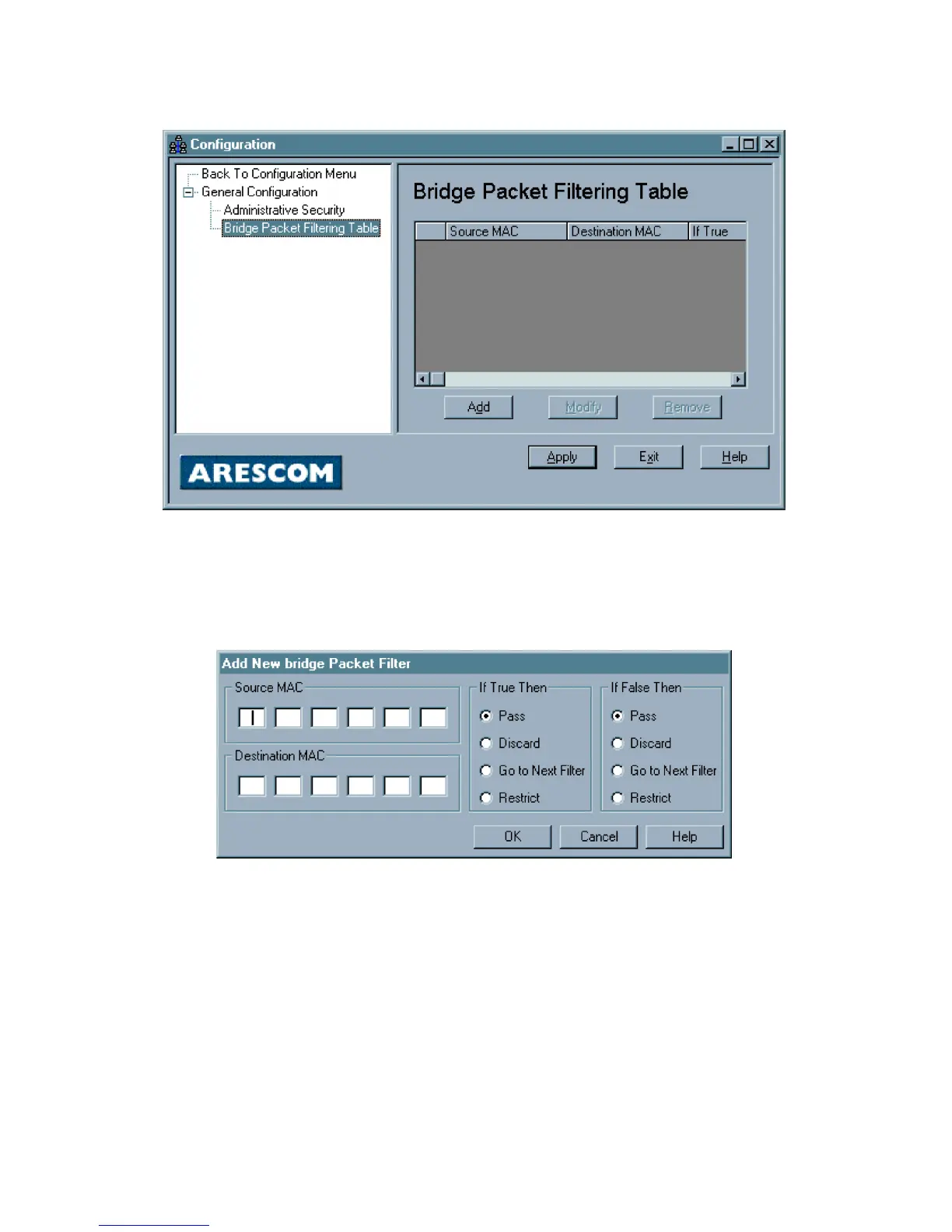
this panel, you can Add New Bridge Packet Filter, Modify Bridge Packet Filter,
or Remove Bridge Packet Filter.
Figure 5.2 Bridge Packet Filter
Add New Bridge Packet Filter
To add a new IP Packet Filter, click the New button. This will open the Add New
Bridge Packet Filter window.
Figure 5.3 Add New Bridge Packet Filter
Enter the Bridge packet filter parameters according to the following criteria:
MAC: Identifies each device on the network and the Internet.
The characteristics of each packet that enters the NetDSL are compared to the
bridge packet filters’ parameters to see if they match (true), or whether they do
not match (false).
For either true/false condition, the packets can be set to:
Pass: Automatically pass through the modem.
Restrict: Pass only if there is an available connection.



 To Next Page