Hardware Installation
2-4
NetDSL Software User’s Guide
2.4 Connect to the Ethernet
Step 1. Locate your Ethernet cable (included).
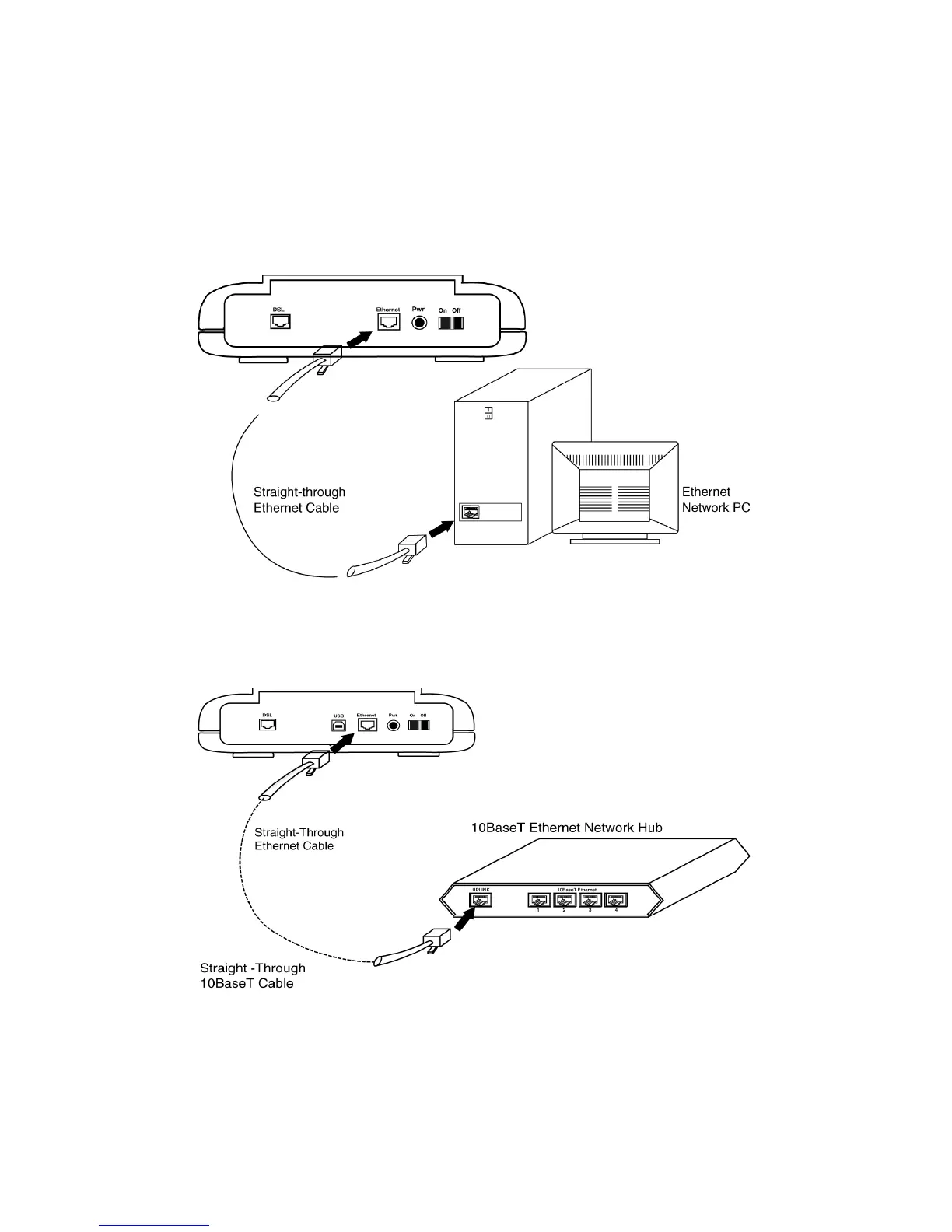
Step 2. Attach the Ethernet cable to the Ethernet interface of your NetDSL.
Step 3. Plug in the loose end of the Ethernet cable to your Ethernet network.
Option 1. Attach the included Ethernet cable to the Ethernet port on a
PC.
Figure 2.3 Connecting to a Ethernet Port on a PC
Option 2. Attach the included Ethernet cable to the uplink port on a
hub.
Figure 2.4 Connecting to the Uplink Port on a
Network Hub
Option 3. If the uplink port is unavailable, then you can use a crossover
Ethernet cable (Not included) and attach it to the non-uplink



 To Next Page