Operation Instructions
13
2.2.15 Error Reset
[Operation Instructions]
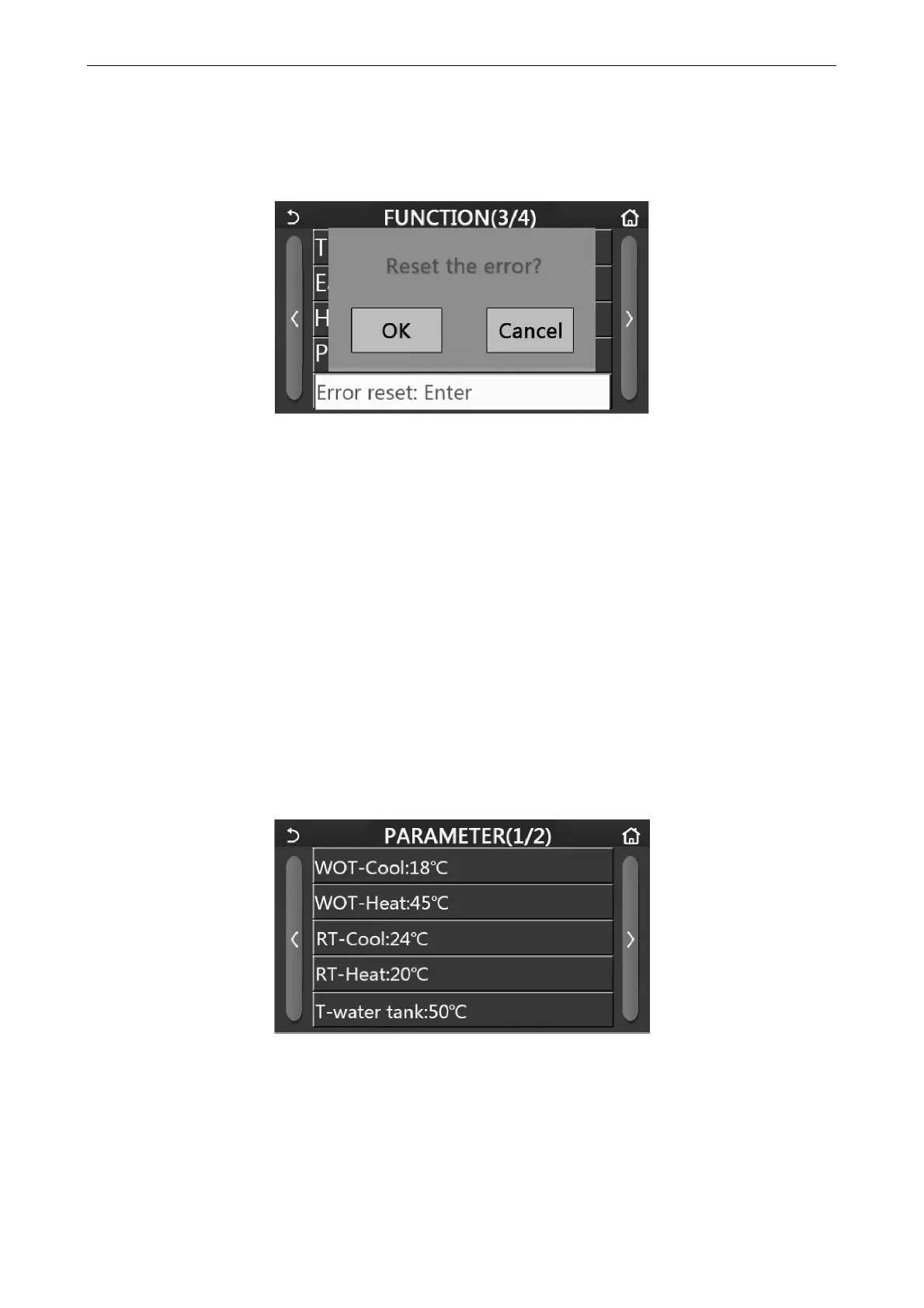
At the function setting page, by touching “Error reset”, a choice box will pop up, where by touching “OK” the error
will be reset and by touching “Cancel” the error will not be reset.
[Notes]
It can be performed only when the unit is turned off.
2.2.16 WiFi Reset
[Operation Instructions]
At the function setting page, by touching “WiFi”, a choice box will pop up, where by touching “OK” , the WiFi setting
will be reset, and by touching “Cancel” the choice box will quit and WiFi will not be reset.
2.2.17 Reset
[Operation Instructions]
At the function setting page, by touching “Reset”, a choice box will pop up, where by touching “OK” all user
parameter settings will be reset and by touching “Cancel” it will back to the function setting page.
[Notes]
This function is allowed only when the unit has turned off.
This function is valid for “Temp. timer”, “Clock timer”, “Preset mode”, “Weekly timer”, and “Weather depend”.
2.3 User Parameter Setting
[Operation Instructions]
1. At the menu page, by touching “PARAMETER”, it will back to the parameter setting page, as shown in the figure
below.
Parameter Setting Page
2. At the menu setting page, by touching the page turning keys, it is able to switch to the page where the desired
parameter is.
3. After that, this setting will be saved by touching “OK” and then the unit will run based on this setting. While this
setting will give up by touching “Cancel”.



 To Next Page