Operation Instructions
18
[Notes]
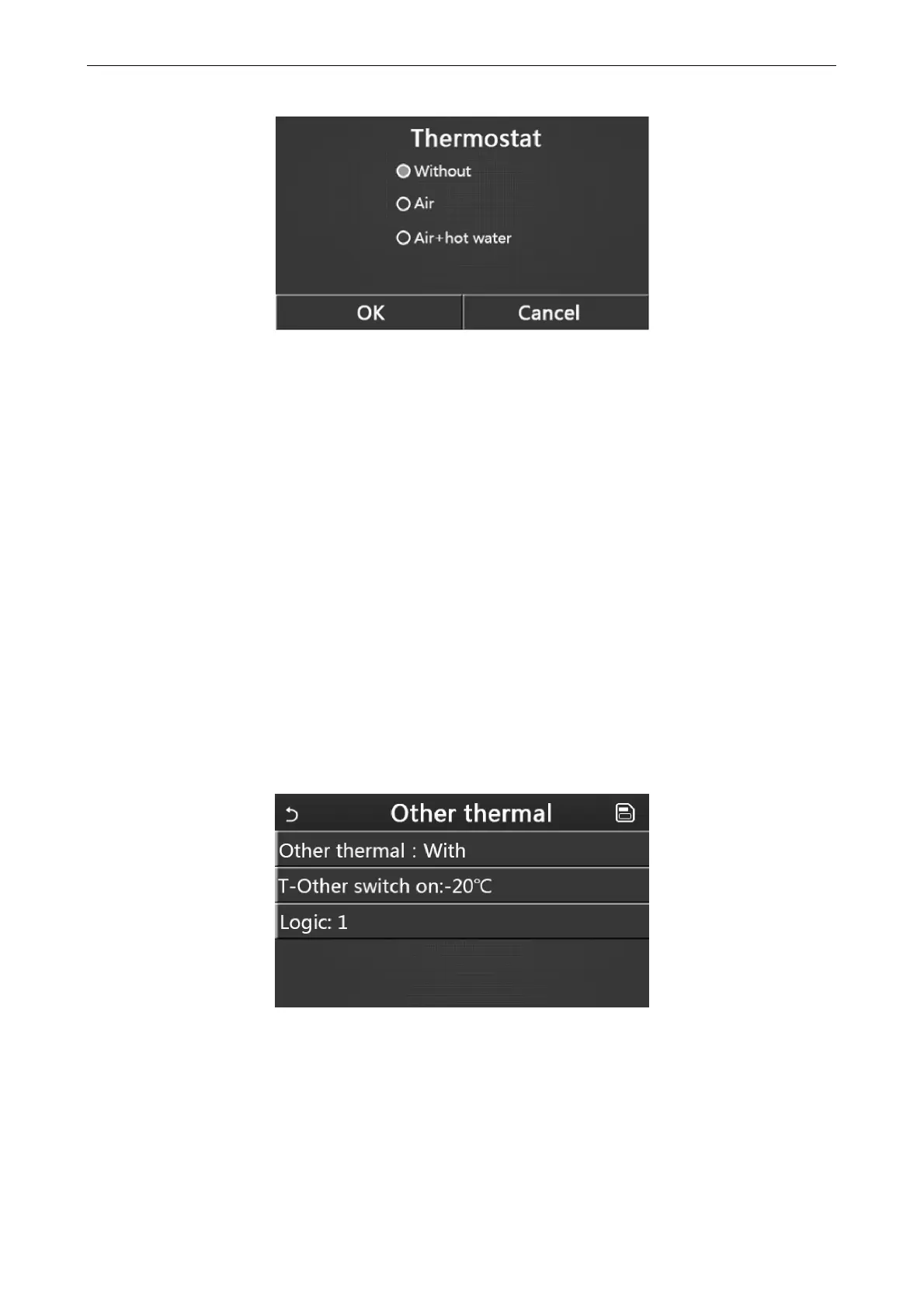
When “Water tank” is set to “Without”, the “Air + hot water” mode is unavailable.
When “Floor debug” and “Emergen.mode” have activated, function of the thermostat will be invalid.
When “Thermostat” is set to “Air” or “Air + hot water”, timer function will be disabled and the unit will run based
on the mode set by the thermostat. Meanwhile, mode setting and On/Off operation will be ineffective.
When “Thermostat” is set to “Air”, the unit will run based on the setting of the thermostat.
When “Thermostat” is set to “Air + hot water”, when the thermostat is turned off, the unit can still perform the
“Hot water” mode. In this case, the ON/OFF icon at the homepage does not indicate the running status of the unit.
Running parameters are available at the parameter viewing pages.
When “Thermostat” is set to “Air + hot water”, operation priority can be set by the control panel (see Section
2.2.3 and 2.2.4 for more details.)
The status of the thermostat can be changed only when the unit is turned off.
When it has been activated, “Weekly timer”, “Clock timer”, “Temp.timer”, and “Preset mode” cannot be
activated at the same time.
This setting will be memorized upon power failure.
2.4.6 Other Thermal
[Operation Instructions]
1. At the commissioning parameter setting page, by touching “Other thermal”, the control panel will access to the
corresponding setting page.
2. At the “Other thermal” setting page, “Other thermal” can be set to “With” or “Without”, “T-Other switch on”
can be set to the desired value. When “Other thermal” is set to “With”, it is allowed to set the operating mode for the
backup thermal source.
[Notes]
This setting will be memorized upon power failure.
There are three working logics for it.
Logic 1
1. The set point of the other thermal should be equal to that of “WOT-Heat”.
2. The water pump for other thermal must be always active under the “Heat” mode.
3. Under the “Heat” mode, the 2-way valve will be controlled based on the setting of the control panel.



 To Next Page